Written by Robyn
Edited on
16 June 2026
·
12:26
How do you calibrate your Apple Watch?
An Apple Watch tracks everything for you. How many kilometers you walk a day, how fast you walk, how many calories you burn. If you want to make these measurements even more accurate, you calibrate your Apple Watch. In this article, we'll explain what calibrating your Apple Watch is and how to do it.
Get started on calibrating the Apple Watch
In order to calibrate your Apple Watch, you have to go through a couple of steps.
- Check your settings
- Calibrate your Apple Watch

Step 1: check your settings
The Apple Watch needs certain information in order to calibrate. In the settings, you can give your Apple Watch access to this information.
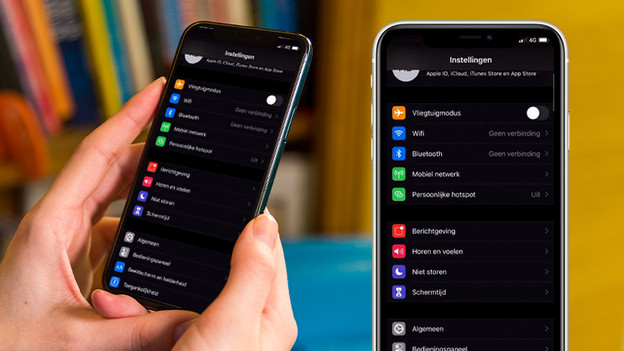
- Open Settings on your iPhone.
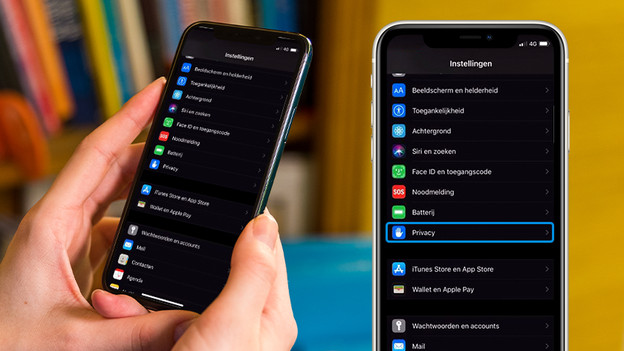
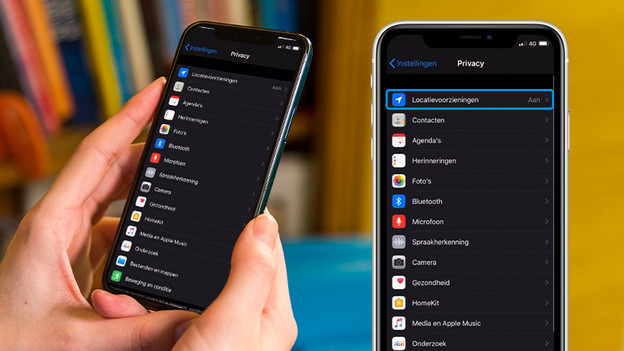
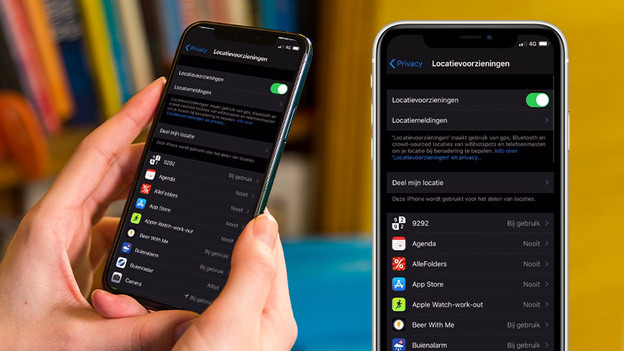
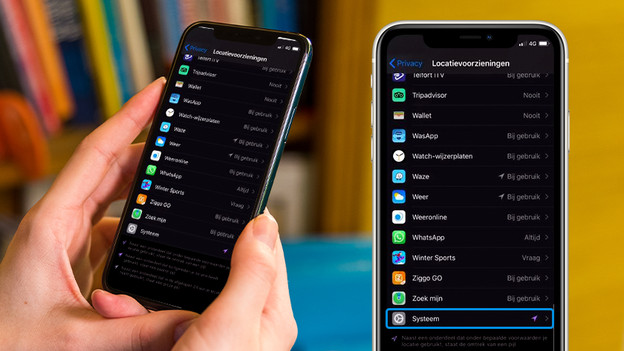
- Go to Privacy and tap Location Services. This has to be turned on.
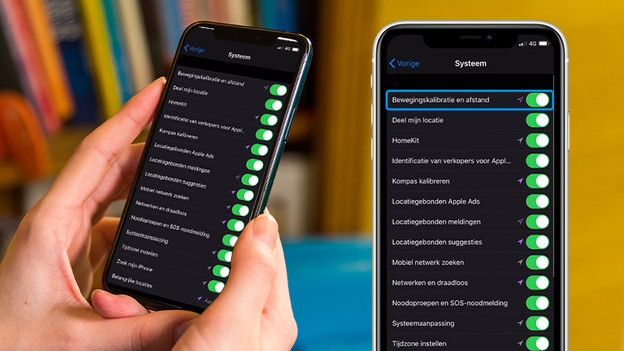
- Scroll down and click System Services.
- Turn on Motion Calibration and Distance.
Open 'Settings' on your iPhone.
Scroll to 'Privacy' and tap it.
Tap 'Location Services'.
Make sure 'Location Services' is turned on.
Scroll down to 'System Services' and tap it.
Turn on 'Motion Calibration and Distance'.
Step 2: calibrate your Apple Watch
Once your settings are set correctly, it's time to calibrate the Apple Watch.
- Put on your Apple Watch and go to a flat, open space outside. You should have a good GPS connection there. If you want to check if your GPS works properly, open the Maps app to see how accurately the Apple Watch indicates your location.
- With an older Apple Watch, you need your iPhone for GPS. Hold your iPhone in your hand or wear it in an arm strap or fanny pack. That way, the iPhone has the best GPS connection.
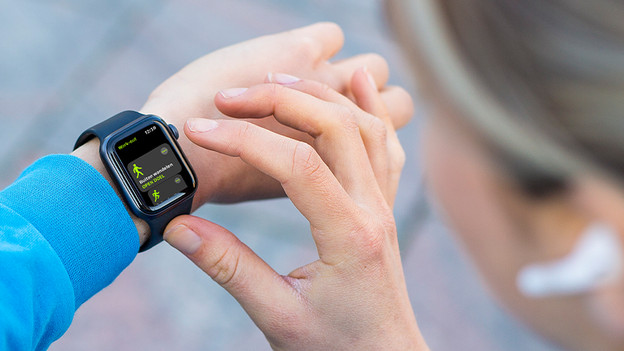
- Open the Workout app and select the workout Outdoor Walk or Outdoor Run.
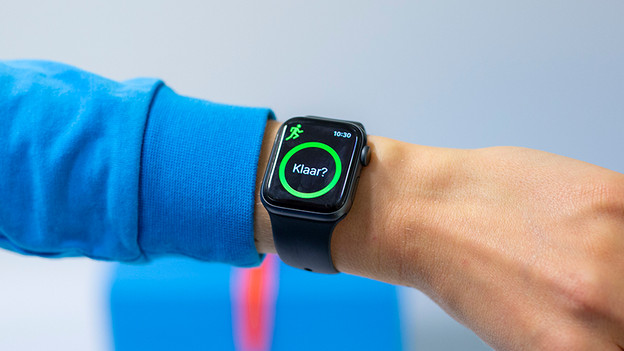
- Tap the three dots in the workout to set a goal of 20 minutes for your workout beforehand. Walk or run at your usual pace. If you don't have time to walk for 20 minutes, you can spread out the 20 minutes over several workouts. Don't sprint, but keep a constant pace. While you walk or run, the Apple Watch measures your pace and sets it as the norm.
- Your Apple Watch is now calibrated.
What is calibration?
When you calibrate your Apple Watch, you make the smart watch even more exact. Here's an example to explain what calibration is. Imagine you have an analogue scale and a weight of exactly 1kg. You place the weight on the scales and see that the scale indicates slightly more than 1k. When you calibrate it, you adjust the scale so that it indicates exactly 1kg. Your Apple Watch does the same thing, but digitally. That way, the 10km run that you track on your Apple Watch is truly 10km instead of 9km and a bit.
Article by Robyn
Smartwatch Expert.