Written by Manon
Edited on
3 April 2023
·
07:52
How can I make my camera battery last longer?
Does this sound familiar? You finally have your subject in frame, but the battery of your camera runs out. With the help of the 6 tips in this article, you'll never go home empty-handed.
6 tips to make your battery last longer
Does your battery run out fast while you take photos? With the tips below, you can make it last longer.
Tip 1: turn off the your
Tip 2: adjust the brightness
Tip 3: turn off WiFi and/or GPS
Tip 4: focus manually
Tip 5: switch off image stabilization
Tip 6: remove the battery from the camera
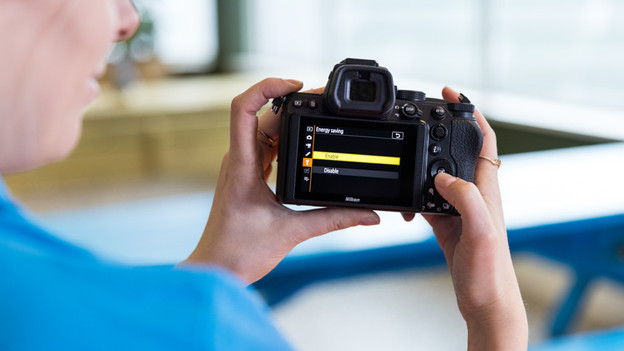
Tip 1: turn off your screen
The screen of your camera uses a lot of power. If you turn off the screen, the battery lasts longer. Keep in mind that you won't be able to view your photos right away if you do this. If you have a tiltable screen, you can turn the screen towards the camera. You can turn off a fixed LCD screen via the settings on your camera. Go to Menu and click Settings.
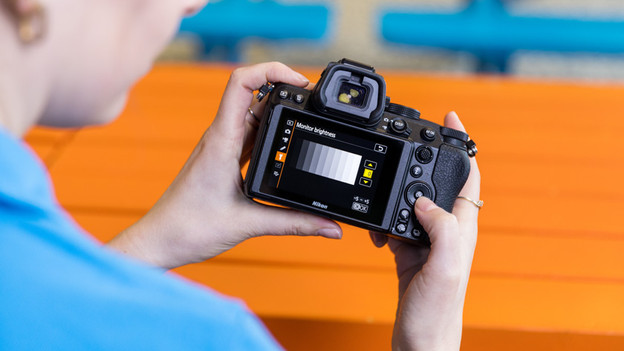
Tip 2: adjust the brightness of the screen
If you really need the screen, you can adjust the brightness. The higher the brightness, the higher the energy consumption. Lower the brightness for a longer battery life. You can adjust the brightness via the settings of your camera. Go to menu. You'll probably find the setting at the tool icon under screen settings.
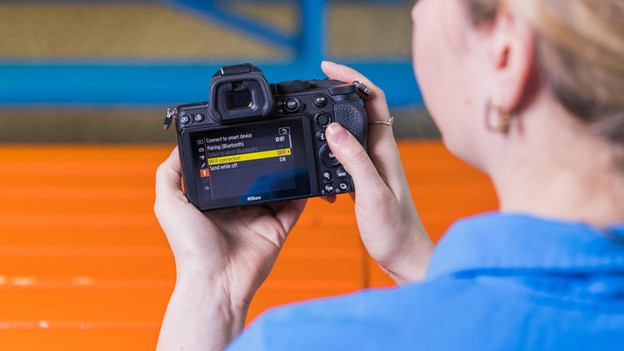
Tip 3: turn off the WIFi and GPS function
Turn off the WiFi function if you don't plan on sharing your photos with friends and family. The same goes for the GPS function. You can turn WiFi and GPS on and off via the settings of your camera. Go to the menu and click on settings. You can recognize the settings menu by the tool icon. Here, you can turn your network connection and/or GPS off.

Tip 4: focus manually
Autofocus is useful if you take photos of moving subjects. But your camera uses more power with this. You can focus manually if you take photos of still images. You can turn the autofocus off by changing the slider on the lens from AF to MF. With most cameras, you can also disable the autofocus via the settings.

Tip 5: turn off image stabilization
Image stabilization is useful if you take many photos by hand. If you take many photos of moving subjects, you don't need image stabilization. You can turn it off with a slider on the lens or via the settings of your camera.
- If you have a Canon lens, you can set the slider that says Stabilizer to off
- Sony calls image stabilization Optical Steady Shot, you can turn this off.
- On your Nikon lens, you set the slider that says VR to off. In the settings, you can switch off the digital image stabilization of your camera.
- If you have a Sigma lens, you can set the slider that says OS to off.
- If you have a Tamron lens, you can set the slider that says VC to off.

Tip 6: take the battery out of the camera
If you don't use the battery for a long time, it's smart to take it out of the camera. Even if you completely turn off a camera, there can still be stray current, so the battery can leak.