
Written by Rowan
Edited on
6 August 2026
·
13:51
Everything on the student discount on Apple MacBook models
As a student, life isn't cheap. That's why you can get a temporary € 50 extra discount on an Apple MacBook Neo and Apple MacBook Pro as a student. That way, you can enjoy a new MacBook for a lower price. In this article, you can read how to claim this discount and which models are part of the promotion.
Apple MacBook models with a student discount
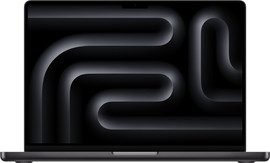
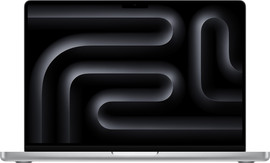
- Apple MacBook Pro M5 Max
Smoothly perform even the most demanding tasks like app development.
Connect your MacBook to up to 5 extra screens
Work for up to 24 hours without charging.
From
4.349,-
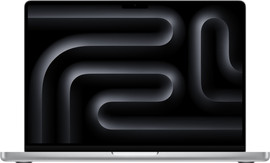
- Apple MacBook Pro M5 Pro
Easily edit 3D designs and 8K video files.
Connect your MacBook to up to 2 extra screens
Work for up to 24 hours without charging.
Choose the M5 Max to perform de most demanding tasks.
From
2.719,-
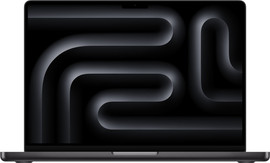
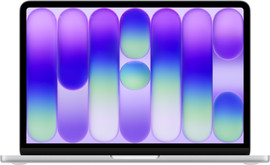
- Apple MacBook Pro M5
Work smoothly and fast, and edit photo files in high quality.
Connect your MacBook to up to 2 extra screens
Work for up to 24 hours without charging.
Choose the M5 Pro to smoothly edit 3D designs and video files.
From
2.099,-
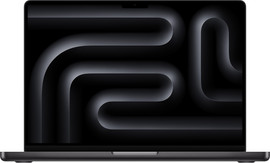
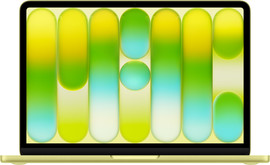
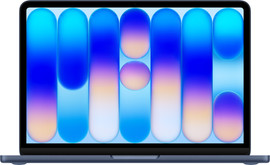
- Apple MacBook Neo
Write reports, do online research, and edit light photo files.
Connect your MacBook to up to 1 extra screen.
A fully charged MacBook Neo lasts up to 16 hours.
Choose the MacBook Pro with M5 and edit photos in high quality.
From
869,-

View the participating models here
| MacBook model | Student discount amount |
|---|---|
| Apple MacBook Neo | € 50 student discount |
| Apple MacBook Pro M5 - 14 inches | € 50 student discount |
| Apple MacBook Pro M5 Pro - 14 inches & 16 inches | € 50 student discount |
| Apple MacBook Pro M5 Max - 14 inches & 16 inches | € 50 student discount |

How do you receive the student discount on your MacBook?
When you buy a new MacBook Neo or MacBook Pro between 10 August 2026 and 6 September 2026, you'll receive a € 50 extra student discount. This amount is added to the other MacBook deals. Of course, we have to be sure you're really studying. This is how you receive the MacBook student discount:
- Open the verification form and log in with your student email address.
- We'll send a code to this email address. Enter the code in the form.
- Within a few minutes, you'll receive a confirmation.
- Add your new MacBook to your shopping cart.
- The student discount is automatically added during checkout.

What are the requirements?
A few conditions apply to this promotion. We've listed them for you:
- You have a student email, student ID, or proof of registration for the upcoming academic year.
- We have the same process in our stores and online, where we'll ask students to verify online via their phone.
Article by Rowan
Apple Expert.
