Bluebuilt docking stations for laptops
With a BlueBuilt docking station, you can connect all of your peripherals to your laptop. This way, you can truly complete your workplace. With extra monitors, a keyboard, mouse, and wired internet, you can immediately get started with your daily work. When you choose a docking station, make sure your laptop has a USB-C port. On this page, we've listed all BlueBuilt docking stations for you.

Our choice for a docking station for 1 extra monitor with your laptop|None power source|None DisplayPort connector|100 W
- You can connect an extra 4K monitor to your laptop for more screen space with this docking station.
- You can charge your laptop with this dock via the USB-C port.
- Connect accessories such as a mouse, keyboard, or hard drive to this docking station.
89,-
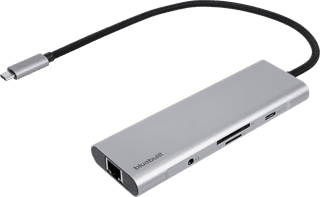
Our choice for a docking station for a flexible workspace with 1 extra monitor|None power source|None DisplayPort connector|65 W
- With this dock, you can connect 1 extra 4K monitor to your laptop with USB-C connection.
- Thanks to the small size, you can easily put the dock in your bag and take it anywhere with you.
- Via the Ethernet port of this docking station, you can use stable wired internet.
55,-
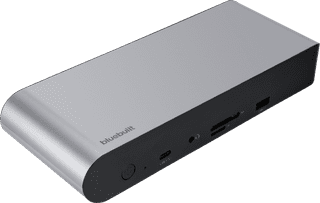
Our choice for a docking station for up to 2 extra monitors with your laptop|Power source|DisplayPort connector|100 W
- With this dock, you can connect 2 extra 4K monitors to your laptop via DisplayPort HDMI.
- You can charge your laptop with this dock if your laptop supports Power Delivery.
- Work with accessories like a keyboard and an ergonomic mouse that you can connect via the USB-A ports.
169,-