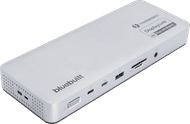
BlueBuilt DisplayLink Docking Station Pro with USB-C Silver
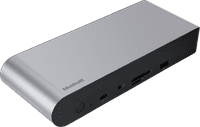
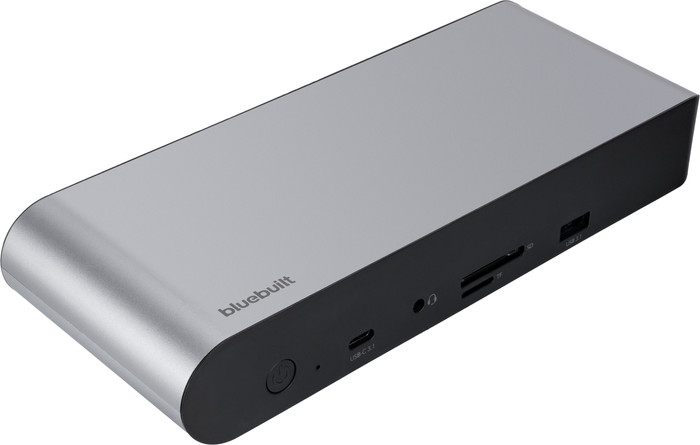
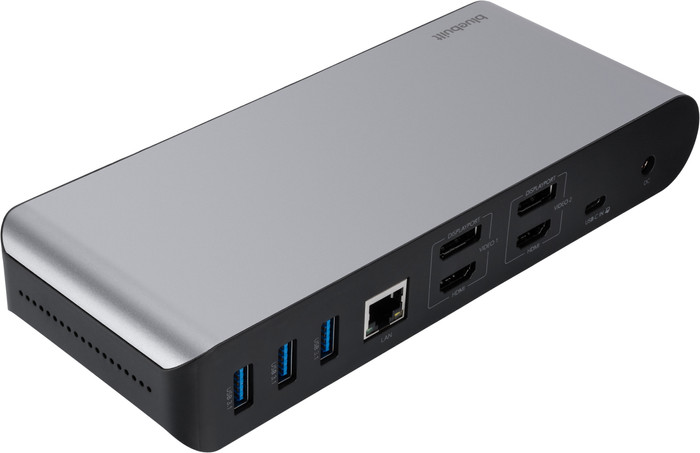
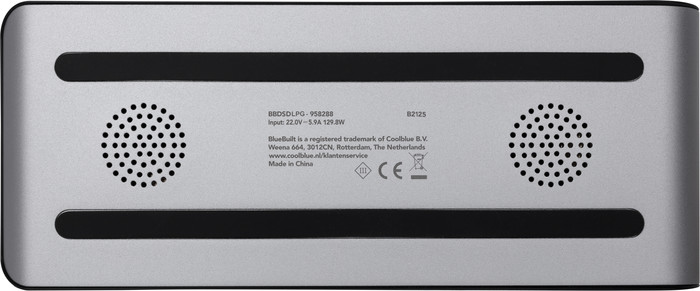
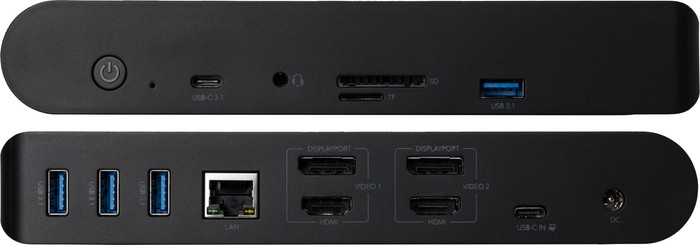


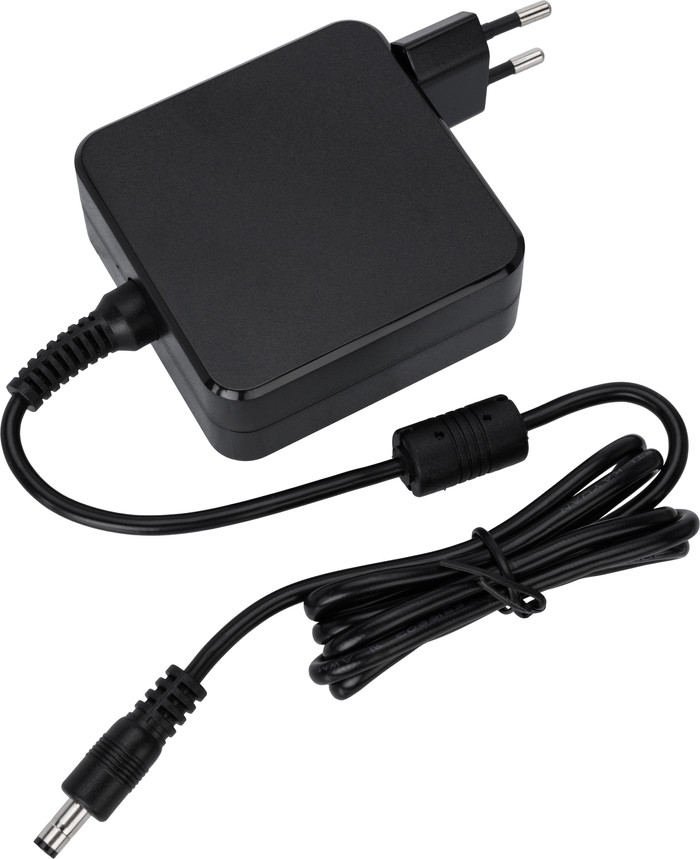
BlueBuilt DisplayLink Docking Station Pro Silver
Our choice for a docking station for up to 2 extra monitors with your laptop
Choose your docking station
With the first order, the docking station rattled; something was clearly loose inside the unit. I reported it and received a new one. The second docking station was the same. The internal mechanism is loose, and you can see loose screws covering the connection ports when you move the unit. Waiting times to call of 22 to 27 minutes are ridiculous, and there is no option to email or chat.
Alex
2 September 2026
Automatically translated from Nederlands
Negative. Not used
Lieven
5 May 2026
Automatically translated from Nederlands
173,-
173,-
Product number | 958288 | |
|---|---|---|
Manufacturer code | BBDSDLPG | |
Brand | BlueBuilt | |
Processing of your defect | Via Coolblue | |
Old product returned for free |
Made for laptop models | Apple MacBook, Chromebook, Microsoft Surface, Windows laptop |
|---|
Laptop docking station suitable for | Connect 1 monitor, Connect 2 monitors and MacBook, Connect 2 monitors and a Chromebook, Connect 2 monitors and a Windows laptop | |
|---|---|---|
Extra functionalities docking station | Charge laptop via docking station, Charge laptop via own charger, Charge phone via docking station, Connect headphones, Connect wired network | |
Type of main connector | USB-C | |
Supported video technology on Docking Station | DisplayLink, MST, SST | |
Number of USB ports | 6 | |
USB function | Charge, Charging an external device, Data transfer, Device connection, Play media, Power source, Record audio | |
Type of USB port | Standard USB-A, USB-C | |
Number of female standard USB-A ports | 4 | |
Female standard USB-A port version | 3.1 | |
Power standard USB-A port | 7,5 W | |
Number of USB-C ports | 2 | |
Protocol Female USB-C port | USB, USB electricity | |
USB version Female USB-C port | 3.1 | |
Number of USB 3.1 Female USB-C port | 2 | |
Power USB-C port | 100 W | |
Fast charging USB-C port | ||
Total available video outputs | 2x DisplayPort, 2x HDMI | |
Number of HDMI connectors | 2 | |
Female HDMI Type A port version | 2.0 | |
Number of Ethernet ports | 1 | |
Ethernet speed | Gigabit Ethernet (1000Mbps) | |
Type of DisplayPort connector | standard DisplayPort | |
Number of Female Standard DisplayPort 1.4 ports | 2 | |
Version Female Standard DisplayPort port | 1.4 | |
Number of headphone jacks | 1 | |
Type of headphone connection | 3.5mm (TRRS) | |
Memory card reader | ||
Memory card | SD | |
Number of connectable monitors | 2 | |
Maximum image resolution 1 monitor | 4K (3840x2160) | |
Maximum refresh rate 1 monitor | 60 Hz | |
Maximum image resolution 2 monitors | 4K (3840x2160) | |
Maximum refresh rate of 2 monitors | 60 Hz |
Color | Gray | |
|---|---|---|
Height | 2,08 cm | |
Width | 8,28 cm | |
Depth | 34 cm | |
Weight | 545 g |
BlueBuilt products have the best price-quality ratio because we've put them together ourselves. Based on product data, feedback from customers, and our own product knowledge. In other words, good products. We are so confident, that we'll even give you an extra long warranty. Read everything on BlueBuilt.

Extra functionalities docking station | Charge laptop via docking station, Charge laptop via own charger, Charge phone via docking station, Connect headphones, Connect wired network | |
|---|---|---|
Type of main connector | USB-C | |
Total available video outputs | 2x DisplayPort, 2x HDMI | |
Number of connectable monitors | 2 | |
Type of USB port | Standard USB-A, USB-C |
Note: the docking station works best if you install the DisplayLink driver before use. You can easily download it from the DisplayLink website.
You can easily expand your workplace with the BlueBuilt DisplayLink Docking Station Pro with USB-C Silver. With this docking station, you can connect up to 2 monitors via DisplayPort or HDMI. You can get a maximum resolution of 4K at 60Hz. This allows you to create more space for all your windows. You also have enough USB ports for peripherals and memory cards. You can easily and quickly connect your mouse, keyboard, and USB flash drive. Does your laptop support Power Delivery? Charge your laptop while you work. This way, you don't have to look for a socket. Via the Ethernet port, you can also connect a cable for a stable wired internet connection. With the included USB-C to USB-A adapter, you can connect the dock to every laptop. The BlueBuilt DisplayLink Docking Station with USB-C Silver works on all Windows laptops and MacBook models with a USB-C port that transmit a video signal. This is how you check if your laptop has a suitable USB-C port.
Connect 1 monitor, Connect 2 monitors and MacBook, Connect 2 monitors and a Chromebook, Connect 2 monitors and a Windows laptop
Connect 1 monitor, Connect 2 monitors and MacBook, Connect 2 monitors and a Chromebook, Connect 2 monitors and a Windows laptop
Connect 1 monitor, Connect 2 monitors and a Chromebook, Connect 2 monitors and a Windows laptop
Connect 1 monitor, Connect 2 monitors and MacBook, Connect 2 monitors and a Chromebook, Connect 2 monitors and a Windows laptop
Connect 1 monitor, Connect 2 monitors and MacBook, Connect 2 monitors and a Windows laptop
USB-C
USB-C
USB-C
USB-C
USB-A, USB-C
Charge laptop via docking station, Charge laptop via own charger, Charge phone via docking station, Connect headphones, Connect wired network
Charge laptop via docking station, Charge laptop via own charger, Charge phone via docking station, Connect headphones, Connect wired network
Charge laptop via own charger, Charge phone via docking station, Connect wired network
Charge laptop via docking station, Charge laptop via own charger, Connect headphones, Connect wired network
Charge laptop via docking station, Charge phone via docking station, Connect headphones, Connect wired network
2
2
1
2
2
Coolblue takes care of everything, from taking out an insurance to repairs
For almost all accidents
More coverage in case of damage than your standard warranty
No deductible
First, add your dock for laptops to your shopping cart. On the next page, choose the Protection Plan below. You always have a 30-day return window and pay no deductible in case of damage.
2-year Protection Plan
11,99
one-time3-year Protection Plan
18,99
one-time
According to our dock for laptops expert
With this dock, you can connect 2 extra 4K monitors to your laptop via DisplayPort or HDMI.
You can charge your laptop or MacBook with this dock if your laptop supports Power Delivery.
You can work with accessories like a keyboard and an ergonomic mouse, which you can connect via the USB-A ports.
You have to install DisplayLink software before you can use this docking station.
This docking station is unsuitable for gaming on your extra screen.
Current product

173,-
173,-
170,-
229,-
184,-
In stock
In stock