You connect a DisplayLink docking station to any laptop with a USB port. Thanks to the DisplayLink technology, you can easily connect various devices to the dock. Think of multiple external monitors, a mouse and keyboard, or an Ethernet cable. DisplayLink has a chip and software that you can download from their website, so you can effortlessly connect everything to the USB port of your laptop. That's because these docking stations don't rely on a type of USB port. In addition, DisplayLink docks are the only docks that you can connect 2 monitors to an Apple MacBook with.
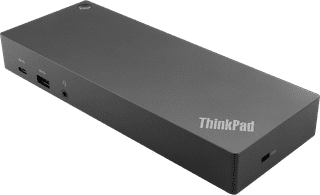
Our choice for a docking station for up to 2 extra monitors with your MacBook|Standard USB-A, USB-C|USB-A, USB-C|135 W
- You can connect 2 extra 4K monitors to your MacBook with this dock, so you can have more screen space.
- You can charge your MacBook with this dock via the USB-C port.
- Work with accessories like a keyboard and an ergonomic mouse that you can connect via the USB-A ports.
184,-
In stock
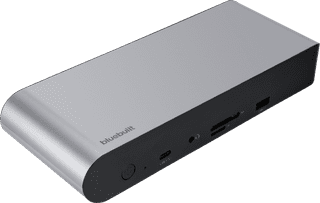
Our choice for a docking station for up to 2 extra monitors with your laptop|Space Gray|Memory card reader|USB-C
- With this dock, you can connect 2 extra 4K monitors to your laptop via DisplayPort HDMI.
- You can charge your laptop with this dock if your laptop supports Power Delivery.
- Work with accessories like a keyboard and an ergonomic mouse that you can connect via the USB-A ports.
173,-
In stock