

Coolblue's Choice HP
22 results
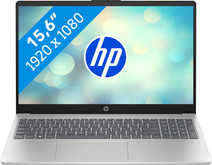
Our choice for a Windows laptop to make spreadsheets and presentations
|
Suitable for light programs
| Intel Core 5 | 16GB | 512GB SSD
| Backlit keyboard
| Privacy switch
- You can smoothly make spreadsheets and presentations in programs like Microsoft Excel and PowerPoint without your laptop slowing down.
- You can easily continue working at night with the backlit keyboard.
- You can quickly enter numbers and formulas via the numeric keypad, which is useful for your administration.
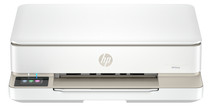
Our choice for a home printer
|
All-in-one
| Inkjet
| Color printer
- Print, scan, and copy with this all-in-one printer.
- Automatically print in duplex and save paper.
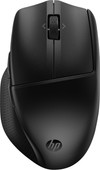

Our choice for a mouse that you can connect to multiple devices via Bluetooth
|
Wireless Bluetooth
| Right-handed
| Ergonomic design
- Connect the mouse via Bluetooth and use it with up to 3 devices at the same time.
- The Multi-Surface Sensor lets you use the mouse on almost any surface.
- With the 6 programmable buttons, you can easily navigate your browser and your programs.
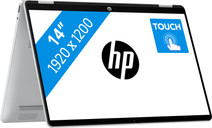
Our choice for a Windows laptop that you can also use as a tablet
|
Internet, email, and text processing
| Intel Core 5 | 16GB | 512GB SSD
| Backlit keyboard
| Anti-glare screen
- You can easily turn this HP laptop into a tablet, so you can smoothly take notes and make sketches via the touchscreen.
- You can comfortably watch movies and series, because you can easily put this 2-in-1 laptop in different positions.
- You can easily continue working at night, because you can quickly see the right keys with the backlit keyboard.
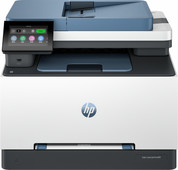
Our choice for a printer for freelancers or a small office
|
4-in-1
| Laser
| Color printer
- You can print, scan, copy, and fax with this all-in-one printer.
- You can scan and copy a stack of paper automatically.
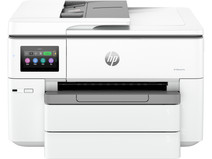
Our choice for a printer to print on A3 size with
|
All-in-one
| Inkjet
| Color printer
- You can print and scan in up to A3 size.
- You can print in high quality thanks to the extra cartridges.
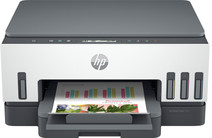
Our choice for a home printer with low printing costs that prints duplex
|
All-in-one
| Inkjet
| Color printer
- Thanks to the ink tank technology, you can print thousands of pages with ink bottles.
- Save paper with the automatic duplex printing function.
- This printer is the right choice for you if you're looking for a home printer with low printing costs that allows you to print photos in duplex as well.
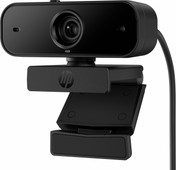
Our choice for a webcam for working from home and studying
|
Full HD
| Autofocus
| Universal clip
- With the autofocus, you're not bothered by blurry images while taking video calls.
- Thanks to the coverable lens, you can protect your privacy after a meeting or class.
- Record sound directly with this webcam thanks to the built-in microphone.
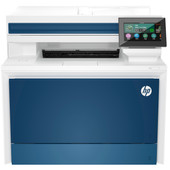
Our choice for a printer for a medium-sized office
|
Laser
| 4-in-one
| Color printer
- You can print, scan, copy, and fax with this all-in-one printer.
- Automatically print in duplex and save paper.
- You can scan and copy a stack of paper automatically.
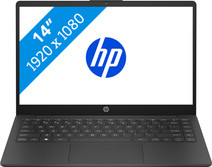
Our choice for a Windows laptop for your studies
|
Suitable for light programs
| AMD Ryzen 5 | 16GB | 512GB SSD
| Lightweight
| Privacy switch
- You can smoothly switch between demanding programs, so you can do your research via your browser when you make an extensive presentation.
- You can easily take this laptop with you to school and use it on the go thanks to the compact size and the low 1.4kg weight.
- You can charge the HP laptop for 50% within 45 minutes, so you can quickly go to your next class.
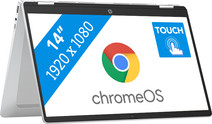
Our choice for a Chromebook for watching movies and series
|
ChromeOS instead of Windows
| Intel N100 - 4GB - 128GB UFS
| Lightweight
- You can comfortably watch all your favorite movies and series and see all details well on the Full HD screen.
- You can easily turn this Chromebook into a tablet, so you can easily get started via the touchscreen.
- You can easily take this Chromebook with you or comfortably place it on your lap thanks to the low weight.
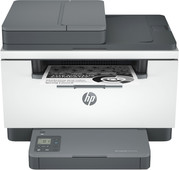
Our choice for a laser printer for text documents
|
All-in-one
| Laser
| No color printer
- With a laser printer, you can print text extra sharply.
- You can print, scan, and copy with this all-in-one printer.
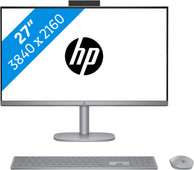
Our choice for a 27-inch all-in-one for video editing
|
Intel Core Ultra 7 155H
| 32GB RAM - 1TB SSD
| Intel Arc
- With the Intel Core Ultra 7 processor and 16GB RAM, you can edit photos and videos as well as multitask with demanding programs.
- Thanks to the Intel Arc Graphics video card, you can render and process your photos and videos up to 2 times faster than with a built-in video card.
- Thanks to the AI functions of the processor, you can edit graphic designs even faster and edit the smallest details.
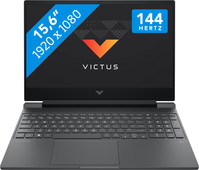
Our choice for a 15-inch gaming laptop that you can use to play medium demanding games
|
Powerful enough for gaming
| Intel Core i7 | 16GB | 512GB SSD
| NVIDIA GeForce RTX 5060
| 144Hz
| Backlit keyboard
- You can play medium demanding games like Cyberpunk 2077 and Hogwarts Legacy smoothly at 60 fps in Full HD, thanks to the RTX 5060 video card.
- The 144Hz screen shows fast-moving images smoothly, so you see your opponents in shooters in time.
- In addition to gaming, you can also stream in Full HD or QHD and edit your gameplay videos thanks to the Intel i7 processor.
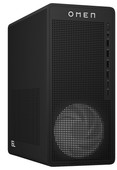
Our choice for a gaming desktop for Fortnite
|
Intel Core i5-14400F
| 16GB | 1TB SSD
| NVIDIA GeForce RTX 5060
- With the RTX 5060 video card, i5 processor, and 16GB RAM, you can play games like Fortnite at the highest settings.
- On the 1TB SSD, you have enough storage space for storing games and expansion packs.
- You can easily expand this desktop with extra storage and DDR5 RAM, which makes this laptop future-proof.
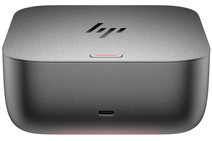
Our choice for an extensive docking station for up to 4 monitors with your laptop
|
USB-C
| Thunderbolt 4
| Up to 4 monitors
- With this dock, you can connect up to 4 extra 4K monitors to your laptop for more screen space.
- You can charge your laptop with this dock via the USB-C port.
- HP Sure Start protects your connected devices from hackers.
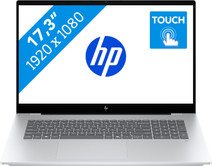
Our choice for a 17-inch Windows laptop for light video editing
|
Suitable for demanding programs
| Intel Core Ultra 7 | 16GB | 1TB SSD
| Touchscreen
| Copilot+ PC
- You can see all the details of your videos well and you can easily work with 2 windows side by side on the large 17-inch screen.

Our choice for a 17-inch Windows laptop for browsing the internet, sending emails, and text processing
|
Suitable for light programs
| AMD Ryzen 5 | 16GB | 512GB SSD
| Anti-glare screen
| More sustainable
- On the large 17-inch screen, you can keep a clear overview of your work and easily use 2 windows side by side.
- You can smoothly keep track of your email, write texts, or browse the internet while you listen to music.
- You're not bothered by fingerprints on the screen thanks to the anti-glare layer.
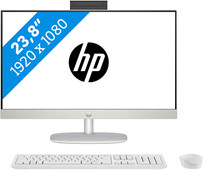
Our choice for a 24-inch all-in-one for video editing
|
Intel Core Ultra 7 155H
| 16GB RAM - 512GB SSD
| Intel Iris Xe Graphics
- With an Intel Core Ultra 7 processor and 16GB RAM, you can edit photos and videos as well as multitask with demanding programs.
- Thanks to the AI functions in the processor, editing images is even faster.
- Thanks to the built-in speakers built-in speakers, you don't need separate speakers anymore.
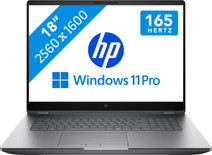
Our choice for A business laptop for 3D designs
|
Powerful enough for business use
| Intel Core Ultra 7 255HX | 32GB | 1TB SSD
| NVIDIA RTX Pro 2000
| AI support
| Discrete TPM
- Thanks to the Intel Core Ultra 7 processor and 32GB RAM, you can use demanding programs without issues.
- With the NVIDIA RTX PRO 2000 video card, you can quickly render large 3D models, blueprints, and other 3D elements.
- Thanks to the built-in NPU chip, you can enjoy a longer battery life.
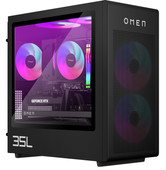
Our choice for a gaming desktop for demanding games
|
Intel Core Ultra 7 265F
| 32GB RAM | 1TB SSD
| NVIDIA GeForce RTX 5070 Ti
- Play demanding games at 60 fps and stream your gameplay in 4K with the RTX 4070 Super video card, the Ultra 7 processor, and 32GB RAM.
- While playing demanding games and running demanding programs, the PC stays cool thanks to the water cooling.
- You can enjoy the RGB-lit parts even more thanks to the transparent side panel, and you can easily expand your desktop with more RAM.
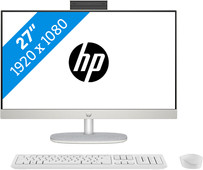
Our choice for a 27-inch all-in-one for daily use
|
Intel Core Ultra 5 125H
| 16GB RAM - 512GB SSD
| Intel UHD Graphics
- With an Intel Core Ultra 5 processor and 16GB RAM, you can easily perform all your daily tasks.
- On the 27-inch screen, you can easily open 2 windows side by side for a better overview.
- Enjoy the sound of your favorite movies and music thanks to the built-in speakers.
