If you're going to analyze administration, finances, or data with your business monitor, you don't want extra fuss on your monitor. Because you have to look at a screen for a long time, these monitors have a blue light filter to prevent strained eyes and sleeping problems. A monitor for the office also has to be adjustable in height, so you can adjust it to your ergonomic working posture.
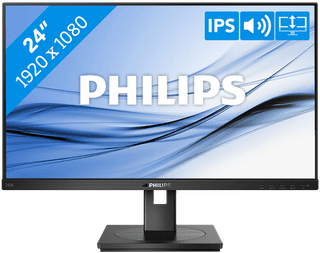
Our choice for a business 24-inch monitor that's energy-efficient|HDMI cable, Monitor|Plastic|Not curved
- You can save on energy costs thanks to the B energy label and the low energy consumption.
- The automatic brightness adjustment, it lowers the consumption during low activity.
- This monitor is made of recycled plastics, which makes it more sustainable.
139,-
In stock
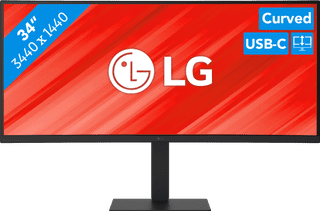
Our choice for a business monitor for data and finance tasks|Metal, Plastic|Curved|None DVI connector
- The large ultrawide size allows you to open multiple windows side by side, such as an Excel sheet and a Word document.
- Thanks to the Quad HD resolution, you can see numbers in columns and rows more sharply.
- Thanks to the 100Hz refresh rate, you can smoothly scroll through long spreadsheets and web pages without the text becoming blurry.
399,-
In stock
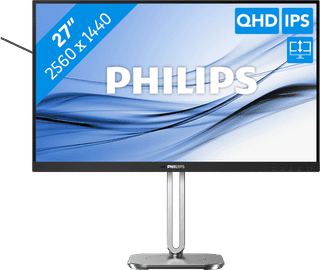

Our choice for a 27-inch monitor that's energy-efficient|DisplayPort cable, HDMI cable|Metal, Plastic|Not curved
- You can save on energy costs thanks to the B energy label and low energy consumption.
- Thanks to the light and power sensor, you can adjust the brightness automatically and save on energy costs.
- This monitor is made of recycled plastics, which makes it more sustainable.
Retail price249,-
229,-
In stock
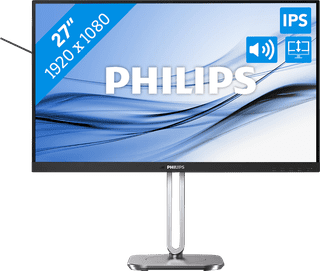
Our choice for a 27-inch monitor for your (home) office|Metal, Plastic|Not curved|None DVI connector
- The Philips LightSensor and PowerSensor adjust the screen brightness automatically, so the energy consumption decreases.
- You have a better overview of your work, can open more windows side by side, and you can multitask better on the large 27-inch screen.
- You can rotate, tilt, and adjust the screen in height for a comfortable sitting posture.
159,-
In stock