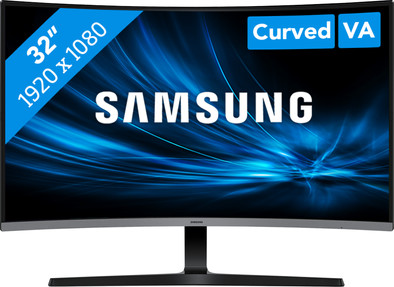
Samsung Essential S3 S39GD LS32D390GAUXEN Curved
Never available again
View alternatives in the sidebar
View alternatives in the sidebar
Product number | 967490 | |
|---|---|---|
Manufacturer code | LS32D390GAUXEN | |
Brand | Samsung | |
Processing of your defect | Via Coolblue | |
Old product returned for free |
Screen size | 32 inches | |
|---|---|---|
Recommended display resolution | 1920x1080 | |
Sharpness | Full HD (1080p) | |
Aspect ratio | Standard (16:9) | |
Refresh rate | 100 Hz | |
Response time | 4 ms | |
Panel type | VA panel | |
Brightness | 250 cd/m2 | |
Local dimming | ||
HDR support | ||
Contrast ratio | 3000 | |
Touchscreen | ||
Screen reflection | Anti-glare | |
Blue light filter | ||
Flicker-free technology | ||
Color space | sRGB | |
sRGB color coverage percentage | 95 % | |
Color depth | Less than 17 million colors (less than 8-bit) | |
Adaptive Sync | ||
Resolution width | 1920 pixels | |
Resolution height | 1080 pixels | |
Anti-reflection type | Anti glare | |
Horizontal viewing angle | 178 ° |
Height | 42,32 cm | |
|---|---|---|
Width | 71,61 cm | |
Depth | 9,25 cm | |
Weight | 5,1 kg | |
Color | Black | |
Including stand | ||
Material | Plastic | |
Cable management | ||
Appearance | Business, Neutral | |
Curved | ||
Screen curve | 1500 R |
Number of HDMI connectors | 1 | |
|---|---|---|
Number of Female HDMI type A 1.4 ports | 1 | |
Number of headphone jacks | 1 | |
Number of female standard VGA ports | 1 | |
Suitable for daisy chaining | ||
USB-C dock |
Not included by default | USB-C cable |
|---|
Adjustable in height | ||
|---|---|---|
Tiltable | ||
Pivotable stand | ||
Pivot function | ||
VESA mount option | ||
VESA mount | 75x75mm |
Energy label | E | |
|---|---|---|
Energy consumption standby | 0,5 W | |
Energy consumption active | 26,4 W | |
Energy consumption per 1000h | 26 kWh | |
Annual energy consumption | 37,96 kWh | |
Annual energy costs | 15,18 euros |
Built-in speakers | ||
|---|---|---|
Webcam | ||
Split screen | ||
Kensington lock |
Recommended for use | Internet, email, and text processing, Office work, Watching movies in Full HD |
|---|
Our digital expert will help you, but it can sometimes make mistakes, like humans do.
According to our monitor expert
Comfortable viewing angle: you can work comfortably with the tiltable screen.
Open more windows at once: you can open different windows and programs at the same time thanks to the large screen.
More in your movie: the slight curve of the curved screen pulls you all the way into your movies or series.
Not for detailed work: you won't see every detail clearly because of the Full HD quality.
Takes up more space: this monitor is larger than normal, so you need a lot of space on your desk.
Installation ease
Image quality
Price-quality ratio
Design
I was looking for a screen with TB3/4 connectivity due to... accessories. That works fine, so the screen can also function as a hub. In addition to working on a Mac, I also work on Windows. This could also be connected. Extremely nice.
Still, I sent the screen back. In fact, the screen was just a bit too big. Small detail: the housing was more creamy white, which made it look like this screen was a bit discolored compared to other white accessories. I also had to set some visual settings to maximum to get a workable display. Perhaps a disadvantage of a VA panel compared to an IPS panel.
Pieter
6 June 2024
Automatically translated from Nederlands
The monitor is very easy to connect without much adjustment work. Because you have a LAN connection point in the monitor, all devices that you connect to the monitor are connected via the network cable. This means that 1 network connection point is sufficient. Thanks to the Thunderbolt, I can connect my laptop with 1 cable and also charge it
Christa
18 February 2024
Automatically translated from Nederlands
For relatively little money you really have a nice wide screen
Frank
20 October 2024
Automatically translated from Nederlands