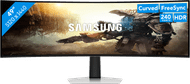
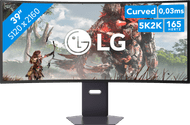
Samsung G8 G80SH LS32HG802SUXEN OLED


Product number | 981615 | |
|---|---|---|
Manufacturer code | LS32HG802SUXEN | |
Brand | Samsung | |
Processing of your defect | Via Coolblue | |
Old product returned for free |
Screen size | 32 inches | |
|---|---|---|
Recommended display resolution | 3840x2160 | |
Sharpness | 4K (UHD) | |
Aspect ratio | Standard (16:9) | |
Refresh rate | 240 Hz | |
Response time | 0,03 ms | |
Panel type | OLED | |
Brightness | 250 cd/m2 | |
Local dimming | ||
HDR support | ||
Contrast ratio | 15000000 | |
Touchscreen | ||
Type of HDR | DisplayHDR 500 True Black, HDR10+ | |
Screen reflection | Anti-glare | |
Blue light filter | ||
Flicker-free technology | ||
Color space | DCI-P3 | |
Color depth | 1 billion colors (10-bit) | |
Adaptive Sync | ||
Type of adaptive sync | Freesync Premium Pro | |
Resolution width | 3840 pixels | |
Resolution height | 2160 pixels | |
Anti-reflection type | Anti glare | |
Horizontal viewing angle | 178 ° |
Height | 41,47 cm | |
|---|---|---|
Width | 71,97 cm | |
Depth | 4,92 cm | |
Weight | 7,8 kg | |
Color | Silver | |
Including stand | ||
Material | Plastic | |
Cable management | ||
Appearance | Gaming | |
Curved |
Number of HDMI connectors | 2 | |
|---|---|---|
Number of Female HDMI type A 2.1 ports | 2 | |
Number of headphone jacks | 1 | |
Type of headphone connection | 3.5mm (TRS) | |
Number of USB-C ports | 1 | |
Number of Female Standard DisplayPort 1.4 ports | 1 | |
Number of female standard USB-A ports | 2 | |
Female standard USB-A port version | 3.2 | |
Number of female 3.5mm TRS Audio Jack ports | 1 | |
Type of USB port | Standard USB-A, USB-C | |
Number of USB ports | 3 | |
Suitable for daisy chaining | ||
USB-C dock | ||
Maximum USB-C dock power | 98 W |
Adjustable in height | ||
|---|---|---|
Tiltable | ||
Pivot function | ||
VESA mount option | ||
VESA mount | 100x100mm |
Energy label | F | |
|---|---|---|
Energy consumption standby | 0,5 W | |
Energy consumption active | 32 W | |
Energy consumption per 1000h | 32 kWh |
Built-in speakers | ||
|---|---|---|
Webcam | ||
Split screen | ||
Kensington lock |
Recommended for use | Gaming, Image editing and graphic design, Internet, email, and text processing, Photo editing, Video editing, Watching movies in 4K |
|---|
Coolblue takes care of everything, from taking out an insurance to repairs
For almost all accidents
More coverage in case of damage than your standard warranty
No deductible
First, add your monitor to your shopping cart. On the next page, choose the Protection Plan below. You always have a 30-day return window and pay no deductible in case of damage.
3-year Protection Plan
96,-
one-time5-year Protection Plan
171,-
one-time
I already have a QD-OLED screen and now a second one. This one is quite different from the one I had, and the differences are clearly noticeable; both positive and negative. The black tones on the Samsung are just a little bit better (True Black 500) compared to my previous one. What disappoints me a bit about this monitor is that there is no notification when Screen Optimization (as Samsung calls it) is being performed. This is executed when the monitor goes into standby after 4+ hours. This can happen as soon as the computer gets a reset. In that case, a popup is displayed stating that no signal can be found and that it will switch to standby after 3(!) seconds. It is not possible to extend the 3 seconds (to 60 or so). The monitor then switches to a black screen and thus Screen Optimization, which can take 10 - 15 minutes. My MSI MPG 322 URX does this much better. Unfortunately, CoolBlue no longer stocks it.
Regarding the image quality, I have nothing but good things to say. This one is truly fantastic and can be configured with various pre-programmed settings for gaming, movies, or editing work. The 0.03ms response time is a real godsend, especially for gaming. Very little lag is noticeable, which is highly desirable, particularly for First Person Shooters.
This monitor features a DisplayPort 2.1 connection. If this monitor is connected to a graphics card with DisplayPort 2.1 outputs using a UHBR20 cable (DP cable for 80Gbps), DSC is not used. This leaves more bandwidth available for other monitors.
C. Oostveen
25 October 2026
Automatically translated from Nederlands
999,-
Our digital expert will help you, but it can sometimes make mistakes, like humans do.
240 Hz
240 Hz
360 Hz
360 Hz
165 Hz
4K (UHD)
Quad HD (1440p)
Quad HD (1440p)
WQXGA
5K
OLED
OLED
OLED
QD-OLED
OLED
3840x2160
5120x1440
3440x1440
3440x1440
5120x2160
According to our monitor expert
Enjoy sharp images and lots of detail thanks to the 4K resolution.
With a 240 hertz refresh rate, you can play fast-paced games smoothly, which makes the monitor suitable for professional gaming.
Thanks to the low response time, movements and transitions look smooth.
To get the maximum refresh rate of 240 hertz, you need to connect the monitor with DisplayPort.
Without a curved screen, the gameplay feels less immersive than with a curved screen.
999,-
Current product

999,-
918,-
1.249,-
Retail price MSI
1.299,-999,-
Retail price LG
1.699,-1.399,-
In stock
In stock