Welcome to your environment! You can order everything from your assortment with your personal budget here.

You can always return to the normal Coolblue website by clicking here.

Your outstanding budget (incl. VAT) is always visible here, so you know exactly how much you can spend.

Coolblue home

Help with your product

Apple Magic Keyboard + Apple Magic Mouse Space Gray

Work wirelessly and in style on your Mac or iPad with the Apple Magic Keyboard + Apple Magic Mouse (Space Gray). Connect the mouse and keyboard once with the included charging cable and your devices are directly connected via Bluetooth. This way, you can comfortably type long texts, without any hassle with cables. The Apple Magic Keyboard easily fits in your bag next to your iPad or Macbook, since it's only 1cm high. The Apple Magic Mouse has a Multi Touch surface without buttons, so you can operate it just like your iPhone. Thanks to the laser tracking mechanism, you can effortlessly use your Magic Mouse on any surface. This way, you can also use it on the armrest of your couch while sharing holiday photos with your friends.

Read all tips here

Which product do you want to see articles about?

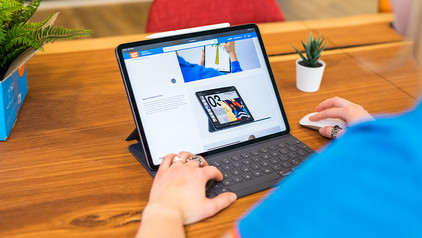
How do you use Apple iPad as a laptop?

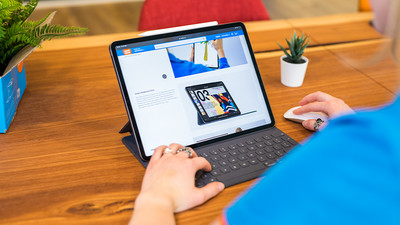
With the arrival of Smart Keyboard, Magic Keyboard, and Magic Keyboard Folio, you can convert the Apple iPad into a complete text editor. In addition, you can connect a Bluetooth mouse, and an iPad is a good alternative to a laptop. In this article, you can find out how to get the most out of your iPad with the right accessories and iPadOS.

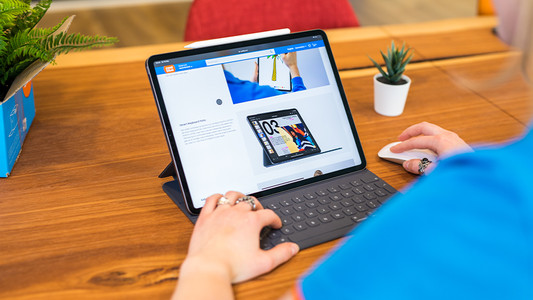
How do you use Apple iPad as a laptop?

With the arrival of Smart Keyboard, Magic Keyboard, and Magic Keyboard Folio, you can convert the Apple iPad into a complete text editor. In addition, you can connect a Bluetooth mouse, and an iPad is a good alternative to a laptop. In this article, you can find out how to get the most out of your iPad with the right accessories and iPadOS.
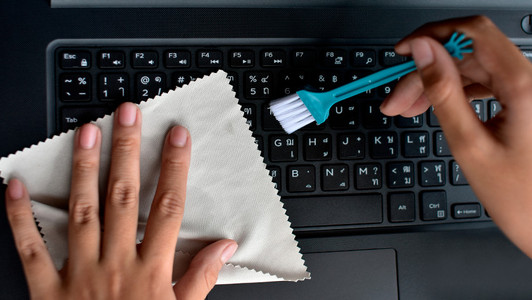
How do I clean my keyboard?

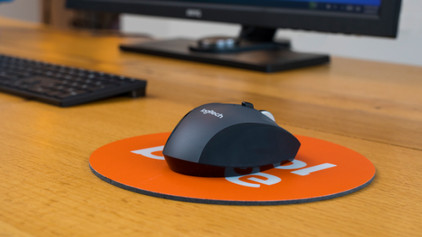
Cleaning your keyboard isn't one of the most fun chores, but if your fingers stick to your keyboard, you'll have to face the music. In this article, I'll explain how to clean a separate keyboard, and you'll read how to clean the keyboard of your laptop.

How do you use Apple iPad as a laptop?

With the arrival of Smart Keyboard, Magic Keyboard, and Magic Keyboard Folio, you can convert the Apple iPad into a complete text editor. In addition, you can connect a Bluetooth mouse, and an iPad is a good alternative to a laptop. In this article, you can find out how to get the most out of your iPad with the right accessories and iPadOS.
How do you use Apple iPad as a laptop?

With the arrival of Smart Keyboard, Magic Keyboard, and Magic Keyboard Folio, you can convert the Apple iPad into a complete text editor. In addition, you can connect a Bluetooth mouse, and an iPad is a good alternative to a laptop. In this article, you can find out how to get the most out of your iPad with the right accessories and iPadOS.

How do I clean my keyboard?

Cleaning your keyboard isn't one of the most fun chores, but if your fingers stick to your keyboard, you'll have to face the music. In this article, I'll explain how to clean a separate keyboard, and you'll read how to clean the keyboard of your laptop.

How do I clean my keyboard?

Cleaning your keyboard isn't one of the most fun chores, but if your fingers stick to your keyboard, you'll have to face the music. In this article, I'll explain how to clean a separate keyboard, and you'll read how to clean the keyboard of your laptop.

Didn't find your answer?

Find an answer to your question quickly and easily via our customer service.

Coolblue specialist
Personal chat Digitalk.
You're now chatting with Coolblue customer service
This chat is closed
foo
Oeps File size is larger than 5MB. Upload a smaller file.