Welcome to your environment! You can order everything from your assortment with your personal budget here.

You can always return to the normal Coolblue website by clicking here.

Your outstanding budget (incl. VAT) is always visible here, so you know exactly how much you can spend.

Coolblue home

Help with your product

Kingston HyperX Fury 16GB DDR3 DIMM 1866MHz Black (4x4GB)
0 reviews

Note: this DDR4 DIMM memory only fits in desktops, not in laptops or Mac models. The computer has to have a DDR3 connector. In order to check this, go to Windows Task Manager, 'More Details', under the 'Performance' header. Under 'Memory' it shows DDR3 or DDR4. Boost your gaming desktop with the Kingston HyperX Fury 16GB DDR3 DIMM 1866MHz Black (4x4GB) RAM module kit. These modules have a clock speed of 1866MHz and a CAS latency of 10. They automatically overclock to the highest frequency. That makes these modules suitable for competitive gamers and novice overclockers. This pack includes 4 RAM modules, so you can create a large RAM. That way, your PC will continue to run smoothly even in the most demanding situations. Kingston offers a lifetime warranty for this product.

Read all tips here

How do you replace the RAM in a desktop?

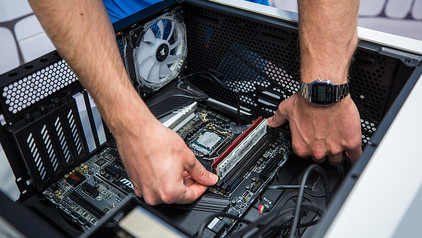
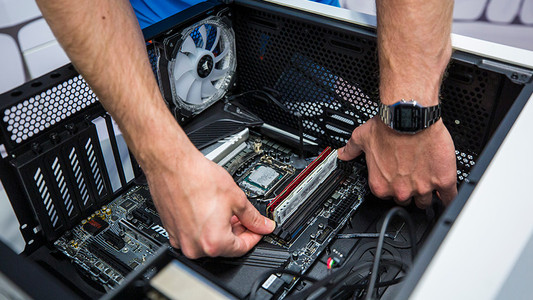
You want to make your PC faster with extra RAM. The RAM that suits your desktop computer has been delivered to your home, but how do you actually install it in your desktop PC? In this article, I explain how to install faster or extra RAM.

How do you prevent a static shock while building your PC?

When you're building your PC, static shocks could be dangerous for your computer parts. A small static shock is enough to destroy your parts. Luckily, there are things you can do to safely work in your PC. Wear a antistatic wrist strap and work on a solid surface, for example. In this article, we'll explain what you should and shouldn't do when building your PC.

How do you prevent a static shock while building your PC?

When you're building your PC, static shocks could be dangerous for your computer parts. A small static shock is enough to destroy your parts. Luckily, there are things you can do to safely work in your PC. Wear a antistatic wrist strap and work on a solid surface, for example. In this article, we'll explain what you should and shouldn't do when building your PC.

How do you replace the RAM in a desktop?

You want to make your PC faster with extra RAM. The RAM that suits your desktop computer has been delivered to your home, but how do you actually install it in your desktop PC? In this article, I explain how to install faster or extra RAM.

How do you prevent a static shock while building your PC?

When you're building your PC, static shocks could be dangerous for your computer parts. A small static shock is enough to destroy your parts. Luckily, there are things you can do to safely work in your PC. Wear a antistatic wrist strap and work on a solid surface, for example. In this article, we'll explain what you should and shouldn't do when building your PC.

How do you prevent a static shock while building your PC?

When you're building your PC, static shocks could be dangerous for your computer parts. A small static shock is enough to destroy your parts. Luckily, there are things you can do to safely work in your PC. Wear a antistatic wrist strap and work on a solid surface, for example. In this article, we'll explain what you should and shouldn't do when building your PC.

Didn't find your answer?

Find an answer to your question quickly and easily via our customer service.

Coolblue specialist
Personal chat Digitalk.
You're now chatting with Coolblue customer service
This chat is closed
foo
Oeps File size is larger than 5MB. Upload a smaller file.