Welcome to your environment! You can order everything from your assortment with your personal budget here.

You can always return to the normal Coolblue website by clicking here.

Your outstanding budget (incl. VAT) is always visible here, so you know exactly how much you can spend.

Coolblue home

Help with your product

Apple Magic Keyboard with Numeric Keypad and Touch ID QWERTY + Mouse (2021) Black
0 reviews

Note: this keyboard is only suitable for Mac with Apple Silicon and macOS 11.4 or higher. You can work more comfortably with the wireless Apple Magic Keyboard with numeric keypad and Touch ID QWERTY. This Bluetooth keyboard has a numeric keypad and Touch ID. You can easily insert numbers and work comfortably in large spreadsheets. Put your finger on the Touch ID sensor to verify purchases and log in easily without passwords. The rechargeable battery lasts over a month on a single charge. The keyboard automatically connects to your Mac, so you can get started right away. With the included Lightning to USB-C charging cable, you can connect the keyboard to your Mac to pair it and charge it. This is an original Apple accessory.

Read all tips here

Which product do you want to see articles about?

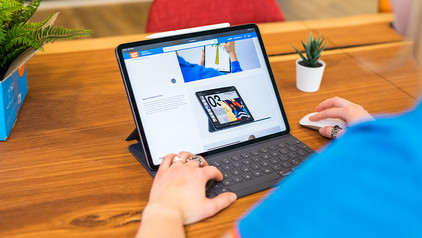
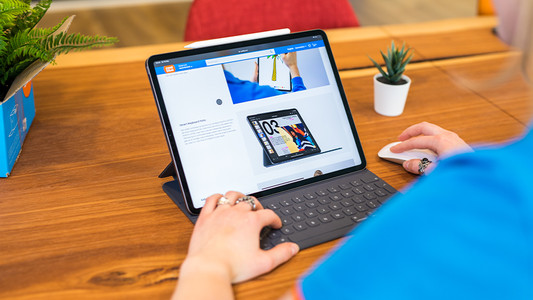
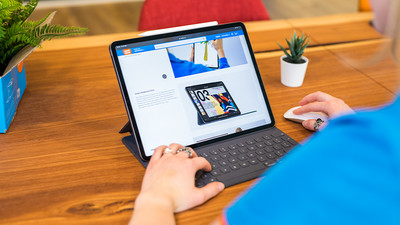
How do you use Apple iPad as a laptop?

With the arrival of Smart Keyboard, Magic Keyboard, and Magic Keyboard Folio, you can convert the Apple iPad into a complete text editor. In addition, you can connect a Bluetooth mouse, and an iPad is a good alternative to a laptop. In this article, you can find out how to get the most out of your iPad with the right accessories and iPadOS.

How do you use Apple iPad as a laptop?

With the arrival of Smart Keyboard, Magic Keyboard, and Magic Keyboard Folio, you can convert the Apple iPad into a complete text editor. In addition, you can connect a Bluetooth mouse, and an iPad is a good alternative to a laptop. In this article, you can find out how to get the most out of your iPad with the right accessories and iPadOS.
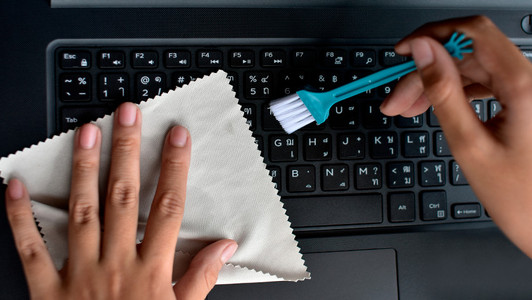
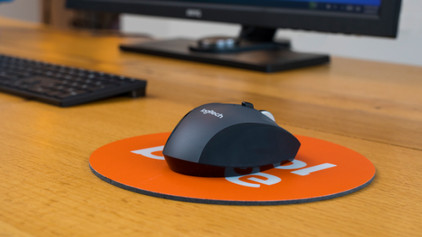
How do I clean my keyboard?

Cleaning your keyboard isn't one of the most fun chores, but if your fingers stick to your keyboard, you'll have to face the music. In this article, I'll explain how to clean a separate keyboard, and you'll read how to clean the keyboard of your laptop.

How do you use Apple iPad as a laptop?

With the arrival of Smart Keyboard, Magic Keyboard, and Magic Keyboard Folio, you can convert the Apple iPad into a complete text editor. In addition, you can connect a Bluetooth mouse, and an iPad is a good alternative to a laptop. In this article, you can find out how to get the most out of your iPad with the right accessories and iPadOS.
How do you use Apple iPad as a laptop?

With the arrival of Smart Keyboard, Magic Keyboard, and Magic Keyboard Folio, you can convert the Apple iPad into a complete text editor. In addition, you can connect a Bluetooth mouse, and an iPad is a good alternative to a laptop. In this article, you can find out how to get the most out of your iPad with the right accessories and iPadOS.

How do I clean my keyboard?

Cleaning your keyboard isn't one of the most fun chores, but if your fingers stick to your keyboard, you'll have to face the music. In this article, I'll explain how to clean a separate keyboard, and you'll read how to clean the keyboard of your laptop.

How do I clean my keyboard?

Cleaning your keyboard isn't one of the most fun chores, but if your fingers stick to your keyboard, you'll have to face the music. In this article, I'll explain how to clean a separate keyboard, and you'll read how to clean the keyboard of your laptop.

Didn't find your answer?

Find an answer to your question quickly and easily via our customer service.

Coolblue specialist
Personal chat Digitalk.
You're now chatting with Coolblue customer service
This chat is closed
foo
Oeps File size is larger than 5MB. Upload a smaller file.