Welcome to your environment! You can order everything from your assortment with your personal budget here.

You can always return to the normal Coolblue website by clicking here.

Your outstanding budget (incl. VAT) is always visible here, so you know exactly how much you can spend.

Coolblue home

Help with your product
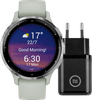
Garmin Venu 3S Silver/Green + BlueBuilt Charger
0 reviews

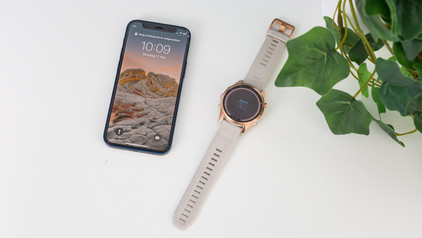
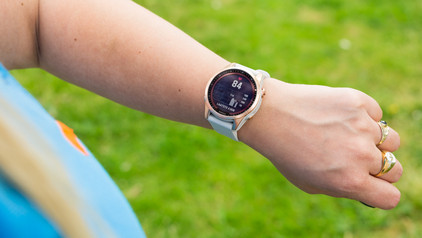
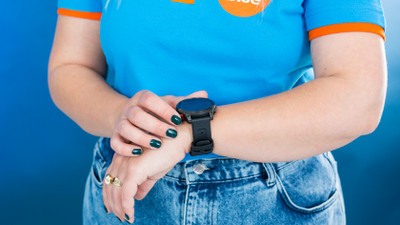
With the Garmin Venu 3S Silver/Green + BlueBuilt Charger bundle, you can always charge your smartwatch via a socket. You're always aware of your health and your smartphone notifications with the Garmin Venu 3. You can easily read all your data and messages on the clear 41mm screen. You can also make phone calls with the smartwatch if your smartphone is nearby. With the new wheelchair mode, you get wheelchair-friendly workouts and advice from the Venu 3. You can also keep track of your sleep and naps with the improved, accurate sleep tracker. Thanks to the built-in music player, you can listen to your favorite music or podcast via your smartwatch. You can also make contactless payments via Garmin Pay. That means you can leave your smartphone and wallet at home while you exercise. The battery lasts up to 10 days with average use, so you don't have to charge your smartwatch often. This watch is recommended for a wrist circumference of 15 to 17cm.

Read all tips here

Which product do you want to see articles about?

2 tips if the screen of your Garmin smartwatch doesn't respond

Doesn't the screen of your Garmin watch respond correctly? Maybe your screen is stuck. Sometimes, the screen doesn't turn on at all anymore. You can often solve these screen problems if you charge the Garmin watch and restart it. In this article, we'll explain how to solve problems with your screen.

2 tips if your Garmin watch doesn't work well after an iOS update

After you update the iOS of your iPhone, you might still have connection problems with your Garmin Watch. For example, your Garmin watch isn't connected to your smartphone anymore, or you don't receive smartphone notifications. You can easily solve these problems with 1 of these tips.

How do you solve charging problems with your Garmin watch?

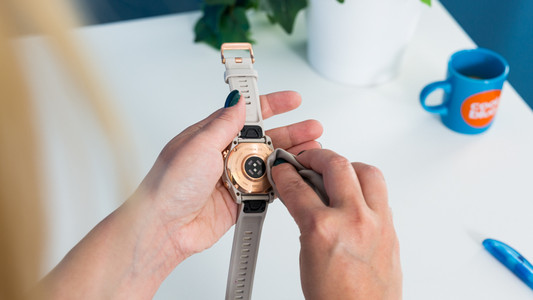
Do you have problems with charging your Garmin smartwatch? You can often solve the problem yourself by gently cleaning the charging ports of your Garmin smartwatch. We'll explain how to do so in this article.

What do you do if Garmin Connect doesn't show data?

You can connect your Garmin smartwatch to the Garmin Connect app on your smartphone. This is where you'll find all your training and health data. Sometimes, the data of your watch don't synchronize with the app. This way, you won't see the latest readings. Luckily, you can solve this yourself in 3 steps.

Get started with the GPS of your Garmin smartwatch

When you use your Garmin smartwatch, you want your location tracking to be as accurate as possible. This way, you can track your route and progress properly. You need the strongest possible GPS signal for this. In this article, we'll explain how to ensure that you receive a strong GPS signal.

7 tips for charging your smartphone

You probably charge your smartphone every day. When you charge it the right way, your battery wears less and your device lasts longer. We'll explain why it's better not to charge your smartphone up to 100% and why fast charging is convenient here. That way, you'll know exactly how to properly charge your smartphone, tablet, or other device.

7 tips for charging your smartphone

You probably charge your smartphone every day. When you charge it the right way, your battery wears less and your device lasts longer. We'll explain why it's better not to charge your smartphone up to 100% and why fast charging is convenient here. That way, you'll know exactly how to properly charge your smartphone, tablet, or other device.

7 tips for charging your smartphone

You probably charge your smartphone every day. When you charge it the right way, your battery wears less and your device lasts longer. We'll explain why it's better not to charge your smartphone up to 100% and why fast charging is convenient here. That way, you'll know exactly how to properly charge your smartphone, tablet, or other device.

2 tips if the screen of your Garmin smartwatch doesn't respond

Doesn't the screen of your Garmin watch respond correctly? Maybe your screen is stuck. Sometimes, the screen doesn't turn on at all anymore. You can often solve these screen problems if you charge the Garmin watch and restart it. In this article, we'll explain how to solve problems with your screen.
2 tips if your Garmin watch doesn't work well after an iOS update

After you update the iOS of your iPhone, you might still have connection problems with your Garmin Watch. For example, your Garmin watch isn't connected to your smartphone anymore, or you don't receive smartphone notifications. You can easily solve these problems with 1 of these tips.

How do you solve charging problems with your Garmin watch?
Do you have problems with charging your Garmin smartwatch? You can often solve the problem yourself by gently cleaning the charging ports of your Garmin smartwatch. We'll explain how to do so in this article.

What do you do if Garmin Connect doesn't show data?

You can connect your Garmin smartwatch to the Garmin Connect app on your smartphone. This is where you'll find all your training and health data. Sometimes, the data of your watch don't synchronize with the app. This way, you won't see the latest readings. Luckily, you can solve this yourself in 3 steps.

Get started with the GPS of your Garmin smartwatch

When you use your Garmin smartwatch, you want your location tracking to be as accurate as possible. This way, you can track your route and progress properly. You need the strongest possible GPS signal for this. In this article, we'll explain how to ensure that you receive a strong GPS signal.

Subjects

Didn't find your answer?

Find an answer to your question quickly and easily via our customer service.

Coolblue specialist
Personal chat Digitalk.
You're now chatting with Coolblue customer service
This chat is closed
foo
Oeps File size is larger than 5MB. Upload a smaller file.