

Coolblue's Choice Acer
10 results
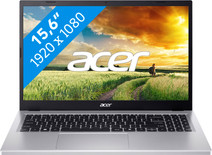

Our choice for a Windows laptop for browsing the internet, sending emails, and text processing
|
Suitable for light programs
| Intel Core i5 | 16GB | 512GB SSD
| Anti-glare screen
- You can browse the internet, write texts, and keep track of your emails in programs like Word and Outlook.
- You can quickly enter numbers and formulas via the numeric keypad.
- You don't have to worry about fingerprints on the screen thanks to the anti-glare layer.

Our choice for a Chromebook for your school or studies
|
ChromeOS instead of Windows
| Intel Core 3 - 8GB - 128GB SSD
| Touchscreen
| Chromebook Plus
- You can smoothly switch between multiple apps, so you can write your reports while doing research via your browser.
- You can take notes during the lecture and navigate easily through all your apps via the touchscreen.
- You can easily take this Chromebook to your school thanks to the low weight.

Our choice for a 17-inch Windows laptop for hobby photo editing
|
Internet, email, and text processing
| Intel Core i5 - 16GB - 512GB SSD
| Privacy switch
| Anti-glare screen
- You can edit photos and you can see details well on the Full HD screen.
- You can keep a clear overview of your photos and you can easily work with 2 windows side by side on the large 17-inch screen.
- You're less bothered by light glare and fingerprints thanks to the anti-glare screen.
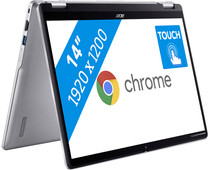
Our choice for a Chromebook that you can also use as a tablet
|
ChromeOS instead of Windows
| Intel N100 - 8GB - 128GB eMMC
| Foldable touchscreen
- You can easily turn this Chromebook into a tablet, so you can easily get started via the touchscreen.
- You can easily take this Chromebook with you or comfortably place it on your lap thanks to the low weight.
- You can smoothly work in different light apps and easily get to work with multitasking.
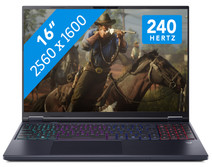
Our choice for a 16-inch gaming laptop that you can use to stream in 4K
|
Powerful enough for gaming and streaming
| Intel Core Ultra 9 | 32GB | 1TB SSD
| NVIDIA GeForce RTX 5070
| 240Hz
| RGB backlit keyboard
- You can easily play demanding games thanks to the Ultra 9 processor, RTX 5070 GPU, and 32GB RAM.
- Enjoy lifelike colors and smooth movements on the 240Hz screen for the best gaming experience.
- In addition to gaming, you can stream in 4K and edit your gameplay videos thanks to the Ultra 9 processor and 32GB RAM.

Our choice for an 18-inch gaming laptop you can use to play demanding games
|
Powerful enough for gaming and streaming
| Intel Core Ultra 9 | 32GB | 1TB SSD
| NVIDIA GeForce RTX 5070
| 240Hz
| RGB backlit keyboard
- You can play demanding games like Elden Ring and Flight Simulator at 60 fps in Full HD or older games in QHD or even 4K, thanks to the RTX 5070 GPU.
- On the large 18-inch screen with a 240Hz refresh rate, you won't miss a single detail in your game.
- In addition to gaming, you can stream in 4K and edit your gameplay videos thanks to the Core Ultra 9 processor and 32GB RAM.

Our choice for a desktop for photo editing
|
Intel Core i5-13420H
| 16GB | 1TB SSD
| NVIDIA GeForce RTX 5060
- Graphic design programs such as Adobe Photoshop run smoothly with the Intel Core i5 processor.
- You can edit large photo files, because photos render faster thanks to the dedicated video card.
- With 1TB, you have enough storage space for all your photos and other files.
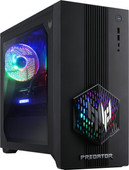
Our choice for a gaming PC for Call of Duty
|
Intel Core i7-14700F
| 32GB RAM | 1TB SSD
| NVIDIA GeForce RTX 5070
- Play demanding games at 60 fps and stream your gameplay in Full HD with the RTX 5070 video card, the i7 processor, and 32GB RAM.
- With the 1TB SSD, you have enough storage space for all your games and other files.
- You can easily expand this desktop with extra DDR4 RAM, which makes it future-proof.
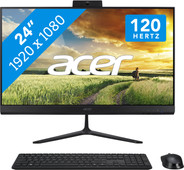
Our choice for a 24-inch all-in-one for photo editing
|
Intel Core i5-13420H
| 16GB | 1TB SSD
| Intel Iris Xe Graphics
- You can smoothly switch between light programs and edit large photo files with the Intel Core i5 and 16GB RAM.
- You can store all your photos, documents, and other files on the 1TB SSD.
- With the included mouse and keyboard, you can get started right away.
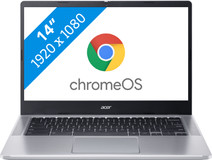
Our choice for a Chromebook for primary school
|
ChromeOS instead of Windows
| Intel N100 - 4GB - 64GB eMMC
| Lightweight
| Anti-glare screen
- You can easily open a number of apps at once, such as watching videos via YouTube or make small assignments via the browser.
- You can easily take this Chromebook with you to elementary school or other classroom, because it only weighs 1.4kg.
- Brightly-lit classrooms won't bother you, because you have less reflections thanks to the anti-glare screen.
