Written by Giorgos
Edited on
13 October 2025
·
14:32
Comparison of the Samsung Odyssey Gaming Monitors G5, G7, and G9 OLED
It's important to have a gaming monitor that always shows lifelike images. For Samsung, this is the Odyssey series. These monitors have the right specifications to improve your gaming experience. In this article, we'll compare the G5 LC34G55TWWPXEN, G7 LS28BG700EPXEN, and the OLED G9 LS49CG934SUXEN and we'll explain what they're most suitable for.
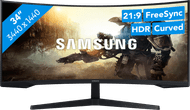
Odyssey G5 - Curved Ultrawide
- With QHD, you can enjoy the perfect balance between details and performance.
- Thanks to the 34-inch ultrawide monitor, you can see much more of the in-game environment.
- You can get totally immersed in your game thanks to the curved screen.
- Thanks to the low brightness, you can see images on the screen less well in brightly-lit rooms.
271,-
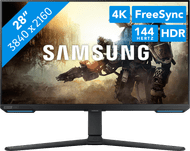
Odyssey G7 - Small but nice in 4K
- With 4K resolution, you can game twice as sharp as with QHD and enjoy your favorite games at the highest settings.
- The combination of a 28-inch screen and 144Hz refresh rate makes the monitor great for fast gaming on smaller maps.
- Thanks to the IPS panel, you'll always see sharp colors and details from any viewing angle.
- The 28-inch screen size makes it less suitable for games with larger maps.
- The image quality of this monitor is less sharp than with an OLED monitor.
699,-
Odyssey G9 - Super Ultrawide OLED
- With the 49-inch super ultrawide monitor, you can immerse into your game completely.
- The QHD allows you to enjoy a great balance between details and performance.
- Enjoy vibrant colors and a strong contrast with an OLED screen.
- A 49-inch screen takes up a lot of room and is heavy.
932,-
Specifications in the comparison
| Odyssey G5 LC34G55TWWPXEN | Odyssey G7 LS28BG700EPXEN | Odyssey G9 LS49DG934SUXEN | |
|---|---|---|---|
| Screen size | 34 inches | 27 inches | 49 inches |
| Size | Ultrawide (21:9) | Standard (16:9) | Super Ultrawide (32:9) |
| Resolution | QHD | 4K | QHD |
| Refresh rate | 165Hz | 144Hz | 240Hz |
| Response time | 1ms | 1ms | 0.03ms |
| Display type | VA | IPS | OLED |
Screen size

Odyssey G7: 28 inches - Standard (16:9)
With a 28-inch screen size, the Odyssey G7 LS28BG700EPXEN offers enough screen space for most games. The monitor is especially great for arena games with small maps. For example, games like Call of Duty or Apex Legends. This monitor also fits on any desk and you'll have enough room for all your peripherals.

Odyssey G5: 34 inches - Ultrawide (21:9)
The 34-inch Ultrawide Odyssey G5 LC34G55TWWPXEN monitor is slightly wider than the 28-inch model. This means you can see more of your environment in the game. You can also recognize details better on a larger screen. You can enjoy detailed images in games like Hogwarts Legacy, Red Dead Redemption, or Elden Ring.

Odyssey OLED G9: 49 inches - Super Ultrawide (32:9)
The 49-inch Super Ultrawide Odyssey OLED G9 LS49CG934SUXEN monitor is one of the largest screens by Samsung. This offers a lot of screen space, so you can immerse into your game completely. The monitor also has a curve, so you'll have a better overview of your in-game map. This monitor only fits on large desks.
Resolution
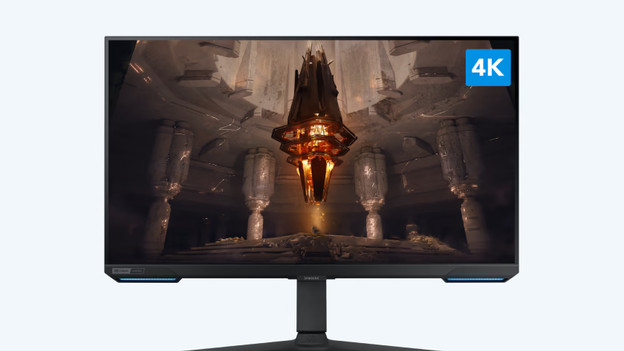
Odyssey G7: 4K
With 3840x2160 pixels, 4K is twice as sharp as QHD and about 4 times as sharp as Full HD. Enjoy bright details of your in-game environment and characters. This monitor is ideal for fast-paced shooters or RPGs that play in areas with a lot of details. Keep in mind that you need a powerful video card, like the NVIDIA GeForce RTX 4070 or 4080 for PC gaming in 4K.

Odyssey G5: QHD
QHD is often called Quad HD or 2K and has a resolution of 2560x1440 pixels. With a QHD, you'll see images twice as sharp as with a regular Full HD monitor. Enjoy all the details in open world games and RPGs that play in large areas with lots of space. Keep in mind that you need a powerful video card for PC gaming in QHD, like the NVIDIA GeForce RTX 4070/4080.

Odyssey G9: QHD
The Odyssey OLED G9 LS49CG934SUXEN monitor has a QHD resolution too. This, in combination with 49 inches and the curved screen, makes it the perfect monitor for great open world games. The monitor is suitable for console games too, like in combination with your PlayStation 5 or Xbox Series X. For PC gaming, you need a powerful video card as well. Once you have it, nothing will be in the way between you and your next adventure in Hogwarts Legacy or GTA V.
Refresh rate

Odyssey G7: 144Hz
The combination of a 28-inch screen and 144Hz refresh rate makes the G7 LS28BG700EPXEN perfect for fast gaming. Games run smoothly, because the monitor is compatible with both FreeSync and G-Sync technology. Thanks to this, your graphic card is being synchronized with the refresh rate of the monitor. This allows for smooth gaming. Compared to 165Hz, 144Hz offers a slightly less smooth image, but it's still ideal for casual gaming or RPGs thanks to the 1ms response time of this monitor.

Odyssey G5: 175Hz
The 165Hz refresh rate makes the Odyssey G5 LC34G55TWWPXEN a gaming monitor for enthusiastic gamers. You can easily play your favorite games at the highest graphic settings. Even competitive games like first-person shooters run smoothly at 165Hz. In combination with the 0.03ms fast response time of the G5, you'll see every opponent on the screen at the same time and respond fast in-game.

Odyssey G9: 240Hz
With a refresh rate of 240Hz and a response time of 0.03ms, the Odyssey OLED G9 LS49CG934SUXEN is a monitor with the best gaming settings. You can play any game smoothly and without delays, even at the highest graphic settings. Even graphically-demanding games are displayed smoothly with this monitor. In combination with the size of the monitor and the curve, you can enjoy gaming like a movie in the movie theater.
Display type

Odyssey G7: IPS
The IPS panel in the screen of the Odyssey G7 LS28BG700EPXEN monitor reproduces colors excellently. This means that you'll always see bright and high-contrast images from every viewing angle. But, the image quality isn't anything like that of an OLED screen.

Odyssey G9: OLED
VA, TN, and IPS monitors work with backlight, while OLED screens have pixels that produce light themselves. The image looks more vibrant on an OLED display as a result, especially dark images. With the Odyssey G9 OLED, you'll see black as true black in the game and you'll see a stronger contrast. Every color is displayed realistically.

Conclusion
The Samsung Odyssey monitors are specialized for gaming and offer a good choice depending on your preferences. Do you have a smaller desk and do you mainly play shooters? Choose the Odyssey G7 LS28BG700EPXEN. With the Odyssey G5 LC34G55TWWPXEN, you can enjoy the best image quality with a high refresh rate. Do you want to immerse yourself into your favorite game completely and experience real RPGs and open world games? Choose the Odyssey OLED G9 LS49CG934SUXEN, the monitor with the largest curved OLED display.
Article by Giorgos
Monitor Expert.