Written by Charlotte
Edited on
13 October 2025
·
14:34
How do you get your JURA D4 ready for use?
In this article, we'll explain how to make the JURA D4 ready for use. Go through some steps before you make your first cup of coffee. With the useful video instruction, we'll show you how you can quickly make your machine ready for use. From filling the bean hopper to installing the water filter.
Get started with the JURA D4
Follow the video instruction to make your coffee machine ready for use. We'll go through these steps:
- Step 1: connect the coffee machine
- Step 2: adjust the water hardness
- Step 3: adjust the water filter
- Step 4: Rinse the machine
You need:
- Empty container
- Water filter
- Coffee beans
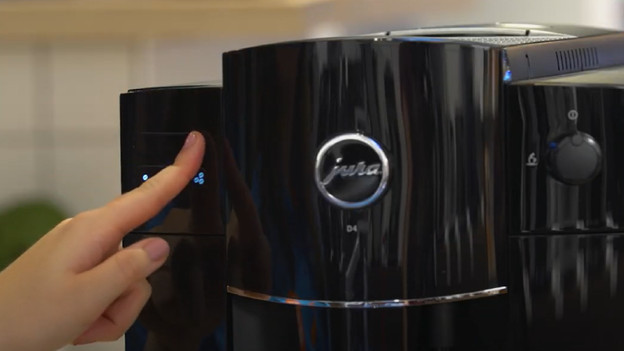
Step 1: connect the coffee machine
- Connect the power cord to the coffee machine and put the connecter into the socket.
- Touch the icon of the large coffee cup. The icons 'coffee' and 'coffee strength' start to burn brightly.
- Set the water hardness.
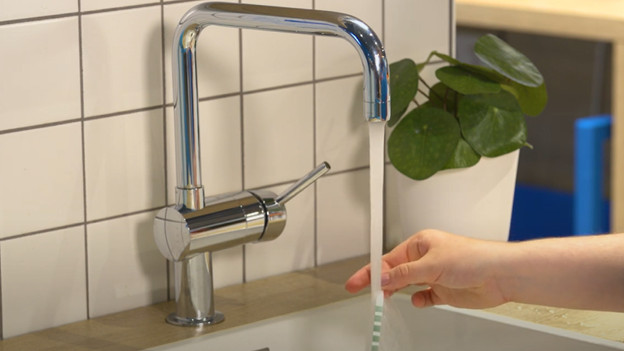
Step 2: adjust the water hardness
- To test the water hardness, use the test strip you can find in the box.
- Hold the test strip under running water for 2 seconds and shake the water from the strip.
- Wait for about 1 minute.
- Read the water hardness level via the colored rings on the test strip.
- Via the coffee strength icons, you can indicate the water level. If you have 0 - 2 red blocks, choose 1 bean. If you have 3 red blocks, choose 2 beans. If you have 4 - 5 red blocks, choose 3 beans.
- Choose the icon that matches your water hardness, and then touch the coffee icon to confirm the water hardness.
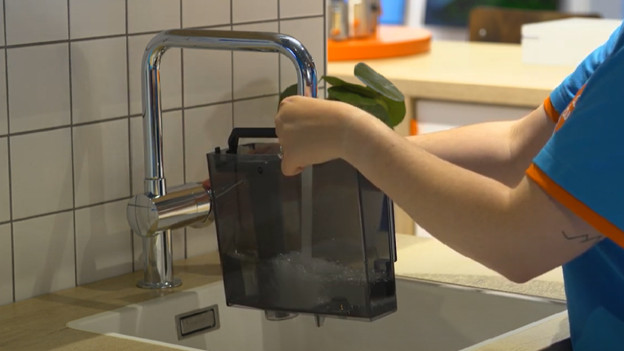
Step 3: set the water filter
- The icons 'filter' and 'water tank' light up on the display.
- Take the JURA water filter.
- Remove the water tank from the machine and fold the filter holder open.
- Place the included water filter into the water tank with light pressure.
- Connect the filter holder until you hear a click.
- Fill the water tank up to 'max' and place it back.
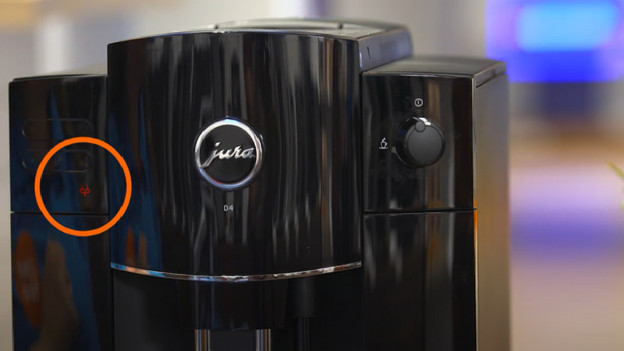
Step 4: rinse the machine
- Place the container under the hot water outlet.
- Turn the dial to the left, to the icon with a water droplet above. The machine now provides hot water.
- The rinse stops automatically.
- Turn the dial to the right, to the 'I' position. The symbols of the small and large coffee cup blink.
- The system fills itself with water. The machine is done with this when the icon of the coffee grounds container lights up.
- Empty the container, drip tray, and coffee grounds tray, and place them back.
- Place a container under the coffee outlet and wait until the system is rinsed.
- Your JURA D4 is ready for use.
How often do you clean your JURA coffee machine?
By cleaning your coffee machine on time, you'll prevent blockages and defects. The coffee taste will also remain at its best. So treat your coffee machine hygienically and perform the following maintenance:
- Rinse brew group: once every 1.5 months
- Replace water filter: every 3 months
- Descale: every 2 years (with a water filter)
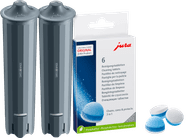
Water filters 2x | Cleaning tablets 6x
47,99
Article by Charlotte
Coffee Machine Expert.
