An NAS with multiple bays (hard drive locks) uses RAID setups. This means your NAS stores all of your files in a special way so that your data is protected against disk drive failure and data loss. RAID 1 is when you completely duplicate all of your files to a different drive. RAID 5 is when you distribute your files over multiple drives. If a drive breaks, your NAS restores data from the other drives. With RAID 6 you also distribute your files over multiple drives, but in this case it protects you against loss of 2 drives. With RAID 10, you duplicate an entire drive and automatically distribute your data over multiple drives. Is the certainty of keeping your data important to you? If so, choose an NAS that has multiple RAID options.
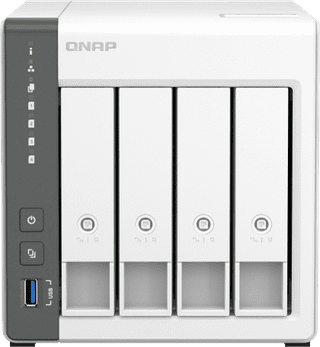
- Thanks to the powerful QNAP AI Core, this NAS processes photos and videos without delays.
- Thanks to the Quad-Core processor and 4GB RAM, you can easily do multiple tasks at the same time.
- We recommend the QNAP TS-433-4G as a NAS for content creators because of its AI features and powerful RAM/CPU combination.
554,-
In stock