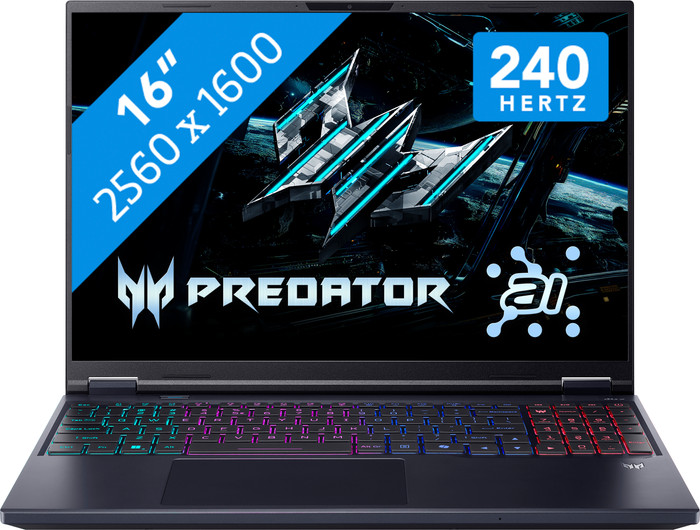
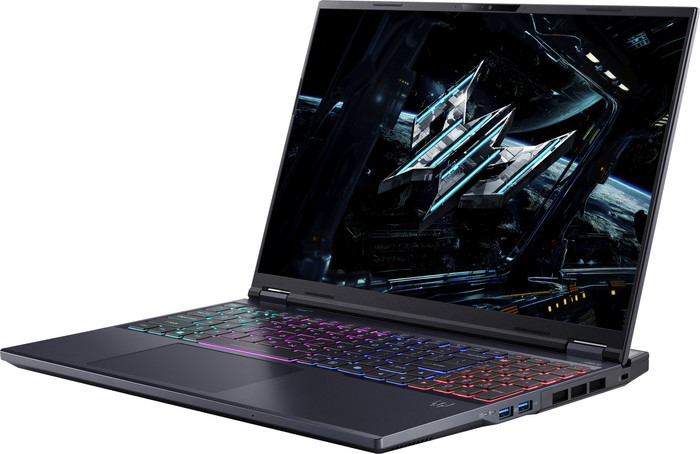
Acer Predator Helios Neo 16 AI PHN16-73-99CN






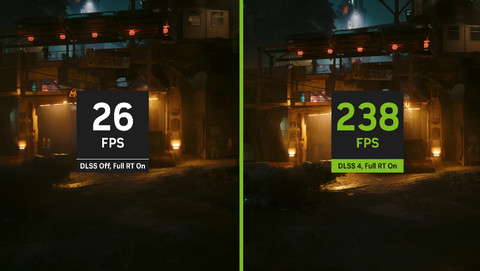

You've purchased an NVIDIA product that includes the game CONTROL Resonant for free. The promotion runs from 26 August 2026 to 13 October 2026. You can request the promotion until 10 November 2026. To receive your game, you have to follow a few steps. You can read what you have to do here.

If you purchase of a laptop or desktop, you receive 1 year of Norton 360 Deluxe for free. One day after purchase, you'll receive an email with a personal voucher code. Go to the promotional Terms and Conditions for more information.

Product number | 960895 | |
|---|---|---|
Manufacturer code | NH.QX2EH.002 | |
Brand | Acer | |
Processing of your defect | Via Coolblue | |
Old product returned for free |
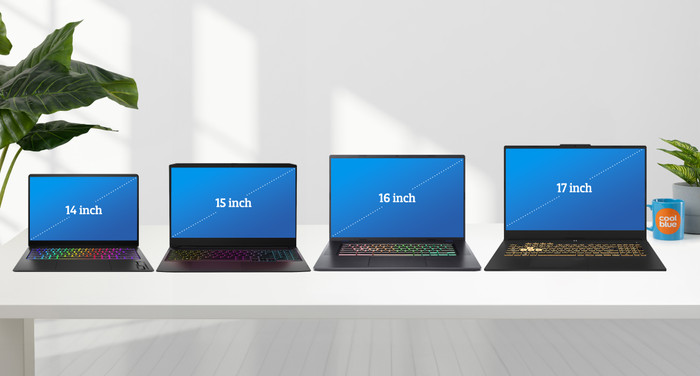
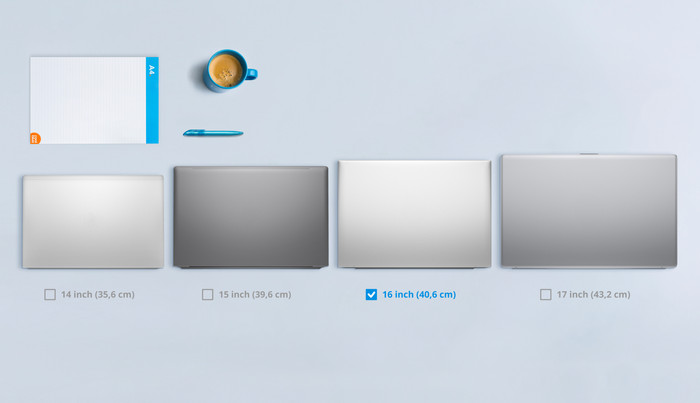
Screen size | 16 inches | |
|---|---|---|
Screen quality: laptops | High-end | |
Touchscreen | ||
Panel type | IPS panel | |
Sharpness | WQXGA | |
Resolution width | 2560 pixels | |
Resolution height | 1600 pixels | |
Refresh rate | 240 Hz | |
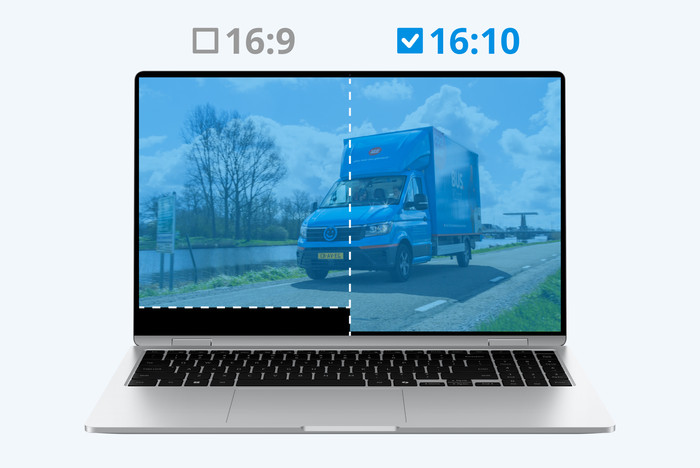
Aspect ratio | 16:10 | |
Screen reflection | Anti-glare | |
Color space | DCI-P3 | |
Adaptive Sync | ||
Brightness | 500 cd/m2 | |
HDR support |
Processor | Intel Core Ultra 9 | |
|---|---|---|
Processor number | 275HX | |
Processor generation | Ultra Series 2 | |
Processor code name | Arrow Lake | |
Processor cores | Tetradeca-Core (14) | |
Threads | 24 | |
Clock speed | 2,1 GHz | |
Turbo speed | 5,4 GHz | |
Cache memory | 40 MB | |
Speed class laptops | Best | |
Intel Evo laptop |
Neural Processing Unit (NPU) | Intel AI Boost | |
|---|---|---|
TOPs | 13 | |
Microsoft Copilot+ PC | No |
Internal RAM | 32 GB | |
|---|---|---|
Memory composition | 2x 16GB | |
Memory slot 1 | 16 GB | |
Memory slot 2 | 16 GB | |
Total number of RAM slots | 2 | |
Maximum internal memory | 32 GB | |
RAM type (DDR type) | DDR5 | |
Number of free RAM slots | 0 | |
RAM expandable up to | 32 GB |
Total storage capacity | 1 TB | |
|---|---|---|
Storage type | SSD | |
SSD storage capacity | 1 TB | |
Hard drive type | NVMe | |
Number of free storage slots | 0 |
Video card | NVIDIA GeForce RTX 5070 Ti | |
|---|---|---|
Video card brand | NVIDIA | |
Type of video card | Dedicated | |
Video card RAM | 12 GB |
Operating system | Windows | |
|---|---|---|
Windows OS version | Windows 11 Home | |
Operating system language | Multiple languages can be configured |
Recommended for use | Gaming, Photo editing, Render 3D models, Software development, Video editing |
|---|
Build quality laptops | Basic | |
|---|---|---|
Laptop model | Laptop | |
Color | Black | |
Material | Metal, Plastic | |
Metal type | Aluminum | |
Height | 1,3 cm | |
Width | 35,6 cm | |
Depth | 27,5 cm | |
Weight | 2,7 kg |
Mobile data connection | No | |
|---|---|---|
WiFi standards | Wireless A (WiFi 2), Wireless AC (WiFi 5), Wireless AX (WiFi 6), Wireless AXE (WiFi 6E), Wireless B (WiFi 1), Wireless G (WiFi 3), Wireless N (WiFi 4) | |
Bluetooth | ||
Bluetooth version | 5.2 |
USB port | ||
|---|---|---|
Number of USB ports | 5 | |
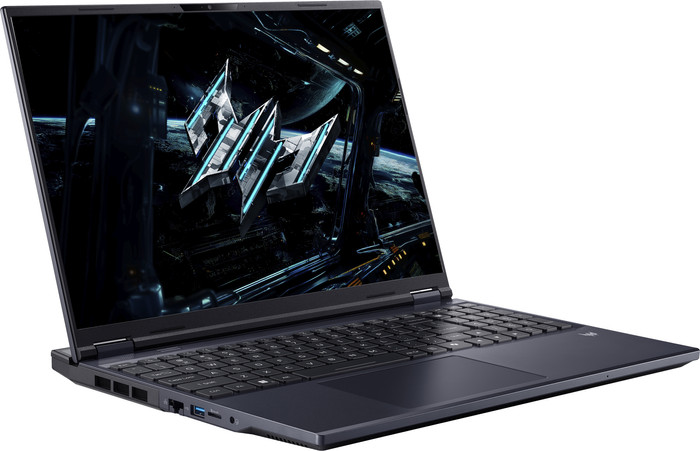
Type of USB port | Standard USB-A, USB-C | |
Protocol Female USB-C port | DisplayPort Alternative Mode, Thunderbolt Alternative Mode, USB, USB electricity | |
USB version Female USB-C port | 3.1 | |
Video output via USB-C possible | Yes | |
Number of female standard USB-A ports | 3 | |
Female standard USB-A port version | 3.1 | |
Number of USB 3.1 Female USB-C port | 2 | |
HDMI connector | ||
Number of HDMI connectors | 1 | |
Female HDMI Type A port version | 2.1 | |
DisplayPort connector | ||
VGA connector | ||
Network connector | ||
Number of Ethernet ports | 1 | |
Thunderbolt connector | ||
Headphone jack | ||
Memory card reader |
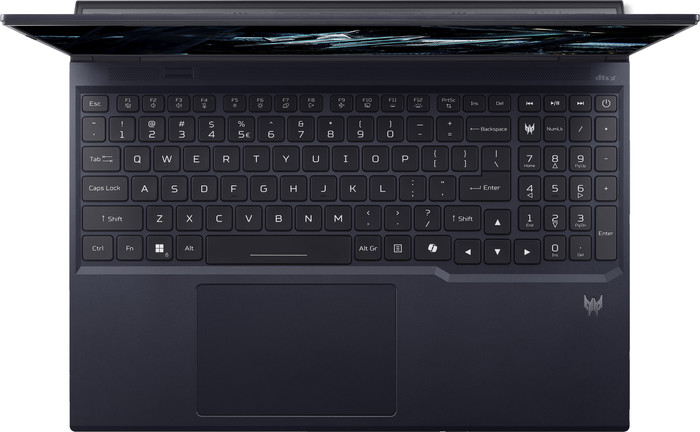
Keyboard layout | QWERTY | |
|---|---|---|
Physical keyboard layout | ANSI | |
Numeric keypad | ||
Spill-resistant | ||
Backlit keyboard | ||
Mechanical keyboard | ||
Programmable keys | ||
Copilot test |
Built-in microphone | ||
|---|---|---|
Number of speakers | 2 | |
Sound reproduction | Stereo | |
Integrated computer speakers brand | Standard speakers |
Built-in camera | ||
|---|---|---|
Image definition webcams | Full HD (1080p) | |
Camera slider |
Battery capacity laptop | 90 Wh | |
|---|---|---|
Battery technology | Lithium-ion | |
Power connector input type (female) | Other brand/product specific | |
Laptop wattage | 330 W | |
Charger included | ||
Charging cable included | ||
Power charger | 330 W |
Manufacturer's warranty |
|---|
TPM (Trusted platform module) | ||
|---|---|---|
TPM type | Firmware TPM | |
Kensington lock | ||
Windows Hello | ||
Fingerprint identity sensor | ||
Infrared camera | ||
Security class laptops | Basic | |
Built-in privacy screen |
Extra installed software | ||
|---|---|---|
ISV certification |
Coolblue takes care of everything, from taking out an insurance to repairs
For almost all accidents (such as a spilled glass of water)
More coverage in case of damage than your standard warranty
No deductible
First, add your laptop to your shopping cart. On the next page, choose one of the Protection Plans below. You always have a 30-day return window and pay no deductible in case of damage or theft.
2-year Protection Plan
120,-
one-time2-year Protection Plan with theft cover
130,-
one-timeProtection Plan - Monthly cancelable
13,90
per monthProtection Plan with theft cover - Monthly cancelable
14,42
per month
Battery life
Speed
Design
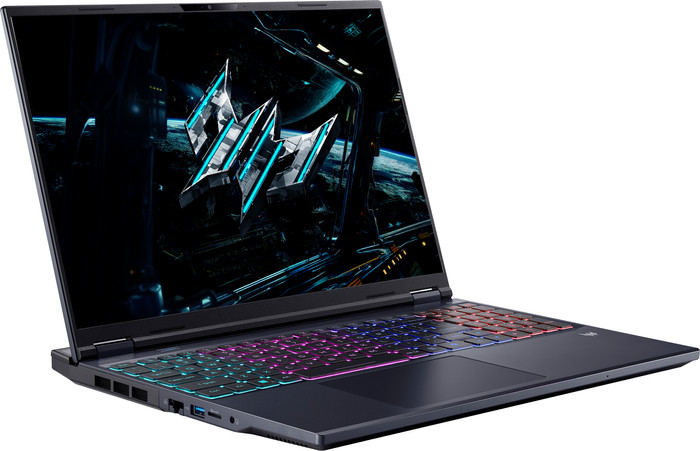
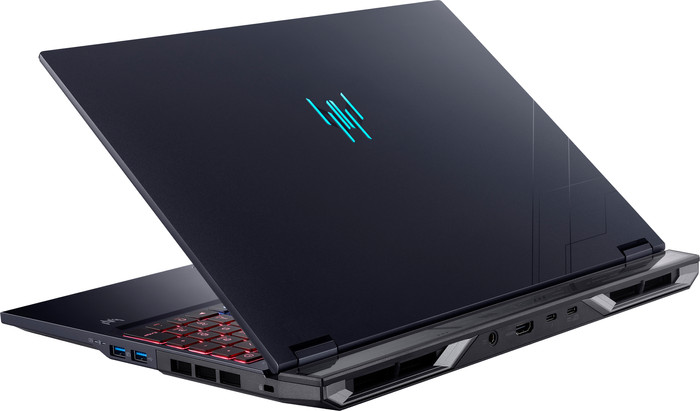
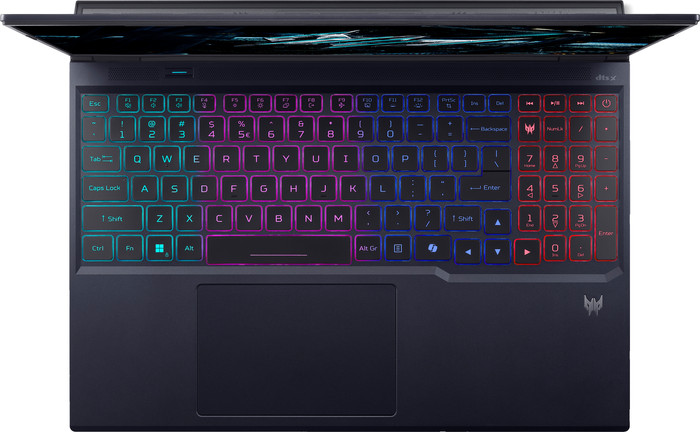
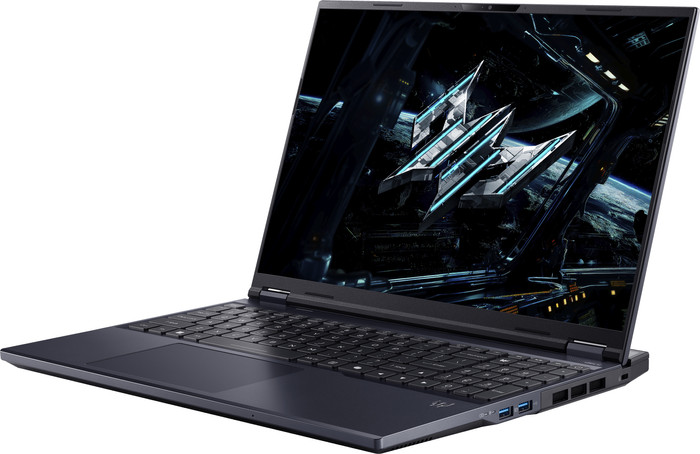
The Acer Predator Helios Neo 16 AI PHN16 is a powerful 16-inch gaming laptop, allowing me to smoothly play medium- and high-end games in Full HD and Quad HD. I play most games without stuttering at a minimum of 60 frames per second. I also play games in Quad HD with DLSS support enabled. The laptop also has a cool gaming look with a 4-zone RGB backlit keyboard and a docking station on the back.
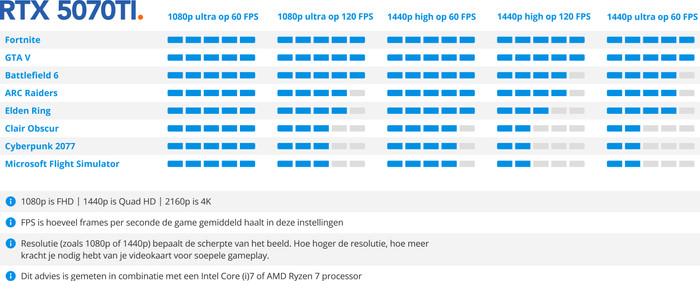
Powerful NVIDIA RTX 5070 Ti graphics card The Acer Predator Helios Neo 16 has an NVIDIA RTX 5070 Ti graphics card. This allows me to play all games in at least Full HD or Quad HD. I play Indiana Jones at over 100 frames per second in Quad HD with DLSS enabled. Without DLSS, the game easily reaches around 80 frames per second. Another game with lots of detail, Clair Obscur, even reaches over 120 frames per second in Quad HD. Microsoft Flight Simulator plays in Quad HD without DLSS at about 60 frames per second. The graphics card is powerful enough, but I still opt for DLSS support. This makes the game run a bit smoother, also because I'm playing in a higher resolution. Still, I play all games smoothly in Full HD and Quad HD at at least 60 frames per second.
Sharp images with a high refresh rate On the 16-inch Quad HD display, I see sharp images and vivid details. I especially notice this in colorful games like Clair Obscur and Microsoft Flight Simulator. For example, I see the Rotterdam skyline in full detail. This is thanks to the 100 percent coverage within the DCI-P3 color profile. I also see detail in dark games, such as S.T.A.L.K.E.R. 2. The laptop also has a refresh rate of up to 240 Hz. This allows me to play shooters like Doom: The Dark Ages and Gears of War Reloaded with smooth images. In Quad HD, I play Doom at about 80 to 90 frames per second. Gears of War even reaches over 140 frames per second in Quad HD.
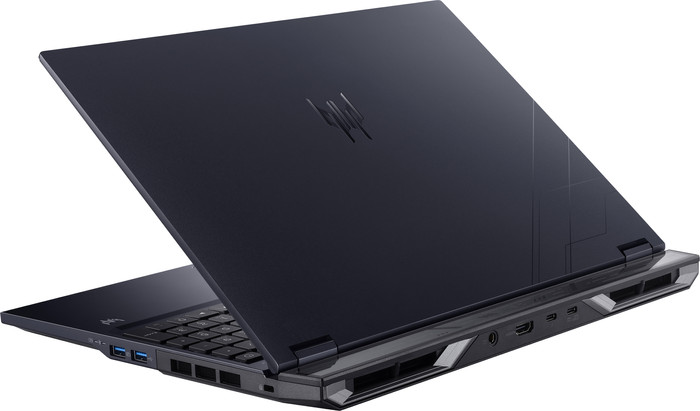
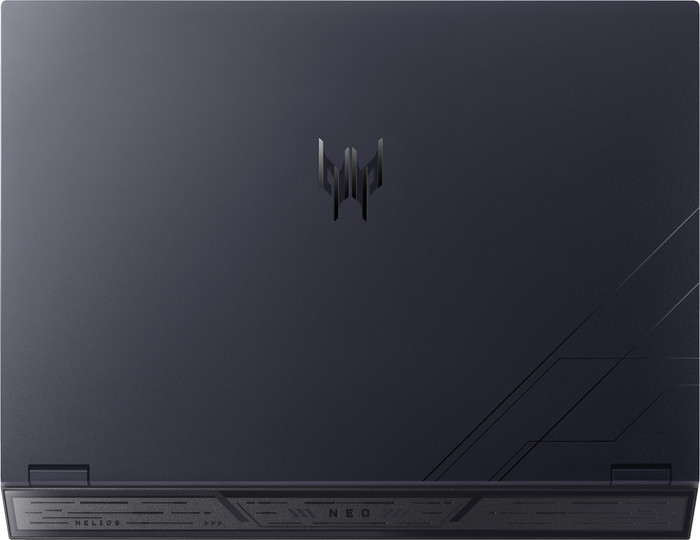
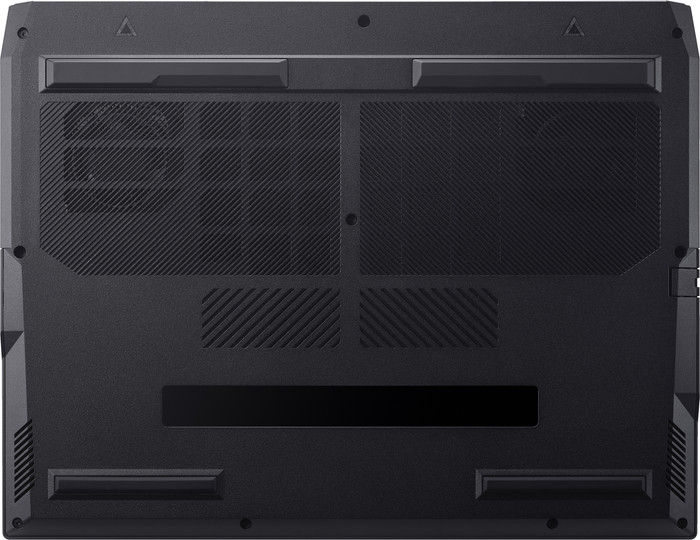
Sturdy chassis with a cool RGB gaming look The laptop feels sturdy thanks to the metal chassis. Besides providing good protection, it also helps with cooling. I feel heat while gaming, but the graphics card and processor don't get above 60 degrees Celsius. I control the fans via PredatorSense. They make a lot of noise, but it doesn't bother me while gaming. The laptop also has a cool gaming look thanks to the 4-zone RGB backlit keyboard. I use PredatorSense to set different patterns or a color per zone. I personally prefer wave lighting because it allows me to see all the colors. The Predator Helios Neo also has a built-in dock on the back. I use this to connect the charger, which I consider a nice advantage. It keeps my desk tidy and prevents cables from getting in the way. The downside is the weight. The laptop feels heavy.
Giorgos. Laptop specialist.
4 September 2025
Automatically translated from Nederlands
Works great, fast, easy, and quiet. Games, video editing, everything works smoothly.
Barry
3 January 2026
Automatically translated from Nederlands
I was looking for a laptop for 4K editing, among other things, and of course, the necessary gaming. In its price range, I found this one.
Unfortunately, the laptop I ordered was broken. It wouldn't boot or turn on. Returning it took a long time due to the holidays, unfortunately.
But now I'm going full throttle with it. What a relief compared to my previous laptop.
Kevin
31 December 2025
Automatically translated from Nederlands
Recommended for use
Gaming, Photo editing, Render 3D models, Software development, Video editingOur digital expert will help you, but it can sometimes make mistakes, like humans do.
According to our laptop expert
With the RTX 5070 Ti video card, you can play all games in Full HD and light or medium demanding games in Quad HD, without DLSS support.
You can edit large video files, stream professional content on Twitch, and work on 3D designs with the Intel Core Ultra 9 processor.
With 32GB of RAM, you can stream your gameplay in 4K and run the most demanding programs.
You need an RTX 5080 video card if you want to play games in Quad HD, or if you want to play light and medium demanding games in 4K with DLSS support enabled.
The screen isn’t big enough if you want a good overview of your game.
Recommended for use
Gaming, Photo editing, Render 3D models, Software development, Video editing2.799,-
Recommended price by Acer
2.799,-
Recommended price by Acer
Current product
Intel Core Ultra 9
AMD Ryzen 7
Intel Core Ultra 9
Intel Core Ultra 9
Intel Core Ultra 9
32 GB
32 GB
64 GB
32 GB
32 GB
1 TB
1 TB
2 TB
1 TB
2048 GB
240 Hz
165 Hz
240 Hz
240 Hz
240 Hz
Retail price Acer
2.999,-2.799,-
2.549,-
3.799,-
2.899,-
4.199,-
In stock
In stock