Welcome to your environment! You can order everything from your assortment with your personal budget here.

You can always return to the normal Coolblue website by clicking here.

Your outstanding budget (incl. VAT) is always visible here, so you know exactly how much you can spend.

Coolblue home

Help with your product

Intel Basic Upgrade Kit + MSI RX 5500 XT 8G
0 reviews

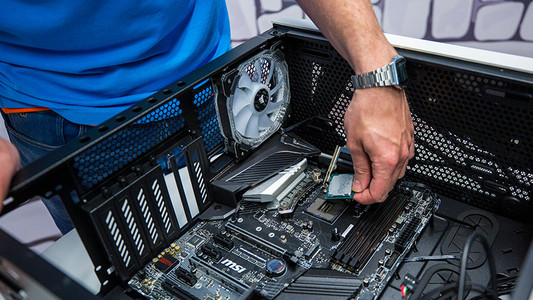
The Intel Basic Upgrade Kit includes a processor, motherboard, internal memory, processor cooler, and video card. The powerful MSI Radeon RX 5500 XT Gaming X 8G video card ensures realistic graphics and fast image transitions of 60 fps for games like Borderlands 3. You also find the powerful Intel Core i5 9600K processor in this pack. This CPU has 6 cores, a clock speed of 3.7GHz, and is overclockable up to 4.6GHz. The internal HyperX Fury memory has 2 modules of 8GB RAM each. So you have a total RAM of 16GB with a memory speed of 2400MHz. You can place the processor, video card, and RAM modules in the MSI MPG Z390 Gaming Plus motherboard. This is an ATX motherboard with 4 memory slots, an Intel Z390 chipset, and room for 2 video cards. The Cooler Master Hyper 212 RGB keep your processor cool and adds color to your gaming desktop thanks to the rainbow colored lighting.

Read all tips here

Which product do you want to see articles about?

How do I build a processor in my computer?

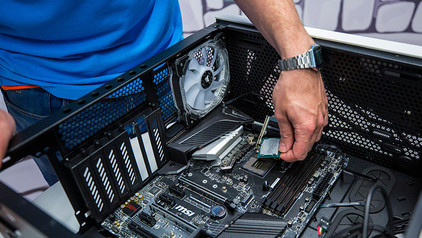
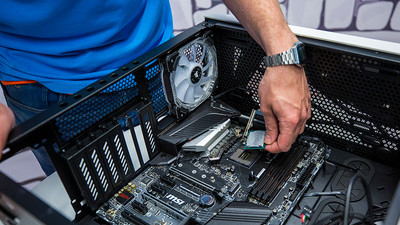
You want to make your computer faster and you've purchased a new processor for that. But how do you actually install that CPU on your current or new motherboard? In this article I'll explain that to you.

How do you overclock a processor?

In addition to a base clock speed, a processor also has the option to the next level. If you overclock the processor, also called the CPU, it reaches higher speeds, so you can do your tasks quicker. In this article, you can read what you need, how you do this, and what to keep in mind.

How do you prevent a static shock while building your PC?

When you're building your PC, static shocks could be dangerous for your computer parts. A small static shock is enough to destroy your parts. Luckily, there are things you can do to safely work in your PC. Wear a antistatic wrist strap and work on a solid surface, for example. In this article, we'll explain what you should and shouldn't do when building your PC.

How do you prevent a static shock while building your PC?

When you're building your PC, static shocks could be dangerous for your computer parts. A small static shock is enough to destroy your parts. Luckily, there are things you can do to safely work in your PC. Wear a antistatic wrist strap and work on a solid surface, for example. In this article, we'll explain what you should and shouldn't do when building your PC.

How do you prevent a static shock while building your PC?

When you're building your PC, static shocks could be dangerous for your computer parts. A small static shock is enough to destroy your parts. Luckily, there are things you can do to safely work in your PC. Wear a antistatic wrist strap and work on a solid surface, for example. In this article, we'll explain what you should and shouldn't do when building your PC.

How do you prevent a static shock while building your PC?

When you're building your PC, static shocks could be dangerous for your computer parts. A small static shock is enough to destroy your parts. Luckily, there are things you can do to safely work in your PC. Wear a antistatic wrist strap and work on a solid surface, for example. In this article, we'll explain what you should and shouldn't do when building your PC.

How do I build a processor in my computer?

You want to make your computer faster and you've purchased a new processor for that. But how do you actually install that CPU on your current or new motherboard? In this article I'll explain that to you.

How do I build a processor in my computer?

You want to make your computer faster and you've purchased a new processor for that. But how do you actually install that CPU on your current or new motherboard? In this article I'll explain that to you.

How do you overclock a processor?

In addition to a base clock speed, a processor also has the option to the next level. If you overclock the processor, also called the CPU, it reaches higher speeds, so you can do your tasks quicker. In this article, you can read what you need, how you do this, and what to keep in mind.

How do you prevent a static shock while building your PC?

When you're building your PC, static shocks could be dangerous for your computer parts. A small static shock is enough to destroy your parts. Luckily, there are things you can do to safely work in your PC. Wear a antistatic wrist strap and work on a solid surface, for example. In this article, we'll explain what you should and shouldn't do when building your PC.

How do you prevent a static shock while building your PC?

When you're building your PC, static shocks could be dangerous for your computer parts. A small static shock is enough to destroy your parts. Luckily, there are things you can do to safely work in your PC. Wear a antistatic wrist strap and work on a solid surface, for example. In this article, we'll explain what you should and shouldn't do when building your PC.

How do you prevent a static shock while building your PC?

When you're building your PC, static shocks could be dangerous for your computer parts. A small static shock is enough to destroy your parts. Luckily, there are things you can do to safely work in your PC. Wear a antistatic wrist strap and work on a solid surface, for example. In this article, we'll explain what you should and shouldn't do when building your PC.

How do you prevent a static shock while building your PC?

When you're building your PC, static shocks could be dangerous for your computer parts. A small static shock is enough to destroy your parts. Luckily, there are things you can do to safely work in your PC. Wear a antistatic wrist strap and work on a solid surface, for example. In this article, we'll explain what you should and shouldn't do when building your PC.

How do I build a processor cooler in my processor?

Your current processor cooler doesn't cool your CPU sufficiently. That is why you bought a new cooler for your CPU. But how do you actually place such a fan on your CPU? In this article, we'll explain it to you.

How do you replace the RAM in a desktop?

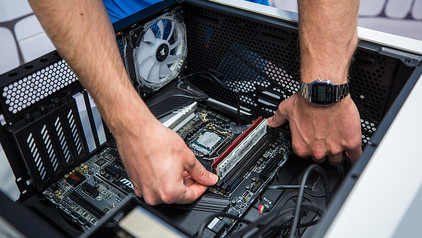
You want to make your PC faster with extra RAM. The RAM that suits your desktop computer has been delivered to your home, but how do you actually install it in your desktop PC? In this article, I explain how to install faster or extra RAM.

How do you prevent a static shock while building your PC?

When you're building your PC, static shocks could be dangerous for your computer parts. A small static shock is enough to destroy your parts. Luckily, there are things you can do to safely work in your PC. Wear a antistatic wrist strap and work on a solid surface, for example. In this article, we'll explain what you should and shouldn't do when building your PC.

How do you prevent a static shock while building your PC?

When you're building your PC, static shocks could be dangerous for your computer parts. A small static shock is enough to destroy your parts. Luckily, there are things you can do to safely work in your PC. Wear a antistatic wrist strap and work on a solid surface, for example. In this article, we'll explain what you should and shouldn't do when building your PC.

How do you prevent a static shock while building your PC?

When you're building your PC, static shocks could be dangerous for your computer parts. A small static shock is enough to destroy your parts. Luckily, there are things you can do to safely work in your PC. Wear a antistatic wrist strap and work on a solid surface, for example. In this article, we'll explain what you should and shouldn't do when building your PC.

How do you prevent a static shock while building your PC?

When you're building your PC, static shocks could be dangerous for your computer parts. A small static shock is enough to destroy your parts. Luckily, there are things you can do to safely work in your PC. Wear a antistatic wrist strap and work on a solid surface, for example. In this article, we'll explain what you should and shouldn't do when building your PC.

Subjects

Didn't find your answer?

Find an answer to your question quickly and easily via our customer service.

Coolblue specialist
Personal chat Digitalk.
You're now chatting with Coolblue customer service
This chat is closed
foo
Oeps File size is larger than 5MB. Upload a smaller file.