Welcome to your environment! You can order everything from your assortment with your personal budget here.

You can always return to the normal Coolblue website by clicking here.

Your outstanding budget (incl. VAT) is always visible here, so you know exactly how much you can spend.

Coolblue home

Help with your product

AMD Advanced Upgrade Kit + MSI 2070 Super Gaming X Trio
0 reviews

With the AMD Advanced Upgrade Kit + MSI 2070 Super Gaming X Trio, you can give your gaming setup a powerful upgrade. This kit has a processor, graphics card, motherboard, internal memory, and thermal paste. The overclockable AMD Ryzen 7 3700X processor has 8 cores, 16 threads, and a turbo speed of 4.4GHz. The RTX 2070 Super has lighting and it allows you to play the latest games at the highest settings. The package also includes Corsair Vengeance LPX 16GB DDR4 DIMM 3000 MHz/15 Black (2 x 8GB) RAM modules. These modules have a memory speed of no less than 3000MHz. With the Gigabyte X570 Aorus Elite ATX motherboard, you can expand this to 4 RAM modules. There is only 1 PCIe x16 slot, but it does support PCIe 4.0. The included TITAN TTG-G30030 thermal paste keeps your processor cooled.

Read all tips here

Which product do you want to see articles about?

How do I build a processor in my computer?

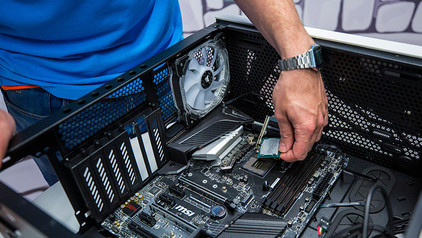
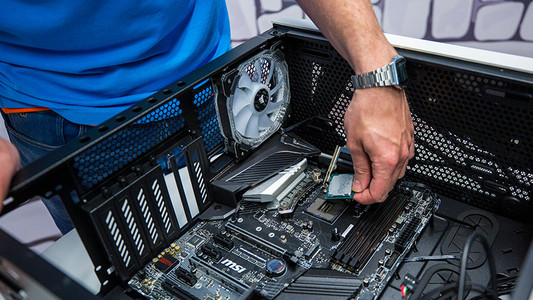
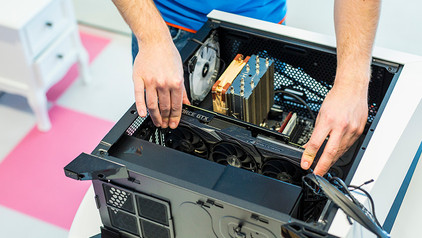
You want to make your computer faster and you've purchased a new processor for that. But how do you actually install that CPU on your current or new motherboard? In this article I'll explain that to you.

How do you overclock a processor?

In addition to a base clock speed, a processor also has the option to the next level. If you overclock the processor, also called the CPU, it reaches higher speeds, so you can do your tasks quicker. In this article, you can read what you need, how you do this, and what to keep in mind.

How do I update the software for my Corsair accessories?

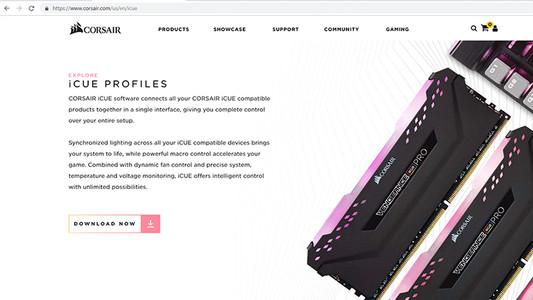
You can read how you install the Corsair CUE software for your Corsair gaming accessories here. Your old or brand new Corsair accessory has a wide array of custom function, like programmable lighting or macro buttons. After you install this software, you can set up these functions like you want.

How do I update the software for my Corsair accessories?

You can read how you install the Corsair CUE software for your Corsair gaming accessories here. Your old or brand new Corsair accessory has a wide array of custom function, like programmable lighting or macro buttons. After you install this software, you can set up these functions like you want.

How do you prevent a static shock while building your PC?

When you're building your PC, static shocks could be dangerous for your computer parts. A small static shock is enough to destroy your parts. Luckily, there are things you can do to safely work in your PC. Wear a antistatic wrist strap and work on a solid surface, for example. In this article, we'll explain what you should and shouldn't do when building your PC.

How do you prevent a static shock while building your PC?

When you're building your PC, static shocks could be dangerous for your computer parts. A small static shock is enough to destroy your parts. Luckily, there are things you can do to safely work in your PC. Wear a antistatic wrist strap and work on a solid surface, for example. In this article, we'll explain what you should and shouldn't do when building your PC.

How do you replace the RAM in a desktop?

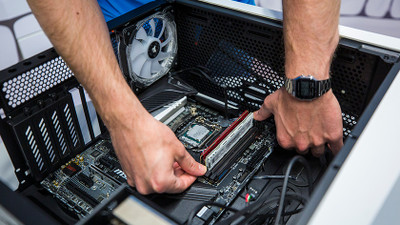
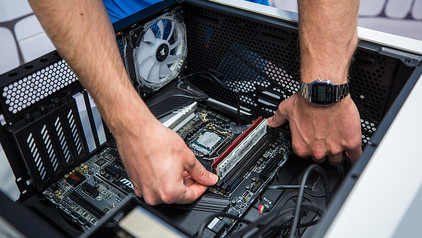
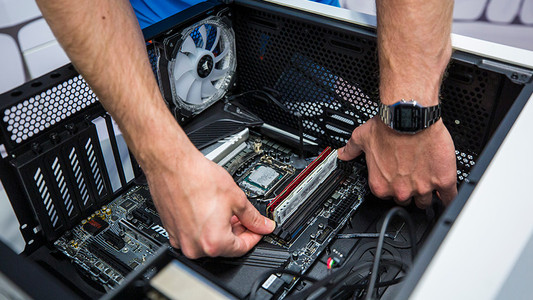
You want to make your PC faster with extra RAM. The RAM that suits your desktop computer has been delivered to your home, but how do you actually install it in your desktop PC? In this article, I explain how to install faster or extra RAM.

How do I update the software for my Corsair accessories?

You can read how you install the Corsair CUE software for your Corsair gaming accessories here. Your old or brand new Corsair accessory has a wide array of custom function, like programmable lighting or macro buttons. After you install this software, you can set up these functions like you want.

How do I update the software for my Corsair accessories?

You can read how you install the Corsair CUE software for your Corsair gaming accessories here. Your old or brand new Corsair accessory has a wide array of custom function, like programmable lighting or macro buttons. After you install this software, you can set up these functions like you want.

How do you prevent a static shock while building your PC?

When you're building your PC, static shocks could be dangerous for your computer parts. A small static shock is enough to destroy your parts. Luckily, there are things you can do to safely work in your PC. Wear a antistatic wrist strap and work on a solid surface, for example. In this article, we'll explain what you should and shouldn't do when building your PC.

How do you prevent a static shock while building your PC?

When you're building your PC, static shocks could be dangerous for your computer parts. A small static shock is enough to destroy your parts. Luckily, there are things you can do to safely work in your PC. Wear a antistatic wrist strap and work on a solid surface, for example. In this article, we'll explain what you should and shouldn't do when building your PC.

How do I build a processor in my computer?

You want to make your computer faster and you've purchased a new processor for that. But how do you actually install that CPU on your current or new motherboard? In this article I'll explain that to you.

How do I build a processor in my computer?

You want to make your computer faster and you've purchased a new processor for that. But how do you actually install that CPU on your current or new motherboard? In this article I'll explain that to you.

How do you overclock a processor?

In addition to a base clock speed, a processor also has the option to the next level. If you overclock the processor, also called the CPU, it reaches higher speeds, so you can do your tasks quicker. In this article, you can read what you need, how you do this, and what to keep in mind.

How do you prevent a static shock while building your PC?

When you're building your PC, static shocks could be dangerous for your computer parts. A small static shock is enough to destroy your parts. Luckily, there are things you can do to safely work in your PC. Wear a antistatic wrist strap and work on a solid surface, for example. In this article, we'll explain what you should and shouldn't do when building your PC.

How do you prevent a static shock while building your PC?

When you're building your PC, static shocks could be dangerous for your computer parts. A small static shock is enough to destroy your parts. Luckily, there are things you can do to safely work in your PC. Wear a antistatic wrist strap and work on a solid surface, for example. In this article, we'll explain what you should and shouldn't do when building your PC.

How do you prevent a static shock while building your PC?

When you're building your PC, static shocks could be dangerous for your computer parts. A small static shock is enough to destroy your parts. Luckily, there are things you can do to safely work in your PC. Wear a antistatic wrist strap and work on a solid surface, for example. In this article, we'll explain what you should and shouldn't do when building your PC.

How do you prevent a static shock while building your PC?

When you're building your PC, static shocks could be dangerous for your computer parts. A small static shock is enough to destroy your parts. Luckily, there are things you can do to safely work in your PC. Wear a antistatic wrist strap and work on a solid surface, for example. In this article, we'll explain what you should and shouldn't do when building your PC.

How do you optimize NVIDIA Control Panel for gaming?

Did you buy a new NVIDIA GeForce video card or do you want to make your old graphic card faster? You can optimize NVIDIA Control Panel, which is the NVIDIA configuration window. This ensures less hiccups, improved image quality, and more beautiful colors during gaming. We'll explain how you can optimize the GPU in your gaming laptop or desktop in 9 steps.

How do you prevent a static shock while building your PC?

When you're building your PC, static shocks could be dangerous for your computer parts. A small static shock is enough to destroy your parts. Luckily, there are things you can do to safely work in your PC. Wear a antistatic wrist strap and work on a solid surface, for example. In this article, we'll explain what you should and shouldn't do when building your PC.

How do you prevent a static shock while building your PC?

When you're building your PC, static shocks could be dangerous for your computer parts. A small static shock is enough to destroy your parts. Luckily, there are things you can do to safely work in your PC. Wear a antistatic wrist strap and work on a solid surface, for example. In this article, we'll explain what you should and shouldn't do when building your PC.

Subjects

Didn't find your answer?

Find an answer to your question quickly and easily via our customer service.

Coolblue specialist
Personal chat Digitalk.
You're now chatting with Coolblue customer service
This chat is closed
foo
Oeps File size is larger than 5MB. Upload a smaller file.