

Coolblue's Choice Office supplies
96 results
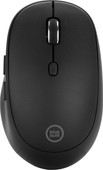
Our choice for a mouse for daily use
|
Wireless Bluetooth
| Right-handed
| No ergonomic design
- You can use the mouse with maximum 3 devices at the same time via Bluetooth, so you can use everywhere.
- With the 2 programmable thumb buttons, you can easily navigate your browser and other programs.
- Thanks to the laser sensor, you can use this mouse on every surface.
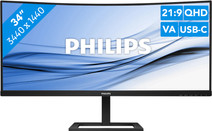
Our choice for an ultrawide monitor for daily use
|
34 inches
| 3440x1440 resolution
| HDMI, DisplayPort, USB-C

- Thanks to the ultrawide format, you can open multiple windows or programs side by side.
- You can read graphs and tables better and enjoy sharp images thanks to the Quad HD resolution.
- Thanks to the curved screen, you have to twist your head less and you're less likely to get a sore neck.
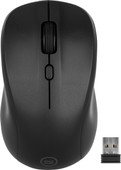
Our choice for a silent mouse
|
Wireless USB
| Left-handed and right-handed
| No ergonomic design
- Thanks to the silent buttons, you're no longer bothered by clicking noises and you can work more focused.
- With a wireless mouse, you have more freedom of movement than with a wired mouse.
- This mouse is suitable for both left-handed and right-handed users.
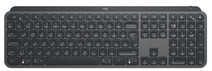

Our choice for a keyboard to work faster
|
Wireless
| Backlit keyboard
| Works on multiple devices at the same time
- Via the Logi Options+ software, you can compose your favorite shortcuts per button and per program, so you can work faster.
- You can connect this keyboard to multiple devices via Bluetooth and quickly switch between your PC, laptop, and tablet at the press of a button.
- The keyboard has PerfectStroke keys that are shaped to your fingertips, so every keystroke feels smooth and responsive.
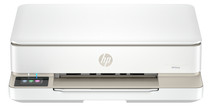
Our choice for a home printer
|
All-in-one
| Inkjet
| Color printer
- Print, scan, and copy with this all-in-one printer.
- Automatically print in duplex and save paper.
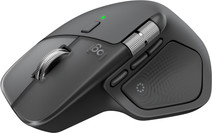
Our choice for a mouse to work faster
|
Wireless USB and Bluetooth
| Right-handed
| Ergonomic design
- Navigate quickly through your favorite settings and shortcuts with the Action Ring.
- Thanks to the Haptic Sense panel, you can feel precise and realistic feedback when you use the mouse.
- With the horizontal scroll wheel and MagSpeed, you can navigate faster through pages and spreadsheets.
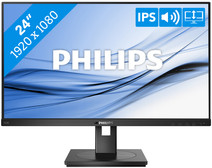

Our choice for a 24-inch monitor that's energy-efficient
|
24 inches
| 1920x1080 resolution
| HDMI, DisplayPort, VGA, DVI

- You can save on energy costs thanks to the B energy label and the low energy consumption.
- The automatic brightness adjustment, it lowers the consumption during low activity.
- This monitor is made of recycled plastics, which makes it more sustainable.
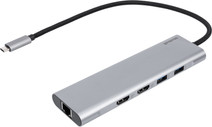
Our choice for a docking station for 1 extra monitor with your laptop
|
USB-C
| DisplayPort Alt Mode (MST and SST)
| Up to 2 monitors
- You can connect an extra 4K monitor to your laptop for more screen space with this docking station.
- You can charge your laptop with this dock via the USB-C port.
- Connect accessories such as a mouse, keyboard, or hard drive to this docking station.

Our choice for an original Apple mouse
|
Wireless Bluetooth
| Left-handed and right-handed
| Not ergonomic
- You can swipe, scroll, and click through all of your pages with the multi-touch surface, just like on your iPhone.
- Thanks to the wireless Bluetooth connection, you can take the mouse anywhere.
- The Apple Magic Mouse is the best mouse for you if you're looking for a wireless Apple Mouse for your Apple device.

Our choice for a home printer with low printing costs
|
All-in-one
| Inkjet
| Color printer
- With 1 set of ink bottles, you can print up to 7500 black and white pages and 6000 color pages.
- Ink bottles are more affordable than cartridges.
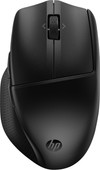
Our choice for a mouse that you can connect to multiple devices via Bluetooth
|
Wireless Bluetooth
| Right-handed
| Ergonomic design
- Connect the mouse via Bluetooth and use it with up to 3 devices at the same time.
- The Multi-Surface Sensor lets you use the mouse on almost any surface.
- With the 6 programmable buttons, you can easily navigate your browser and your programs.
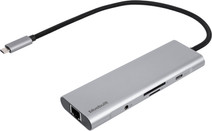
Our choice for a docking station for a flexible workspace with 1 extra monitor
|
USB-C
| DisplayPort Alt Mode (MST and SST)
| Up to 1 monitor
- With this dock, you can connect 1 extra 4K monitor to your laptop with USB-C connection.
- Thanks to the small size, you can easily put the dock in your bag and take it anywhere with you.
- Via the Ethernet port of this docking station, you can use stable wired internet.

Our choice for a webcam for video calls with friends and family
|
Full HD (1080p)
| Stereo microphone recording
| Light correction
- You can hold video calls in Full HD quality, so details are visible.
- Thanks to autofocus and automatic light correction, you'll always be in focus for friends and family.
- With a 78-degree field of view, the view is wide enough to get 2 people in frame.
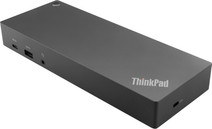
Our choice for a docking station for up to 2 extra monitors with your MacBook
|
Connect via USB-C or USB-A
| USB-A, USB-C, Ethernet, DisplayPort, HDMI, 3.5mm jack
| For Windows laptops
- You can connect 2 extra 4K monitors to your MacBook with this dock, so you can have more screen space.
- You can charge your MacBook with this dock via the USB-C port.
- Work with accessories like a keyboard and an ergonomic mouse that you can connect via the USB-A ports.
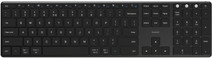
Our choice for a keyboard that you can connect to multiple devices via Bluetooth
|
Wireless
| Multimedia shortcuts
| No backlit keys
- You can connect this keyboard easily to multiple devices via Bluetooth.
- The low profile keys make little noise, so you can work calmly.
- With the multimedia keys, you always have the controls of your music and movies at hand while you type.
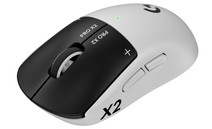
Our choice for a gaming mouse to make in-game actions feel better
|
2 extra thumb buttons
| 44,000DPI
| Wireless
| 90 hours
- You can feel vibrations during shooting or skills, so in-game actions feel more direct and intense.
- Thanks to the haptic feedback, you can notice faster if an action succeeds, in addition to what you see and hear.
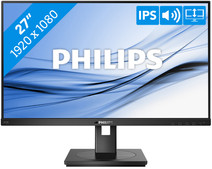
Our choice for a 27-inch monitor for your (home) office
|
27 inches
| 1920x1080 resolution
| HDMI, DisplayPort, VGA, DVI
- The Philips LightSensor and PowerSensor adjust the screen brightness automatically, so the energy consumption decreases.
- You have a better overview of your work, can open more windows side by side, and you can multitask better on the large 27-inch screen.
- You can rotate, tilt, and adjust the screen in height for a comfortable sitting posture.
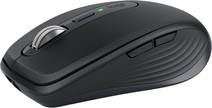
Our choice for a mouse that you can often take with you
|
Wireless Bluetooth
| Right-handed
| No ergonomic design
- You can easily take this mouse with you in your bag thanks to the smaller size.
- You can easily connect the mouse to multiple devices via Bluetooth and quickly switch between your PC, laptop, and tablet at the press of a button.
- You can use this mouse on every surface thanks to the Darkfield sensor, which is useful if you work in various locations.
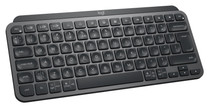
Our choice for a keyboard that you often take with you
|
Wireless
| Bluetooth
| Unsuitable for gaming
- Thanks to the small size and the wireless connection, you can easily take this keyboard with you in your bag.
- You can connect this keyboard to multiple devices via Bluetooth and quickly switch between your PC, laptop, and tablet at the press of a button.
- Via the Logi Options+ software, you can compose your favorite shortcuts per button and per program, so you can work faster.
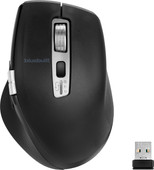
Our choice for an ergonomic mouse
|
Wireless Bluetooth and USB
| Right-handed
| Ergonomic design
- Prevent arm and wrist complaints thanks to the ergonomic design of the mouse.
- Quickly and easily scroll through spreadsheets and documents with the smart-flying and horizontal scroll wheels.
- Connect the mouse via Bluetooth or the USB receiver and use the mouse with multiple devices at the same time.
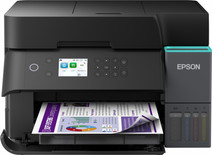
Our choice for a printer for freelancers or a small office with low printing costs
|
All-in-one
| Inkjet
| Color printer
- You can print, scan, copy, and fax with this all-in-one printer.
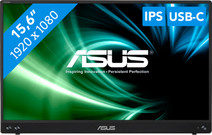
Our choice for a portable monitor for on the go
|
15.6 inches
| 1920x1080 resolution
| HDMI, USB-C
- Thanks to the small screen size, you can take this monitor with you everywhere and you always have a second screen on hand.
- You won't be bothered by strained or irritated eyes thanks to the blue light filter.
- Thanks to the IPS panel, you can enjoy bright images from every viewing angle.
