Written by Kasper
Edited on
23 August 2022
·
12:39
How do you use the Lenovo on-site warranty?
Did you purchase a business HP laptop with on-site warranty at Coolblue and do you have a problem with your purchase? Many of these laptops have on-site Lenovo warranty. On this page, we'll explain how you use the warranty and how to contact Lenovo.
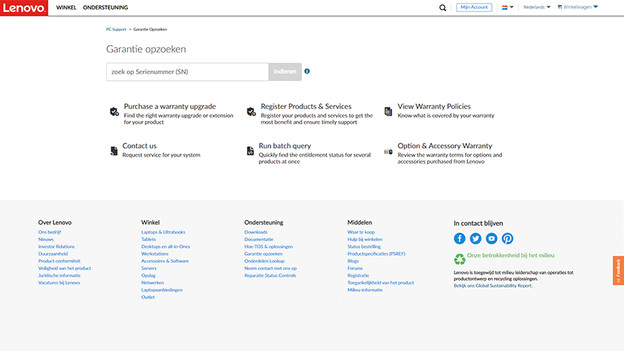
To the Lenovo website
To start, you can go to the Lenovo support page via the link at the bottom of the page. On that page, they ask you to search the serial number. You can find the serial number on the bottom of your laptop. When you've found it, you can enter the serial number on the website.

Contact Lenovo
After you've entered the serial number, you'll see the following. On the left side, you can find the type of laptop that matches the serial number you entered. Check this just to be sure. On the right side, you can see until when your warranty is valid and what type of warranty you have. You have to find the Contact us menu. You can find various ways to contact Lenovo here, like calling, chatting, or creating a ticket.