Welcome to your environment! You can order everything from your assortment with your personal budget here.

You can always return to the normal Coolblue website by clicking here.

Your outstanding budget (incl. VAT) is always visible here, so you know exactly how much you can spend.

Coolblue home
Show 23 products

Sort

Screen size
Refresh rate
Sharpness
Brand
Panel type
Recommended for use
Brand-specific image technology
Color space
Color depth
Pixel density
Energy label
Response time
USB-C dock
Maximum USB-C dock power
Female HDMI Type A port version
Type of DisplayPort connector
Other connectors
Suitable for daisy chaining
Video outputs monitors
Aspect ratio
Monitor options
Type of adaptive sync
Type of HDR
Color
Maximum brightness
Image resolution
Bezel
Price
Review score
Split screen
Show only on stock
Usage situation monitor
Experience in store

Monitors for photo and video editing

Monitors for photo and video editing

  • 23 monitors

With a monitor for photo and video editing, you can edit images with a lot of details. Thanks to the high resolution, you can work with sharp details. These monitors also have a 300 nits or higher brightness. This allows you to see contrasts between light and dark parts of your images. Choose an OLED monitor if you want to work with realistic colors. These monitors have the best color representation, so you can see even more differences between colors.
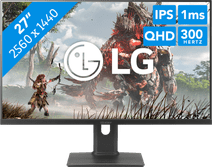
MSI MAG 271QPX QD-OLED E2 monitor for photo and video editing
promotion
27 inches | 2560x1440 | HDMI, DisplayPort
Retail price MSI 699,- 399,-
Sold out online
Personal chat Digitalk.
You're now chatting with Coolblue customer service
This chat is closed
foo
Oeps File size is larger than 5MB. Upload a smaller file.