Enjoy 4K gameplay with a 120Hz refresh rate on an HDMI 2.1 monitor. This HDMI port also supports console gaming. That means you can also connect a PlayStation 5 or Xbox Series X|S to a monitor with HDMI 2.1. Do you play open world games? Choose a 27-inch monitor or larger. This way, you can totally immerse yourself in your favorite game.

Our choice for a gaming monitor for competitie gameplay|DisplayPort cable, HDMI cable|None USB port|Metal, Plastic
- Thanks to the 260Hz refresh rate and 1ms response time, you see every opponent in your shooter quickly and sharply.
- You can enjoy sharp images while gaming thanks to the Quad HD resolution.
- Thanks to the IPS panel, you can enjoy lifelike colors from every viewing angle.
199,-
In stock
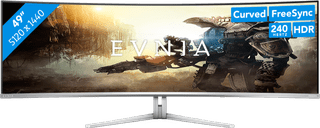
Our choice for an ultra-wide gaming monitor|DisplayPort cable, HDMI cable, USB-C cable|USB port|Metal, Plastic
- Thanks to the curved ultrawide size, you can see even more of your favorite game and keep a good overview of the playing field.
- Thanks to the 240Hz refresh rate and 0.03ms response time, you see your opponents quickly and sharply without slowing down.
- Every detail of your game looks sharp thanks to the Quad HD resolution.
899,-
In stock
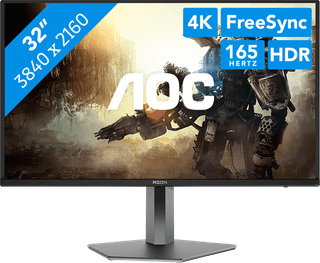
Our choice for a gaming monitor for Elden Ring|DisplayPort cable, HDMI cable|USB port|Metal, Plastic
- Thanks to the 4K resolution on the large 32-inch screen, the Elden Ring landscapes look even more realistic.
- You can enjoy the best color contrasts and black levels thanks to the OLED panel with DisplayHDR 400 support.
- Thanks to the 165Hz refresh rate, you can control your character smoothly through the Elden Ring world.
749,-
In stock
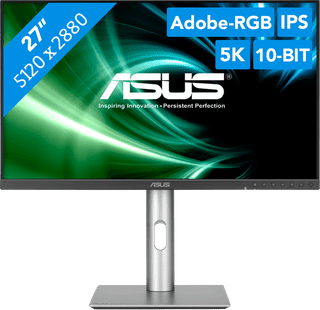
Our choice for a 27-inch monitor for demanding graphic design|USB port|Plastic|Not curved
- You can enjoy razor-sharp details and realistic colors thanks to the 5K screen and HDR support.
- Thanks to the IPS panel, you can see bright colors from different viewing angles.
- Thanks to the DCI-P3 color space, you can work withvibrant and precise colors.
714,-
In stock
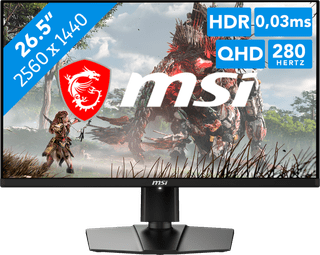
Our choice for a gaming monitor for gaming on an Xbox X or PlayStation 5|USB port|Plastic|Not curved
- Thanks to the HDMI 2.1 ports, you can connect a PlayStation 5 Pro and game at 120Hz in 4K resolution for the best console experience.
- Thanks to the IPS panel, you can enjoy lifelike colors from every viewing angle.
- Thanks to the ergonomically adjustable screen, you're not bothered by neck or back pains as soon.
513,-
In stock
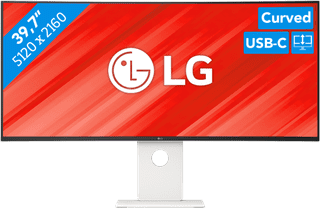
Our choice for an ultrawide monitor for demanding graphic design|USB port|Plastic|Curved
- Thanks to the large 40-inch screen size, you can open multiple programs at once, such as Adobe Photoshop and Premiere Pro.
- You can edit images with razor-sharp details thanks to the 5K resolution and DisplayHDR 600 support.
- You can enjoy high color contrasts thanks to the DCI-P3 color space, so you can see more differences between light and dark colors.
1.509,-
In stock