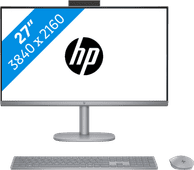
Desktops with SSD drive
Desktops with SSD drive
- 168 desktops
A desktop with an SSD (Solid State Drive) is a bit faster than one without. Why? Because an SSD is more energy-efficient and faster than a hard drive. A computer with an SSD generally boots within 15 seconds. That way, you don't have to wait long before you can get to work. Installed programs also load faster via the SSD than via a regular hard drive.


Our choice for An Apple Mini PC for daily tasks
|
macOS
|
Apple M4
processor
|
16 GB
RAM
Affordable Second Chance
from
630,-
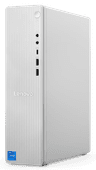
Our choice for a desktop for video editing
|
Windows Home
|
Intel Core i7
processor
|
32 GB
RAM
Affordable Second Chance
from
919,-
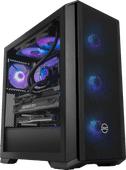
Our choice for a gaming PC for 4K gaming
|
Windows Home
|
Intel Core i9
processor
|
64 GB
RAM

Our choice for a desktop for daily use
|
Windows Home
|
Intel Core i5
processor
|
16 GB
RAM
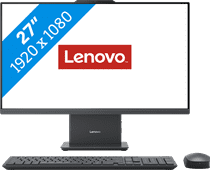
Our choice for a 27-inch all-in-one for video editing
|
Windows Home
|
Intel Core i7
processor
|
16 GB
RAM
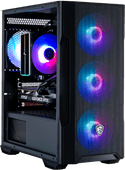
Our choice for a gaming desktop for medium demanding games
|
Windows Home
|
AMD Ryzen 7
processor
|
32 GB
RAM
Affordable Second Chance
from
1.185,-

Our choice for a powerful iMac for all your peripherals
|
macOS
|
Apple M4
processor
|
16 GB
RAM

Our choice for an iMac for general use
|
macOS
|
Apple M4
processor
|
16 GB
RAM
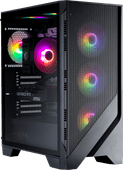
Windows Home
|
AMD Ryzen 7
processor
|
32 GB
RAM

Our choice for an Apple Mini PC for photo and video editing
|
macOS
|
Apple M4 Pro
processor
|
24 GB
RAM
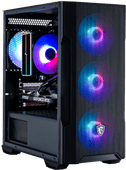

Windows Home
|
Intel Core i7
processor
|
32 GB
RAM
Our choice for a desktop for photo editing
|
Windows Home
|
Intel Core i5
processor
|
16 GB
RAM

macOS
|
Apple M3 Ultra
processor
|
96 GB
RAM

Windows Home
|
Intel Core Ultra 9
processor
|
64 GB
RAM

Windows Pro
|
Intel Core i5
processor
|
16 GB
RAM

Windows Home
|
Intel Core i7
processor
|
32 GB
RAM
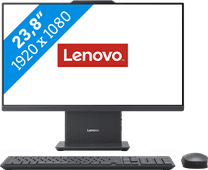
Our choice for a 24-inch all-in-one for daily use
|
Windows Home
|
Intel Core i5
processor
|
8 GB
RAM

Windows Home
|
Intel Core Ultra 7
processor
|
32 GB
RAM

Windows Pro
|
Intel Core i7
processor
|
32 GB
RAM