Written by Evany
Edited on
1 December 2023
·
11:26
How do you get more user-friendliness with a large iPhone?
It might take some time to get uses to a large iPhone, especially if you have small hands. Think of the large size of the iPhone 13 Pro Max. No worries, because in this article, you can find 3 tips to make is easier to use your large iPhone.
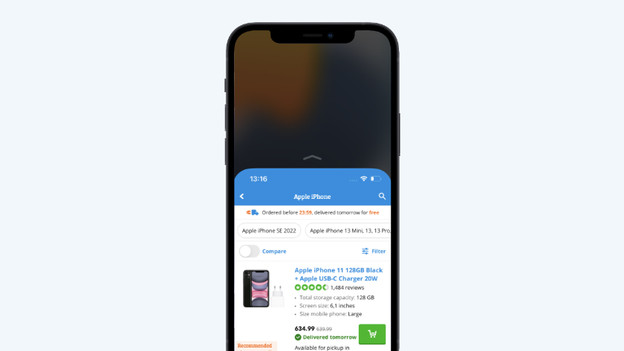
Get started with your large iPhone
It's easier to control your large iPhone with the tips below.
- Tip 1: set up reachability
- Tip 2: adjust your keyboard
- Tip 3: put your most-used apps at the bottom
Tip 1: enable reachability
With 'Reachability', you can easily bring the top half of the screen down. That way, it's within reach of your thumb.
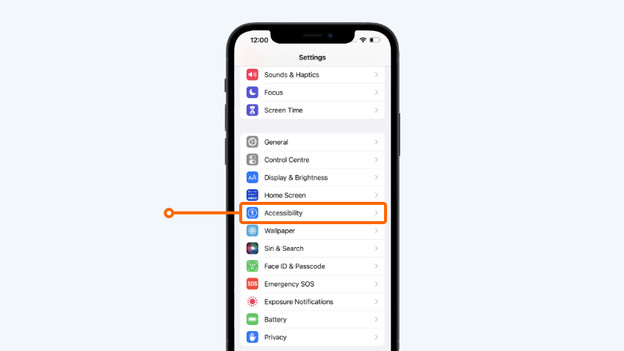
- Step 1. Open the 'Settings' on your iPhone.
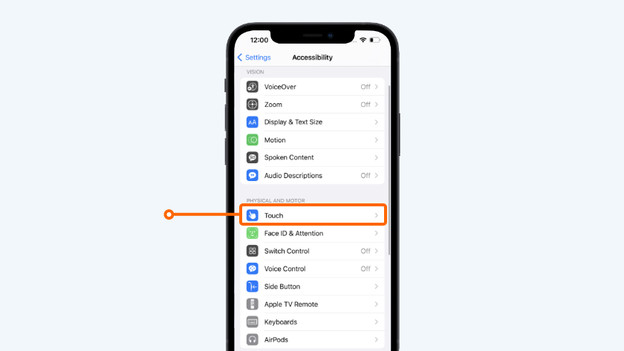
- Step 2. Go to 'Accessibility' and tap 'Touch'.
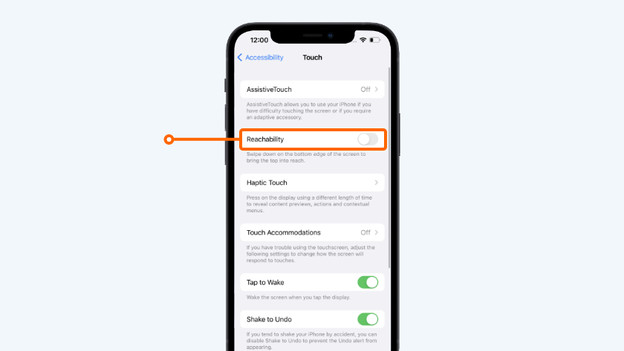
- Step 3. Turn on 'Reachability'. On the iPhone X or newer, you can move the navigation bar at the bottom of the screen downwards. The top half of the screen will now move down, so you can reach the apps at the top. Does your iPhone have a home button? Double-tap the home button to halve the screen.
Tap 'Reachability'
Go to 'Touch'
Turn on the slide next to 'Reachability'
Tip 2: adjust your keyboard
It's easy to halve the keyboard on your iPhone, so you can type messages with 1 hand. It's easy to set up for both left-handed and right-handed people.
- Go to 'Settings' and tap 'General'.
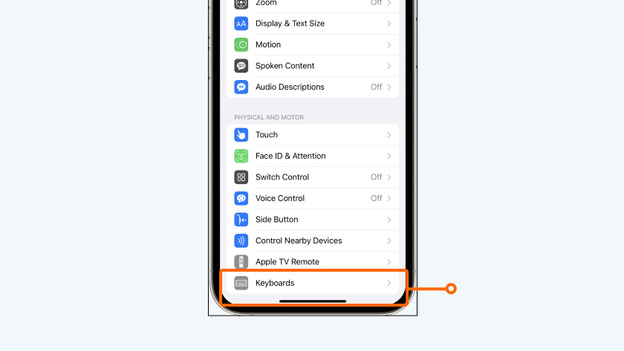
- Choose 'Keyboards'.
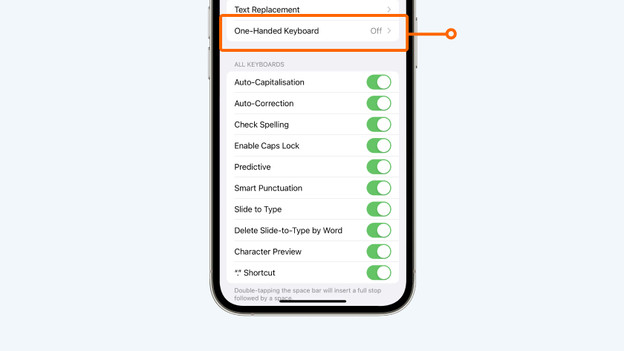
- Tap 'One Handed Keyboard'. If you're left-handed, choose left. Are you right-handed? Choose right.
Go to 'Keyboards'
Tap 'One Handed Keyboard'
Choose the position of the keyboard

Tip 3: put your most-used apps at the bottom
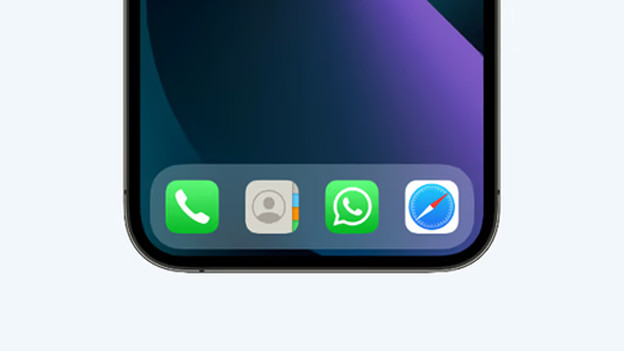
Place your favorite apps at the bottom of the home screen, so you can reach them with your thumb. That way, it's easier to use your large iPhone. For example, place WhatsApp or Safari at the bottom of your home screen. That way, you don't have to stretch your thumb to reach your favorite apps. It's easy to move an app. Hold your finger on the app you want to move, until you see a menu. You can now move your app to the bottom.