With a Chromebook with touchscreen, you can touch the screen and smoothly perform tasks. For example, you can use the Chromebook touchscreen to swipe away notification, or to make edits in documents. Swipe through your emails, scroll through your documents, and zoom in and out on your screen. You can also control a Chromebook with touchscreen via the keyboard and with a mouse.
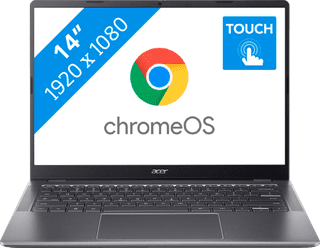
Our choice for a Chromebook for your school or studies|High school, Higher education|Microsoft PowerPoint, Microsoft Word|HDMI connector
- You can smoothly switch between multiple apps, so you can write your reports while doing research via your browser.
- You can take notes during the lecture and navigate easily through all your apps via the touchscreen.
- You can easily take this Chromebook to your school thanks to the low weight.
529,-
In stock
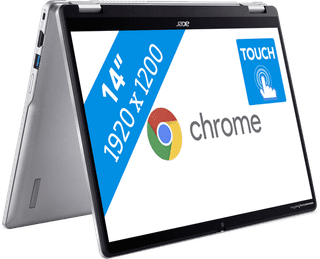
Our choice for a Chromebook that you can also use as a tablet|Higher education, Primary school|HDMI connector|1200 pixels
- You can easily turn this Chromebook into a tablet, so you can easily get started via the touchscreen.
- You can easily take this Chromebook with you or comfortably place it on your lap thanks to the low weight.
- You can also store documents offline on your Chromebook thanks to the 128GB local storage.
502,-
In stock
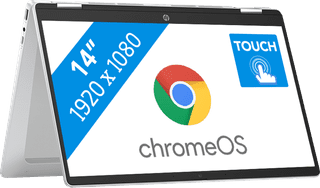
Our choice for a Chromebook for watching movies and series|Primary school|None HDMI connector|1080 pixels
- You can comfortably watch all your favorite movies and series and see all details well on the Full HD screen.
- You can easily turn this Chromebook into a tablet, so you can easily get started via the touchscreen.
- You can easily take this Chromebook with you or comfortably place it on your lap thanks to the low weight.
452,-
Temporarily sold out