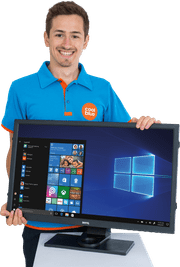
34-inch monitors
With a 34-inch monitor, you enjoy more screen space thanks to the ultrawide screen size. For example, watch movies in cinema size and work on multiple windows at the same time. Choose a 34-inch screen size with a 144Hz refresh rate or higher if you're a gamer. That way, you game with smooth images, so the movements in your game looks smoother.
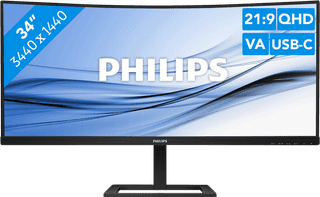
Our choice for an ultrawide monitor for daily use|USB-C cable|Metal, Plastic|USB-C connector
- Thanks to the ultrawide format, you can open multiple windows or programs side by side.
- You can read graphs and tables better and enjoy sharp images thanks to the Quad HD resolution.
- Thanks to the curved screen, you have to twist your head less and you're less likely to get a sore neck.
Retail price329,-
249,-

Our choice for a gaming monitor for Flight Simulator|No accessories|Metal, Plastic|None USB-C connector
- Thanks to the large ultrawide size, you're completely immersed in the surroundings of Flight Simulator.
- The details of your game look realistic, thanks to the Quad HD resolution.
- You can play with smooth images without slowing down thanks to the 180Hz refresh rate and 1ms response time.
Retail price309,-
219,-
Temporarily sold out
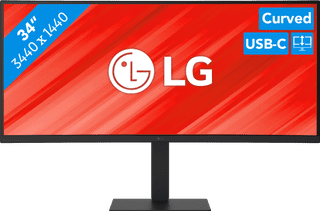
Our choice for a business monitor for data and finance tasks|Metal, Plastic|Pivotable stand|Color quality excellent
- The large ultrawide size allows you to open multiple windows side by side, such as an Excel sheet and a Word document.
- Thanks to the Quad HD resolution, you can see numbers in columns and rows more sharply.
- Thanks to the 100Hz refresh rate, you can smoothly scroll through long spreadsheets and web pages without the text becoming blurry.
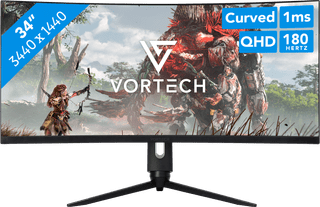
Our choice for Quad HD gaming or better with an RTX 5070 video card|Plastic|None USB-C connector|Pivotable stand
- You can game with smooth images because of the 180Hz refresh rate and 1ms response time.
- Thanks to the Quad HD resolution and HDR10 support, the virtual world around you looks lifelike.
- The G Sync support adjusts the fps of your video card to your monitor refresh rate, so you can game without screen tearing.