

Coolblue's Choice Monitors with HDMI connector
27 monitors
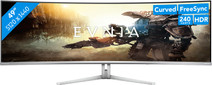

Our choice for an ultra-wide gaming monitor
|
49 inches
|
Refresh rate 240 Hz
|
Quad HD (1440p)

- Thanks to the curved ultrawide size, you can see even more of your favorite game and keep a good overview of the playing field.
- Thanks to the 240Hz refresh rate and 0.03ms response time, you see your opponents quickly and sharply without slowing down.
- Every detail of your game looks sharp thanks to the Quad HD resolution.
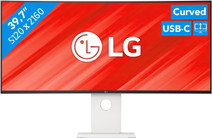
Our choice for an ultrawide monitor for demanding graphic design
|
39,7 inches
|
Refresh rate 120 Hz
|
5K

- Thanks to the large 40-inch screen size, you can open multiple programs at once, such as Adobe Photoshop and Premiere Pro.
- You can edit images with razor-sharp details thanks to the 5K resolution and DisplayHDR 600 support.
- You can enjoy high color contrasts thanks to the DCI-P3 color space, so you can see more differences between light and dark colors.
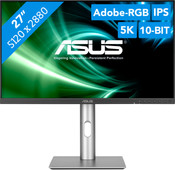

Our choice for a 27-inch monitor for demanding graphic design
|
27 inches
|
Refresh rate 60 Hz
|
5K
- You can enjoy razor-sharp details and realistic colors thanks to the 5K screen and HDR support.
- Thanks to the IPS panel, you can see bright colors from different viewing angles.
- Thanks to the DCI-P3 color space, you can work withvibrant and precise colors.
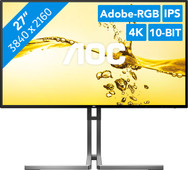
Our choice for a 27-inch monitor for photo and video editing
|
27 inches
|
Refresh rate 60 Hz
|
4K (UHD)
- You can edit the tiniest details of photos and videos thanks to the 4K resolution, DisplayHDR 400 support, and DCI-P3 color coverage.
- Thanks to the IPS panel, you can see bright colors and sharp images from every viewing angle.
- Thanks to the USB-C dock, you can charge your laptop, transfer data, and transmit image signals with 1 cable.
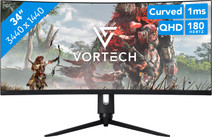
Our choice for Quad HD gaming or better with an RTX 5070 video card
|
34 inches
|
Refresh rate 180 Hz
|
Quad HD (1440p)
- You can game with smooth images because of the 180Hz refresh rate and 1ms response time.
- Thanks to the Quad HD resolution and HDR10 support, the virtual world around you looks lifelike.
- The G Sync support adjusts the fps of your video card to your monitor refresh rate, so you can game without screen tearing.
