

Coolblue's Choice Student laptops
21 laptops
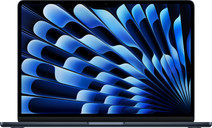
Our choice for a MacBook for on the go
|
13,6 inches
|
macOS
|
Apple M5
processor
- Thanks to the small size, your MacBook is easy to use and fits on small tables.
- This MacBook is very light, so you can easily take it with you in your bag.
- Thanks to the 18-hour battery life, you can use your MacBook the entire day without charging.
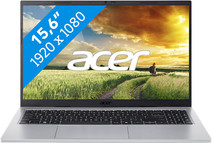
Our choice for a Windows laptop for browsing the internet, sending emails, and text processing
|
15,6 inches
|
Windows
|
Intel Core 5
processor
- You can browse the internet, write texts, and keep track of your emails in programs like Word and Outlook.
- You can quickly enter numbers and formulas via the numeric keypad.
- You don't have to worry about fingerprints on the screen thanks to the anti-glare layer.
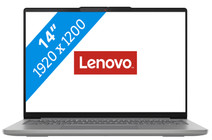

Our choice for a Windows laptop that you can easily use on the go
|
14 inches
|
Windows
|
AMD Ryzen 7
processor
- You can easily take this laptop with you and use it on the go thanks to the low 1.47kg weight.
- You can see all details sharply on your screen thanks to the high resolution.
- You can also use this laptop in the dark or at night, because you quickly see the right keys thanks to the backlit keyboard.
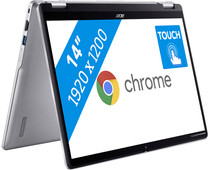
Our choice for a Chromebook that you can also use as a tablet
|
14 inches
|
Google ChromeOS
|
Intel N
processor
- You can easily turn this Chromebook into a tablet, so you can easily get started via the touchscreen.
- You can easily take this Chromebook with you or comfortably place it on your lap thanks to the low weight.
- You can smoothly work in different light apps and easily get to work with multitasking.
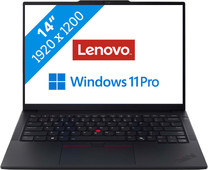
Our choice for a business laptop for when you're on the go often
|
14 inches
|
Windows
|
Intel Core Ultra 7
processor
- You can easily take this laptop with you thanks to the compact 14-inch size and its light 1.34kg weight.
- You can quickly and securely log in remotely via the Remote Desktop function of Windows Pro, which ensures a secure connection outside as well.
- Thanks to the aluminum casing, the laptop is well-protected from scratches or bumps.

Our choice for a 17-inch Windows laptop for browsing the internet, sending emails, and text processing
|
17,3 inches
|
Windows
|
AMD Ryzen 5
processor
- On the large 17-inch screen, you can keep a clear overview of your work and easily use 2 windows side by side.
- You can smoothly keep track of your email, write texts, or browse the internet while you listen to music.
- You're not bothered by fingerprints on the screen thanks to the anti-glare layer.
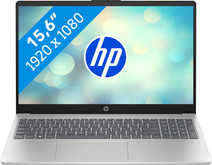
Our choice for a Windows laptop to make spreadsheets and presentations
|
15,6 inches
|
Windows
|
Intel Core 5
processor
- You can smoothly make spreadsheets and presentations in programs like Microsoft Excel and PowerPoint without your laptop slowing down.
- You can easily continue working at night with the backlit keyboard.
- You can quickly enter numbers and formulas via the numeric keypad, which is useful for your administration.

Our choice for a 15-inch gaming laptop that you can use to play light games
|
15,6 inches
|
Windows
|
Intel Core i7
processor
- You can play light games such as Fortnite, Call of Duty, and Minecraft thanks to the RTX 4050 and fast Intel Core i7 processor.
- The 144Hz screen displays fast moving images smoothly, which is useful for fast shooters.
- In addition to gaming, you can stream in Full HD and edit your gameplay videos thanks to the i7 processor and 16GB RAM.
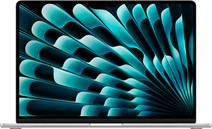
Our choice for a MacBook for watching movies and series
|
15,3 inches
|
macOS
|
Apple M5
processor
- You don't miss a single detail of your series on the large 15-inch screen.
- On the Liquid Retina display, details look sharp and colors are clear.
- Thanks to the low weight, you can comfortably use your MacBook wherever you are.
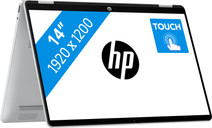
Our choice for a Windows laptop that you can also use as a tablet
|
14 inches
|
Windows
|
Intel Core 5
processor
- You can easily turn this HP laptop into a tablet, so you can smoothly take notes and make sketches via the touchscreen.
- You can comfortably watch movies and series, because you can easily put this 2-in-1 laptop in different positions.
- You can easily continue working at night, because you can quickly see the right keys with the backlit keyboard.
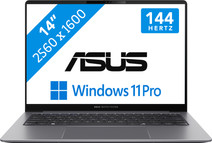
Our choice for a business laptop for data analysis
|
14 inches
|
Windows
|
Intel Core Ultra 7
processor
- You can quickly perform data analyses thanks to the Intel Core Ultra 7 processor and 32GB RAM.
- Thanks to the discrete TPM chip, your data and other sensitive information is well-protected.
- Thanks to the built-in NPU chip, you can enjoy a longer battery life.

Our choice for a 15-inch gaming laptop that you can use to play demanding games
|
15,1 inches
|
Windows
|
AMD Ryzen AI 7
processor
- You can smoothly play demanding games at 60 fps with the RTX 5070 video card, like Microsoft Flight Simulator and Elden Ring.
- Colors and graphics look extra realistic on the OLED panel, which makes your gaming experience even more detailed.
- In addition to gaming, you can stream in 4K and edit your gameplay videos thanks to the AMD Ryzen AI 7 processor and 32GB RAM.
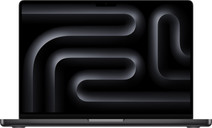
Our choice for a MacBook for business use
|
14,2 inches
|
macOS
|
Apple M5
processor
- With the M5, you can make presentations and work in large data files.
- Thanks to the smaller 14-inch screen, you can easily take this MacBook with you to customers.
- You never have to worry about charging, thanks to the 24-hour battery life.
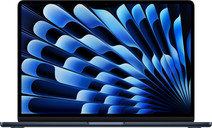
Our choice for a MacBook for students
|
13,6 inches
|
macOS
|
Apple M5
processor
- With the M5 chip, you can easily write reports and make presentations.
- Thanks to the low weight, you can easily take your MacBook with you in your school bag.
- You can use your MacBook the entire day without charging thanks to the 18-hour battery life.

Our choice for a MacBook for photo and video editing
|
14,2 inches
|
macOS
|
Apple M5 Pro
processor
- All your creations render quickly thanks to the powerful M5 Pro chip.
- You can enjoy razor-sharp images and bright colors on the Liquid Retina XDR display.
- Thanks to the high RAM, you can quickly switch between multiple large projects.
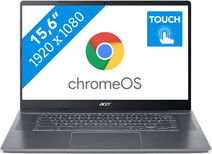
Our choice for a Chromebook for your school or studies
|
15,6 inches
|
Google ChromeOS
|
Intel Core i5
processor
- You can smoothly switch between multiple apps, so you can write your reports and make your presentations while doing research via your browser.
- You can take notes during the lecture and navigate easily through all your apps via the touchscreen.
- You can store your assignments both online and offline, because this Chromebook has a lot of local storage space.
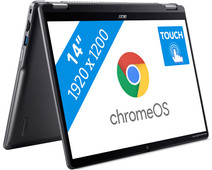
Our choice for a Chromebook for light graphic tasks
|
14 inches
|
Google ChromeOS
|
Intel Core 3
processor
- You can smoothly perform graphics tasks and use AI while you work, because this powerful Chromebook is a Chromebook Plus.
- You can easily turn this Chromebook into a tablet, so you can easily get started via the touchscreen.
- You can easily take this Chromebook with you, thanks to its low 1.5kg weight.
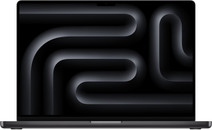
Our choice for a MacBook for the most demanding apps and tasks
|
16,2 inches
|
macOS
|
Apple M5 Max
processor
- The M5 Max chip is suitable for the most demanding tasks, such as 3D design and app development.
- You can connect up to 4 external screens, so you can divide your work and programs.
- Thanks to the high RAM, you can smoothly work in various demanding apps at the same time.

Our choice for a gaming laptop that you can use to smoothly play Fortnite
|
15,6 inches
|
Windows
|
Intel Core 7
processor
- You can enjoy fast-moving images and you can stay one step ahead of your opponent thanks to the RTX 5060 video card and the 144HZ screen.
- You can stream your Fortnite gameplay via Twitch in Full HD thanks to the Intel Core i7 processor and 16GB RAM.
- You can enjoy a true light show while gaming thanks to the RGB backlit keyboard.
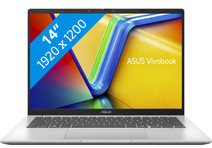
Our choice for a Windows laptop that lets you perform AI tasks at very quickly
|
14 inches
|
Windows
|
Qualcomm Snapdragon X
processor
- You can use online AI and locally on your laptop, so you can do your work ever faster.
- You can use useful Copilot+ functions in apps like Cocreate or Office while you work, so you can make your work easier.
- You can easily take this laptop with you and use it on the go thanks to the low 1.5kg weight.
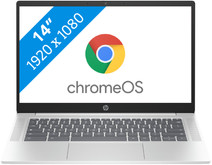
Our choice for a Chromebook for internet, email, and text processing
|
14 inches
|
Google ChromeOS
|
Intel N
processor
- You can smoothly work in different apps like Google Chrome, Google Docs, or YouTube.
- You can easily use this Chromebook easily in different places and take it with you carefree thansk to the low weight.
- You acn store files both online and offline, this Chromebook has enough local storage space for that.
