14-inch laptops
A 14-inch laptop is compact enough to take with you to work or school. Thanks to its size, it also offers sufficient screen space to comfortably use it at your desk at home. The screen of a 14-inch laptop has a 35cm diagonal. If you have a hard time imagining how large that is, consider that the screen of a 14-inch notebook is a little bit larger than an A4. This way, you know if a 14-inch laptop is something for you right away.
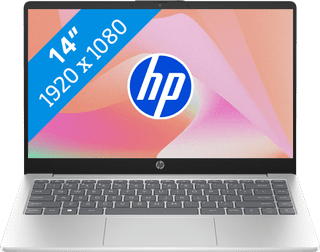
Our choice for a Windows laptop that you can easily use on the go|US layout|Lithium polymer|Shared video card
- You can easily take this laptop with you and use it on the go thanks to the low 1.4kg weight.
- You're hardly bothered by light glare or reflections thanks to the anti-glare screen.
- You can smoothly switch between light programs, edit photos, and create spreadsheets and presentations.
Retail price789,-
659,-
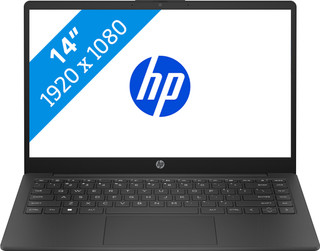
Our choice for a Windows laptop for your studies|US layout|Lithium polymer|Shared video card
- You can smoothly switch between demanding programs, so you can do your research via your browser when you make an extensive presentation.
- You can easily take this laptop with you to school and use it on the go thanks to the compact size and the low 1.4kg weight.
- You can charge the HP laptop for 50% within 45 minutes, so you can quickly go to your next class.
Retail price699,-
659,-
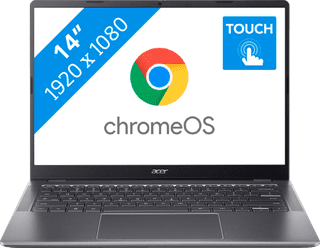
Our choice for a Chromebook for your school or studies|US layout|High school, Higher education|Lithium-ion
- You can smoothly switch between multiple apps, so you can write your reports while doing research via your browser.
- You can take notes during the lecture and navigate easily through all your apps via the touchscreen.
- You can easily take this Chromebook to your school thanks to the low weight.
Retail price529,-
429,-
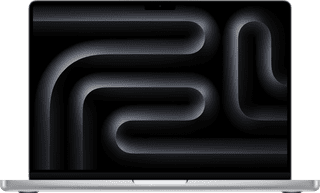
Our choice for a MacBook for photo and video editing|Fingerprint scanner|UK layout|Lithium polymer
- All your creations render quickly thanks to the powerful M5 Pro chip.
- You can enjoy razor-sharp images and bright colors on the Liquid Retina XDR display.
- Thanks to the high RAM, you can quickly switch between multiple large projects.
2.699,-
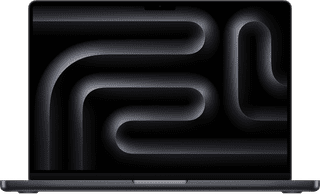
Our choice for a MacBook for business use|Fingerprint scanner|UK layout|Lithium polymer
- With the M5, you can make presentations and work in large data files.
- Thanks to the smaller 14-inch screen, you can easily take this MacBook with you to customers.
- You never have to worry about charging, thanks to the 24-hour battery life.
2.229,-

Our choice for a business laptop for marketing and content management|Fingerprint scanner|US layout|Lithium polymer
- Thanks to the WUXGA resolution, you can edit photos and video for campaigns with lots of details.
- You can edit company photos in Adobe Photoshop without any problems thanks to the Intel Core Ultra 5 processor and 24GB RAM.
- Thanks to the IPS panel, the colors look lively from every viewing angle.
1.199,-
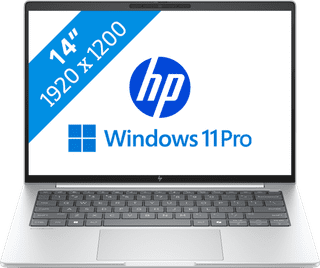
Our choice for a business laptop for when you're on the go often|Fingerprint scanner|US layout|Lithium polymer
- You can easily take this laptop with you thanks to the compact 14-inch size and its light 1.34kg weight.
- You can quickly and securely log in remotely via the Remote Desktop function of Windows Pro, which ensures a secure connection outside as well.
- Thanks to the aluminum casing, the laptop is well-protected from scratches or bumps.
1.399,-

Our choice for a Chromebook for making spreadsheets and presentations|US layout|High school, Higher education|Lithium-ion
- You can smoothly switch between medium demanding apps like Google Spreadsheets and Google Slides.
- Thanks to the wide screen, you can keep a better overview of your windows, spreadsheets, and presentations.
- You can easily continue working on your spreadsheets and presentations on the go, because you can easily take it with you thanks to the light weight.
Retail price499,-
399,-
Our choice for a Chromebook for internet, email, and text processing|US layout|Primary school|Lithium polymer
- You can easily take this Chromebook with you thanks to the low 1.3kg weight.
- You can easily continue working offline, because this Chromebook has 128GB of local storage space.
- You're less bothered by light thanks to the anti-glare screen.
349,-
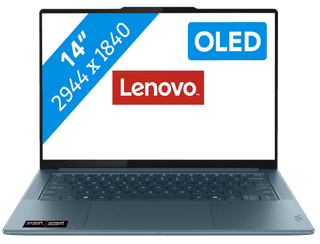
Our choice for a Windows laptop that lets you perform AI tasks very quickly|None fingerprint scanner|US layout|Lithium-ion
- You can use online AI and locally on your laptop, so you can do your work ever faster.
- You can simplify your tasks with useful AI functions of this Copilot+ PC, such as Cocreate or Recall.
- You can see all colors sharply, smoothly, and vibrantly on the screen thanks to the high image quality.
2.199,-
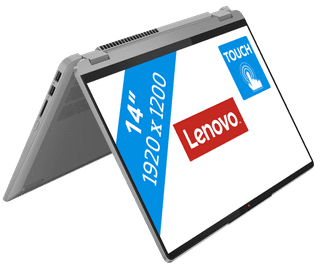
Our choice for a Windows laptop suitable for a creative degree|Fingerprint scanner|US layout|Lithium polymer
- You can easily make sketches, drawings, or designs on the screen, because you can turn this laptop into a tablet.
- You can smoothly working in demanding accounting apps like Adobe Photoshop or Premiere Pro
- Thanks to the small size and low weight, you can easily take this laptop with you to lectures.
956,-
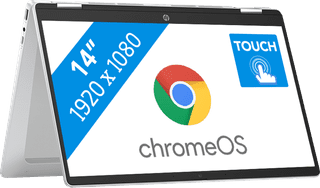
Our choice for a Chromebook for watching movies and series|US layout|Primary school|Lithium-ion
- You can comfortably watch all your favorite movies and series and see all details well on the Full HD screen.
- You can easily turn this Chromebook into a tablet, so you can easily get started via the touchscreen.
- You can easily take this Chromebook with you or comfortably place it on your lap thanks to the low weight.
452,-