Written by Stefan
Edited on
10 August 2026
·
07:54
Which MacBook is suitable for your situation?
If you buy a MacBook, you have to make a lot of different choices. What the best choice is, depends on which tasks you want to perform on your MacBook. We don't recommend the same MacBook models for basic, daily tasks as we do for demanding or professional tasks. In this article, you can read which MacBook best suits your usage situation.
Apple MacBook for light tasks
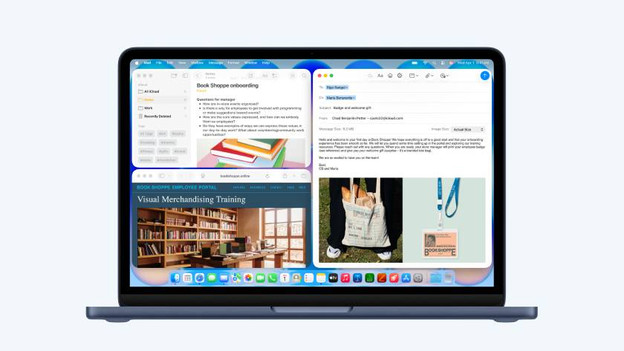
Internet, email, and text processing
For basic tasks like browsing the internet and checking your email, you don't need a very powerful MacBook. With the Apple MacBook neo, you can smoothly perform light daily tasks. Thanks to the A18 chip, you can open most apps quickly. With 8GB of RAM, you can use a couple of light apps at the same time. The Apple MacBook Neo has a small 13-inch screen, so you can easily take it with you on the go.

Watch movies and series
Enjoy your favorite series anywhere with the Apple MacBook Air. This light but powerful MacBook is easy to take with you on the go, whether you're on the couch or on the train. The sharp and bright Liquid Retina display also displays small details in your favorite content clearly. Choose a 15-inch screen to not miss a single detail.
Apple MacBook for medium demanding tasks

School
Which MacBook you need for school, depends on what you're going to do with it. Choose a MacBook Neo for high school or practical studies. Choose a MacBook Air or MacBook Pro with an M5 chip if you often open apps or work in large files. Do you often work in the most demanding apps, develop programs, or create 3D models? Choose the MacBook Pro with M5 Pro or M5 Max chip.

Business
Do you need a MacBook for business use? Carefully check which tasks you're going to perform with your MacBook. The MacBook Neo and MacBook Air are suitable for light and administrative tasks. Choose an Apple MacBook Pro if you often perform graphic tasks like photo and video editing. Do you develop apps or programs or often work in large 3D files? The MacBook Pro with M5 Max chip is the best choice for you.

Photo and video editing
To smoothly edit photos or videos on your MacBook, you need a model that's powerful enough for that. This depends on your usage situation. Choose the MacBook Air to smoothly perform light photo or video editing tasks. Do you often work on intensive projects or with large files in high quality? Choose the MacBook Pro with M5 Pro or M5 Max chip.
Apple MacBook for demanding tasks
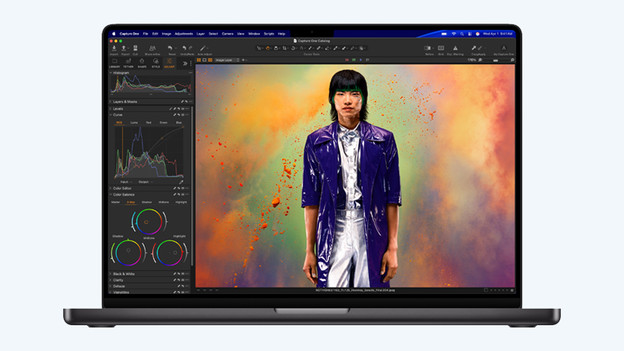
Demanding graphic tasks
Choose the Apple MacBook Pro with M5 Pro processor to run demanding graphic tasks. With this powerful MacBook, you can work on large 3D files smoothly and quickly and edit 4K videos with multiple layers. Do you work on professional video productions or large 8K projects? The MacBook Pro with M5 Max chip is the best choise. Choose a large 16-inch screen to not miss a single detail in your files or designs.
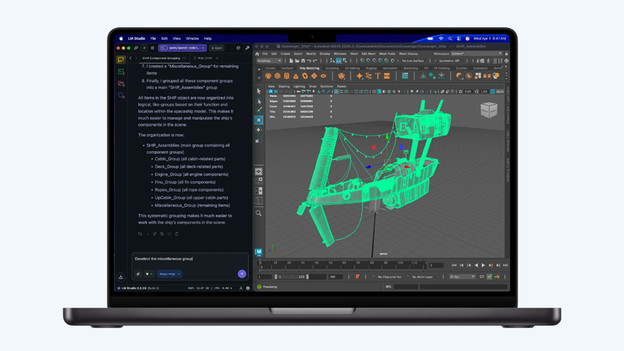
Intensive apps and calculations
Choose the Apple MacBook Pro with M5 Pro Max chip and perform even the most demanding tasks smoothly. Develop your appls and programs, analyze your large data sets, and run complex calculations, for example. Choose at least 36GB of RAM to use multiple demanding apps or files at the same time without slowing down.
Article by Stefan
Apple Expert.