

Coolblue's Choice Laptops
35 laptops

Our choice for a gaming laptop that you can use to smoothly play Fortnite
|
Windows Home
|
15,6 inches
|
Intel Core i7/Intel Core 7
- You can enjoy fast-moving images and you can stay one step ahead of your opponent thanks to the RTX 5060 video card and the 144HZ screen.
- You can stream your Fortnite gameplay via Twitch in Full HD thanks to the Intel Core i7 processor and 16GB RAM.
- You can enjoy a true light show while gaming thanks to the RGB backlit keyboard.
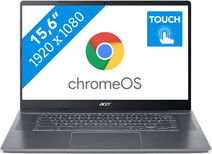

Our choice for a Chromebook for your school or studies
|
Google ChromeOS
|
15,6 inches
|
Intel Core i5/Intel Core 5
- You can smoothly switch between multiple apps, so you can write your reports and make your presentations while doing research via your browser.
- You can take notes during the lecture and navigate easily through all your apps via the touchscreen.
- You can store your assignments both online and offline, because this Chromebook has a lot of local storage space.

Our choice for a Chromebook for making spreadsheets and presentations
|
Google ChromeOS
|
15,6 inches
|
Intel Celeron
- You can smoothly switch between different apps, so you can listen to your favorite music during work.
- You acn store files both online and offline, this Chromebook has enough local storage space for that.
- You can see all details well on the screen thanks to the Full HD resolution.
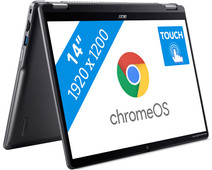
Our choice for a Chromebook for light graphic tasks
|
Google ChromeOS
|
14 inches
|
Intel Core i3/Intel Core 3
- You can smoothly perform graphics tasks and use AI while you work, because this powerful Chromebook is a Chromebook Plus.
- You can easily turn this Chromebook into a tablet, so you can easily get started via the touchscreen.
- You can easily take this Chromebook with you, thanks to its low 1.5kg weight.
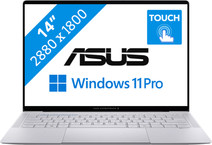
Our choice for a business laptop suitable for photo editing
|
Windows Pro
|
14 inches
|
Intel Core Ultra 7
- You can edit photos to the smallest details thanks to the 100% coverage in the DCI-P3 color space and the WQXGA+ screen.
- Thanks to the OLED panel, you can edit your company photos with realistic colors.
- You can work in programs like Adobe Photoshop and InDesign smoothly thanks to the Core Ultra 7 processor with AI support.
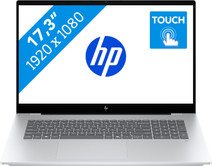
Our choice for a 17-inch Windows laptop for light video editing
|
Windows Home
|
17,3 inches
|
Intel Core Ultra 7
- You can see all the details of your videos well and you can easily work with 2 windows side by side on the large 17-inch screen.

Our choice for a 16-inch gaming laptop that you can use to play demanding games
|
Windows Home
|
16 inches
|
AMD Ryzen AI 9
- You can smoothly play demanding games at 60 fps with the RTX 5070 video card, like Microsoft Flight Simulator and Elden Ring.
- Enjoy the fastest images and play your games with the highest frame rates on the 240Hz screen.
- In addition to gaming, you can stream in 4K and edit your gameplay videos thanks to the AMD Ryzen AI 9 processor and 32GB RAM.
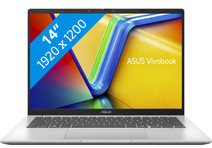
Our choice for a Windows laptop that lets you perform AI tasks at very quickly
|
Windows Home
|
14 inches
|
Qualcomm Snapdragon X
- You can use online AI and locally on your laptop, so you can do your work ever faster.
- You can use useful Copilot+ functions in apps like Cocreate or Office while you work, so you can make your work easier.
- You can easily take this laptop with you and use it on the go thanks to the low 1.5kg weight.

Our choice for a MacBook for the most demanding apps and tasks
|
macOS
|
16,2 inches
|
Apple M5 Max
- The M5 Max chip is suitable for the most demanding tasks, such as 3D design and app development.
- You can connect up to 4 external screens, so you can divide your work and programs.
- Thanks to the high RAM, you can smoothly work in various demanding apps at the same time.
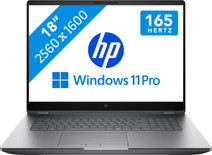
Our choice for A business laptop for 3D designs
|
Windows Pro
|
18 inches
|
Intel Core Ultra 7
- Thanks to the Intel Core Ultra 7 processor and 32GB RAM, you can use demanding programs without issues.
- With the NVIDIA RTX PRO 2000 video card, you can quickly render large 3D models, blueprints, and other 3D elements.
- Thanks to the built-in NPU chip, you can enjoy a longer battery life.
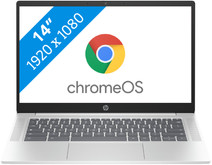
Our choice for a Chromebook for internet, email, and text processing
|
Google ChromeOS
|
14 inches
|
Intel N
- You can smoothly work in different apps like Google Chrome, Google Docs, or YouTube.
- You can easily use this Chromebook easily in different places and take it with you carefree thansk to the low weight.
- You acn store files both online and offline, this Chromebook has enough local storage space for that.

Our choice for an 18-inch gaming laptop you can use to play demanding games
|
Windows Home
|
18 inches
|
Intel Core Ultra 9
- You can play demanding games like Elden Ring and Flight Simulator at 60 fps in Full HD or older games in QHD or even 4K, thanks to the RTX 5070 GPU.
- On the large 18-inch screen with a 240Hz refresh rate, you won't miss a single detail in your game.
- In addition to gaming, you can stream in 4K and edit your gameplay videos thanks to the Core Ultra 9 processor and 32GB RAM.
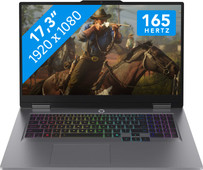
Our choice for a 17-inch gaming laptop that you can use to play light games
|
Windows Home
|
17,3 inches
|
Intel Core i7/Intel Core 7
- You can play light games such as Fortnite, Call of Duty, and Minecraft thanks to the RTX 5050 and fast Intel Core 7 processor.
- You can enjoy fast-moving images and you won't be bothered by screen tearing on the large 17-inch 165Hz screen, which is useful in shooters and race games.
- In addition to gaming, you can stream in Full HD and edit your gameplay videos thanks to the Intel Core 7 processor and 24GB RAM.
