Welcome to your environment! You can order everything from your assortment with your personal budget here.

You can always return to the normal Coolblue website by clicking here.

Your outstanding budget (incl. VAT) is always visible here, so you know exactly how much you can spend.

Coolblue home

Help with your product
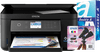
Epson Expression Home XP-5150 + 1 Set Extra Ink + 500 Sheets A4 Paper
0 reviews

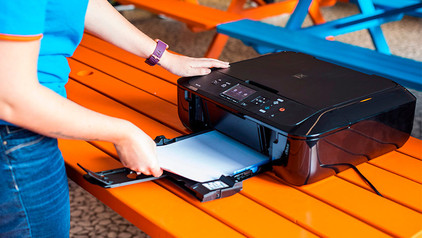
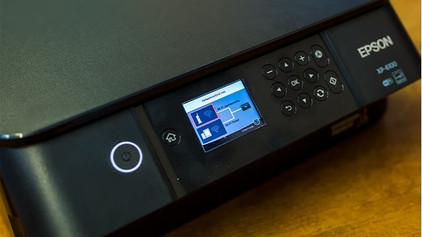
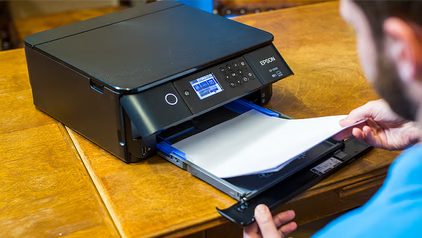
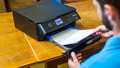
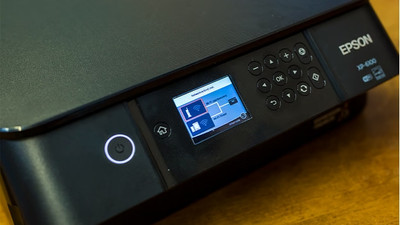
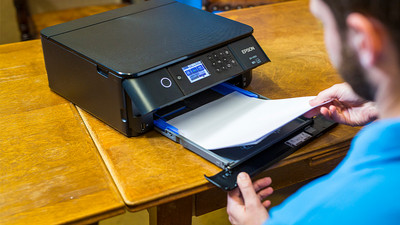
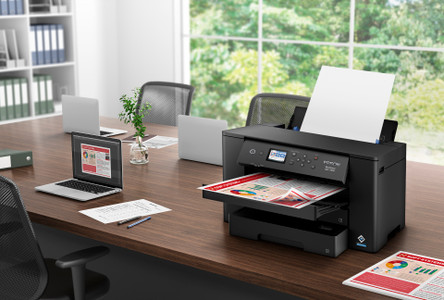
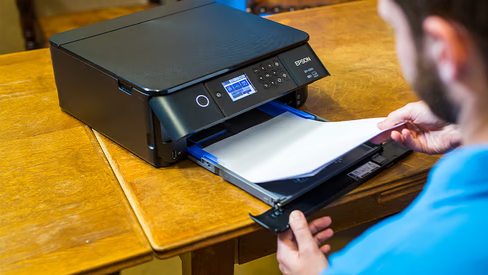
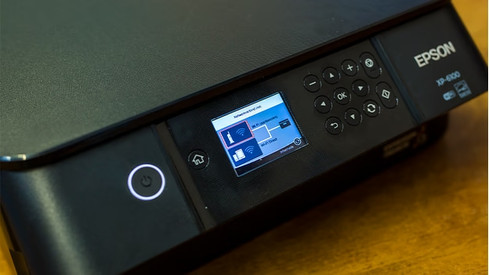
You'll get everything you need for serious printing jobs with the Expression Home XP-5150 + 1 Set Extra Ink + 500 Sheets A4 Paper Bundle. With the Epson Expression Home XP-5150, you can print, scan, and copy photos and documents. Thanks to the spacious paper tray with room for 150 A4 sheets and the automatic duplex printing function, you can print without worries. The memory card slot allows you to print photos directly from your digital camera, without needing a computer. You can connect the printer via WiFi or WiFi Direct. You connect directly to the network of the printer, so you don't need a wireless network. You can control the printer via the Epson app or via the LCD screen.

Read all tips here

How do you reset an Epson printer?

You can sometimes solve problems with your Epson printer with a reset, such as a frozen screen. You can reset the printer via the screen. Is the screen frozen? Use the reset button on the back of the printer. We'll explain how to reset your printer in these 2 ways.

3 tips if your printer prints blank pages

Doesn't any or hardly any ink come out or your printer and does it only print blank or half pages? There's probably a problem with your cartridges. You can often replace your cartridges or clean the nozzles to solve your problems. We'll give you 3 tips to solve this problem in this article.

3 tips if your printer prints blank pages

Doesn't any or hardly any ink come out or your printer and does it only print blank or half pages? There's probably a problem with your cartridges. You can often replace your cartridges or clean the nozzles to solve your problems. We'll give you 3 tips to solve this problem in this article.

4 tips when the macOS system indicates your printer is offline

You want to quickly print something, but your iMac or MacBook doesn't recognize the printer. It's an annoyance that'll sound familiar to a lot of people. That's why we'll share 3 tips in this article that'll help you get your printer back online in no time.

How do you maintain your inkjet printer?

When you maintain your printer well, it lasts longer. For example, print often to prevent dried ink and clogged printheads. Store unopened cartridges in a cool and dark place. We'll tell you how your printer and cartridges can last longer with these 5 useful tips.

How do you maintain your inkjet printer?

When you maintain your printer well, it lasts longer. For example, print often to prevent dried ink and clogged printheads. Store unopened cartridges in a cool and dark place. We'll tell you how your printer and cartridges can last longer with these 5 useful tips.

5 tips for sustainable printing

You can print more sustainably in various ways. For example, use the energy-saving functions of your printer and print on recycled paper. It's also important to hand in your empty cartridges. We'll give you 5 tips to print sustainably.

How do you reset an Epson printer?

You can sometimes solve problems with your Epson printer with a reset, such as a frozen screen. You can reset the printer via the screen. Is the screen frozen? Use the reset button on the back of the printer. We'll explain how to reset your printer in these 2 ways.

3 tips if your printer prints blank pages

Doesn't any or hardly any ink come out or your printer and does it only print blank or half pages? There's probably a problem with your cartridges. You can often replace your cartridges or clean the nozzles to solve your problems. We'll give you 3 tips to solve this problem in this article.

3 tips if your printer prints blank pages

Doesn't any or hardly any ink come out or your printer and does it only print blank or half pages? There's probably a problem with your cartridges. You can often replace your cartridges or clean the nozzles to solve your problems. We'll give you 3 tips to solve this problem in this article.

4 tips when the macOS system indicates your printer is offline

You want to quickly print something, but your iMac or MacBook doesn't recognize the printer. It's an annoyance that'll sound familiar to a lot of people. That's why we'll share 3 tips in this article that'll help you get your printer back online in no time.

How do you maintain your inkjet printer?

When you maintain your printer well, it lasts longer. For example, print often to prevent dried ink and clogged printheads. Store unopened cartridges in a cool and dark place. We'll tell you how your printer and cartridges can last longer with these 5 useful tips.

How do you maintain your inkjet printer?

When you maintain your printer well, it lasts longer. For example, print often to prevent dried ink and clogged printheads. Store unopened cartridges in a cool and dark place. We'll tell you how your printer and cartridges can last longer with these 5 useful tips.

5 tips for sustainable printing

You can print more sustainably in various ways. For example, use the energy-saving functions of your printer and print on recycled paper. It's also important to hand in your empty cartridges. We'll give you 5 tips to print sustainably.

Subjects

Didn't find your answer?

Find an answer to your question quickly and easily via our customer service.

Coolblue specialist
Personal chat Digitalk.
You're now chatting with Coolblue customer service
This chat is closed
foo
Oeps File size is larger than 5MB. Upload a smaller file.