

Coolblue's Choice Top 10 bestselling laptops
9 laptops
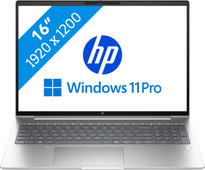

Our choice for a business laptop for marketing and content management
|
Windows Pro
|
16 inches
|
Intel Core Ultra 5
- Thanks to the WUXGA resolution, you can edit photos and video for campaigns with lots of details.
- You can edit company videos in Adobe Photoshop without problems thanks to the Intel Core Ultra 5 processor.
- Thanks to the IPS panel, the colors look lively from every viewing angle.
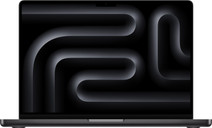
Our choice for a MacBook for video editing
|
macOS
|
14,2 inches
|
Apple M4 Pro
- With the M4 Pro chip, you can edit large video files in demanding programs like Adobe Premiere Pro.
- On the 1600-nit Liquid Retina XDR display, you can see lifelike colors and every detail.
- This MacBook is the best choice for you if you edit many video files.

Our choice for a MacBook for business use
|
macOS
|
14,2 inches
|
16 GB
RAM
- With this MacBook, you can smoothly switch between programs and management systems.
- The Touch ID allows you to log in to your MacBook quickly and securely with your fingerprint without having to enter a password.
- This MacBook is the best choice for you if you're looking for a MacBook for work.
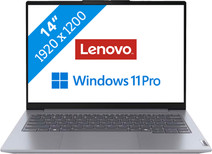
Our choice for a business laptop for when you're on the go often
|
Windows Pro
|
14 inches
|
Intel Core i7/Intel Core 7
- You can easily take this laptop everywhere, thanks to the compact 14-inch size and its light weight of 1.4kg.
- You can quickly and securely log in remotely via the Remote Desktop function of Windows Pro, which ensures a secure connection outside as well.
- Thanks to the aluminum casing, the laptop is well-protected from scratches or bumps.

Our choice for a Chromebook for high school
|
Google ChromeOS
|
14 inches
|
Intel Core i3/Intel Core 3
- You can smoothly write reports, make assignments, and do research via the browser at the same time.
- You can store all your files online and offline thanks to the 128GB local storage space.
- You can easily take this Chromebook with you to high school, because it only weighs 1.4kg.
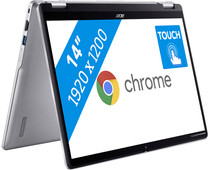
Our choice for a Chromebook that you can also use as a tablet
|
Google ChromeOS
|
14 inches
|
Intel N
- You can easily turn this Chromebook into a tablet, so you can easily get started via the touchscreen.
- You can easily take this Chromebook with you or comfortably place it on your lap thanks to the low weight.
- You can smoothly work in different light apps and easily get to work with multitasking.
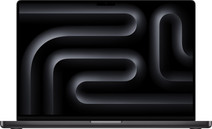
Our choice for a MacBook for 3D design and app development
|
macOS
|
16,2 inches
|
Apple M4 Max
- The M4 Max chip is suitable for the most demanding processes, such as 3D design and app development.
- You can easily connect up to 4 screens, so you can spread out all your work and programs.
- This MacBook is the best choice for you if you work on many 3D designs and develop apps.
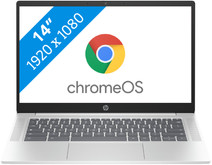
Our choice for a Chromebook for internet, email, and text processing
|
Google ChromeOS
|
14 inches
|
Intel N
- You can smoothly work in different apps like Google Chrome, Google Docs, or YouTube.
- You can easily use this Chromebook easily in different places and take it with you carefree thansk to the low weight.
- You acn store files both online and offline, this Chromebook has enough local storage space for that.
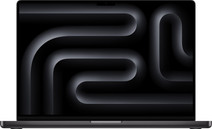
Our choice for a MacBook for gaming
|
macOS
|
16,2 inches
|
Apple M4 Max
- The M4 Max chip is suitable for the most demanding processes, such as demanding gaming.
- Everything you do renders even faster thanks to the ray tracing technology, so you see the most realistic images in games.
- This MacBook is the best choice for you if you like to play demanding games on your MacBook.
