Welcome to your environment! You can order everything from your assortment with your personal budget here.

You can always return to the normal Coolblue website by clicking here.

Your outstanding budget (incl. VAT) is always visible here, so you know exactly how much you can spend.

Coolblue home

Help with your product
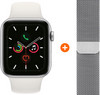
Apple Watch Series 5 40mm Silver White Sport Band + Milanese Silver

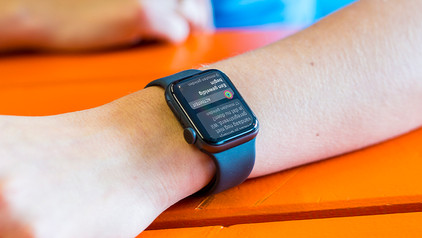
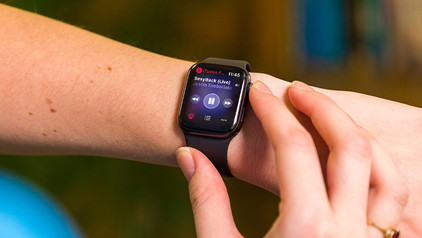
Adjust your Apple Watch to your personal wishes with the Apple Watch Series 5 40mm Silver Aluminum White sport Band + Apple Watch 40mm Watch Strap Milanese Silver bundle. When you're going to a party, you can easily swap the white silicone strap for the Milanese silver strap. Use the silicone strap in the gym for extra comfort during workouts. You can keep track of your heart rate during workouts, thanks to the Always On Retina display. You can make cardiograms with the ECG function via the new electric heart rate sensor. Easily pay for your drinks with Apple Pay on your Apple Watch Series 5. This Apple Watch is suitable for a wrist circumference of 13 to 20cm. Note: to use the Apple Watch, you need an iPhone 6S or newer with iOS 13 or newer.

Read all tips here

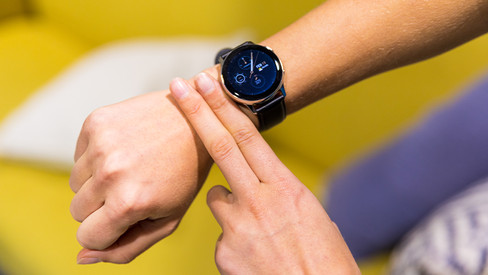
8 tips for accurate heart rate reading via your smartwatch

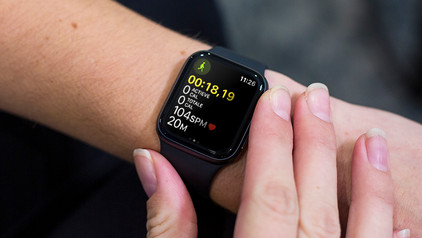
You want to measure your heart rate with your watch, but what's the best way to do this? A good wrist measurement depends on your physical condition and how high you wear the smartwatch on your wrist. We'll give 8 tips for an accurate heart rate measurement. Here's a little sneak preview. It's important you wear the watch as high as possible on your wrist and make sure that no light gets between your wrist and the sensor. For a really accurate measurement, connect a heart rate monitor with chest strap.
What do the icons on the Apple Watch mean?

There are different symbols that may appear on your Apple Watch. A little airplane at the top of your screen means you've activated airplane mode. But what does the lightning bolt mean? Or a red cross? In this article, we'll tell you more about the meaning of the icons on your Apple Watch.

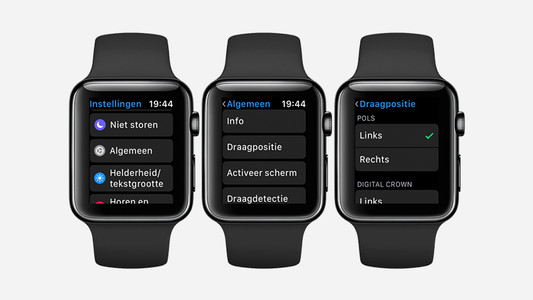
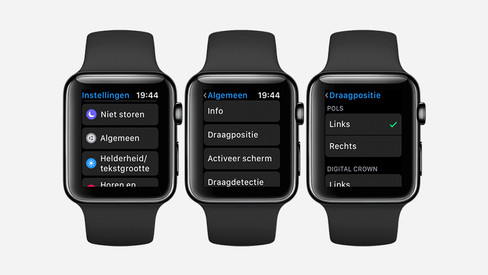
How do you set up the Apple Watch for left-handed use?

When you purchase a new Apple Watch, you will soon discover that it is set to right-handed use as standard. But what if you are left-handed? Nothing wrong. You wear Apple Watch on every wrist. All you have to do is adjust some settings. We'll tell you how to do that.

How can you get your Apple Watch repaired?

If your Apple Watch is broken, Coolblue can repair it for you. We're happy to help you with your Apple Watch repairs. Whether your screen is broken or your battery will no longer charge: our Apple-certified repair service is ready to help you out in our warehouse. We'll tell you more about having your Apple Watch repaired at Coolblue here.

How do you navigate your Apple Watch?

The Apple Watch has 2 buttons, the Digital Crown and the side button. You can use these buttons to navigate your Apple Watch. You can also use the touchscreen of the Apple Watch to switch between apps and go back to the home screen. In this article, we'll explain how you can navigate the Apple Watch as easily as possible.

Style your Apple Watch for every occasion

You can easily style your Apple Watch for any occasion, because there's a watch strap for any situation. There are casual straps, straps suitable for sports, and straps for a professional environment. On this page, you can read all about what Apple Watch straps there are and what strap best suits which occasion.

How do you calibrate your Apple Watch?

An Apple Watch tracks everything for you. How many kilometers you walk a day, how fast you walk, how many calories you burn. If you want to make these measurements even more accurate, you calibrate your Apple Watch. In this article, we'll explain what calibrating your Apple Watch is and how to do it.

6 life hacks for your Apple Watch

Once you buy an Apple Watch, you'll soon won't be able to live without it. You can receive messages on your wrist and use the Apple Watch to start a workout. But the Apple Watch has much more to offer. Things you might not even know exist. Which of the following life hacks on the Apple Watch did you know already?

What's Apple Watch insurance and how does it benefit you?

With an insurance for your Apple Watch, you can be sure that your smartwatch will be repaired in no time if it gets damaged. Some insurances even cover theft of your Apple Watch. At Coolblue, we have 2 different insurances. Apple themselves also offer an insurance. In this article, you can read what these insurances cover and what the benefits are.

What's Apple Watch insurance and how does it benefit you?

With an insurance for your Apple Watch, you can be sure that your smartwatch will be repaired in no time if it gets damaged. Some insurances even cover theft of your Apple Watch. At Coolblue, we have 2 different insurances. Apple themselves also offer an insurance. In this article, you can read what these insurances cover and what the benefits are.

8 tips for accurate heart rate reading via your smartwatch

You want to measure your heart rate with your watch, but what's the best way to do this? A good wrist measurement depends on your physical condition and how high you wear the smartwatch on your wrist. We'll give 8 tips for an accurate heart rate measurement. Here's a little sneak preview. It's important you wear the watch as high as possible on your wrist and make sure that no light gets between your wrist and the sensor. For a really accurate measurement, connect a heart rate monitor with chest strap.

What do the icons on the Apple Watch mean?

There are different symbols that may appear on your Apple Watch. A little airplane at the top of your screen means you've activated airplane mode. But what does the lightning bolt mean? Or a red cross? In this article, we'll tell you more about the meaning of the icons on your Apple Watch.

How do you set up the Apple Watch for left-handed use?

When you purchase a new Apple Watch, you will soon discover that it is set to right-handed use as standard. But what if you are left-handed? Nothing wrong. You wear Apple Watch on every wrist. All you have to do is adjust some settings. We'll tell you how to do that.

How can you get your Apple Watch repaired?

If your Apple Watch is broken, Coolblue can repair it for you. We're happy to help you with your Apple Watch repairs. Whether your screen is broken or your battery will no longer charge: our Apple-certified repair service is ready to help you out in our warehouse. We'll tell you more about having your Apple Watch repaired at Coolblue here.

How do you navigate your Apple Watch?

The Apple Watch has 2 buttons, the Digital Crown and the side button. You can use these buttons to navigate your Apple Watch. You can also use the touchscreen of the Apple Watch to switch between apps and go back to the home screen. In this article, we'll explain how you can navigate the Apple Watch as easily as possible.

Style your Apple Watch for every occasion

You can easily style your Apple Watch for any occasion, because there's a watch strap for any situation. There are casual straps, straps suitable for sports, and straps for a professional environment. On this page, you can read all about what Apple Watch straps there are and what strap best suits which occasion.

How do you calibrate your Apple Watch?

An Apple Watch tracks everything for you. How many kilometers you walk a day, how fast you walk, how many calories you burn. If you want to make these measurements even more accurate, you calibrate your Apple Watch. In this article, we'll explain what calibrating your Apple Watch is and how to do it.

6 life hacks for your Apple Watch

Once you buy an Apple Watch, you'll soon won't be able to live without it. You can receive messages on your wrist and use the Apple Watch to start a workout. But the Apple Watch has much more to offer. Things you might not even know exist. Which of the following life hacks on the Apple Watch did you know already?

What's Apple Watch insurance and how does it benefit you?

With an insurance for your Apple Watch, you can be sure that your smartwatch will be repaired in no time if it gets damaged. Some insurances even cover theft of your Apple Watch. At Coolblue, we have 2 different insurances. Apple themselves also offer an insurance. In this article, you can read what these insurances cover and what the benefits are.

What's Apple Watch insurance and how does it benefit you?

With an insurance for your Apple Watch, you can be sure that your smartwatch will be repaired in no time if it gets damaged. Some insurances even cover theft of your Apple Watch. At Coolblue, we have 2 different insurances. Apple themselves also offer an insurance. In this article, you can read what these insurances cover and what the benefits are.

Subjects

Didn't find your answer?

Find an answer to your question quickly and easily via our customer service.

Coolblue specialist
Personal chat Digitalk.
You're now chatting with Coolblue customer service
This chat is closed
foo
Oeps File size is larger than 5MB. Upload a smaller file.