

Coolblue's Choice 16-inch laptops
6 laptops
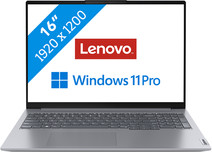
Our choice for a business laptop to work on spreadsheets and presentations
|
Windows Pro
|
16 inches
|
Intel Core i5/Intel Core 5
- You can work smoothly multiple spreadsheets and presentations thanks to the Intel Core i5 processor and 16GB RAM.
- On the 16-inch screen, you enjoy a clear overview and easily open 2 windows side by side.
- Thanks to the USB-C port with DisplayPort Mode, you can easily connect a beamer or external monitor when you give a presentation.
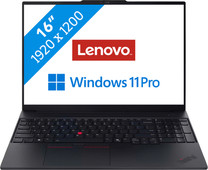

Our choice for a business laptop for accounting
|
Windows Pro
|
16 inches
|
Intel Core Ultra 7
- Open multiple spreadsheets at the same time and run demanding programs thanks to the Intel Core Ultra 7 processor and 32GB RAM.
- Your laptop and data are well-protected thanks to the discrete TPM chip, so hackers almost can't get into your laptop.
- Thanks to the NPU, you can enjoy a long battery life to keep working longer with the laptop.
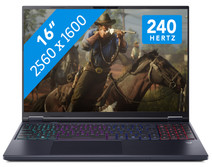
Our choice for a 16-inch gaming laptop that you can use to stream in 4K
|
Windows Home
|
16 inches
|
Intel Core Ultra 9
- You can easily play demanding games thanks to the Ultra 9 processor, RTX 5070 GPU, and 32GB RAM.
- Enjoy lifelike colors and smooth movements on the 240Hz screen for the best gaming experience.
- In addition to gaming, you can stream in 4K and edit your gameplay videos thanks to the Ultra 9 processor and 32GB RAM.
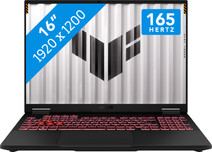
Our choice for a 16-inch gaming laptop that you can use to play medium demanding games
|
Windows Home
|
16 inches
|
AMD Ryzen 7
- You can play medium demanding games like Cyberpunk 2077 and Hogwarts Legacy smoothly at 60 fps in Full HD, thanks to the RTX 5060 video card.
- You can see a little bit more of the game on the 16-inch screen, which gives you an advantage over your opponents.
- In addition to gaming, you can also stream in Full HD and edit your gameplay videos thanks to the AMD Ryzen 7 processor and 16GB RAM.

Our choice for a 16-inch gaming laptop that you can use to play demanding games
|
Windows Home
|
16 inches
|
AMD Ryzen AI 9
- You can smoothly play demanding games at 60 fps with the RTX 5070 video card, like Microsoft Flight Simulator and Elden Ring.
- Enjoy the fastest images and play your games with the highest frame rates on the 240Hz screen.
- In addition to gaming, you can stream in 4K and edit your gameplay videos thanks to the AMD Ryzen AI 9 processor and 32GB RAM.

Our choice for a MacBook for the most demanding apps and tasks
|
macOS
|
16,2 inches
|
Apple M5 Max
- The M5 Max chip is suitable for the most demanding tasks, such as 3D design and app development.
- You can connect up to 4 external screens, so you can divide your work and programs.
- Thanks to the high RAM, you can smoothly work in various demanding apps at the same time.
