Laptops with high-end security are equipped with a large amount of security functions, so you can work with privacy-sensitive information without having to worry. These laptops have a TPM chip to encrypt data, a fingerprint sensor, and/or infrared camera, and much more. Many of these laptops use Windows Pro as their operating system. Laptops with high-end security have various speeds, but 1 thing stands without a doubt: in terms of security, they're the best.

Our choice for a business laptop for accounting|Large|Medium|Fingerprint scanner
- Open multiple spreadsheets at the same time and run demanding programs thanks to the Intel Core Ultra 7 processor and 32GB RAM.
- Your laptop and data are well-protected thanks to the discrete TPM chip, so hackers almost can't get into your laptop.
- Thanks to the NPU, you can enjoy a long battery life to keep working longer with the laptop.
1.699,-
In stock
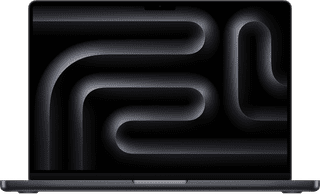
Our choice for a MacBook for business use|Center, Small|Small|Fingerprint scanner
- With the M5, you can make presentations and work in large data files.
- Thanks to the smaller 14-inch screen, you can easily take this MacBook with you to customers.
- You never have to worry about charging, thanks to the 24-hour battery life.
2.099,-
In stock
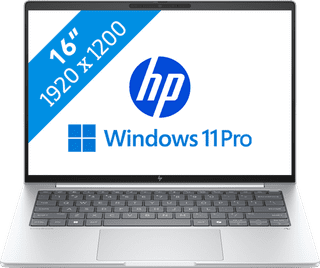
Our choice for a business laptop suitable for photo editing|Large|Medium|Fingerprint scanner
- You can work in programs like Adobe Photoshop and InDesign smoothly thanks to the Core Ultra 7 processor with AI support.
- Thanks to the IPS panel, you can work with bright colors from every viewing angle.
- Thanks to the 100% coverage of the sRGB color space, you can enjoy realistic colors.
1.499,-
In stock

Our choice for a business laptop for marketing and content management|Center, Small|Small|Fingerprint scanner
- Thanks to the WUXGA resolution, you can edit photos and video for campaigns with lots of details.
- You can edit company photos in Adobe Photoshop without any problems thanks to the Intel Core Ultra 5 processor and 24GB RAM.
- Thanks to the IPS panel, the colors look lively from every viewing angle.
1.299,-
In stock
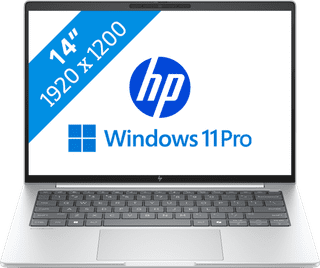
Our choice for a business laptop for when you're on the go often|Center, Small|Small|Fingerprint scanner
- You can easily take this laptop with you thanks to the compact 14-inch size and its light 1.34kg weight.
- You can quickly and securely log in remotely via the Remote Desktop function of Windows Pro, which ensures a secure connection outside as well.
- Thanks to the aluminum casing, the laptop is well-protected from scratches or bumps.
1.499,-
Temporarily sold out
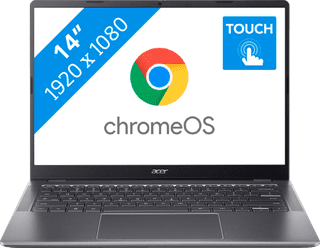
Our choice for a Chromebook for your school or studies|Center, Small|Small|US layout
- You can smoothly switch between multiple apps, so you can write your reports while doing research via your browser.
- You can take notes during the lecture and navigate easily through all your apps via the touchscreen.
- You can easily take this Chromebook to your school thanks to the low weight.
529,-
In stock
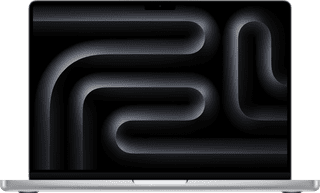
Our choice for a MacBook for photo and video editing|Center, Small|Small|Fingerprint scanner
- All your creations render quickly thanks to the powerful M5 Pro chip.
- You can enjoy razor-sharp images and bright colors on the Liquid Retina XDR display.
- Thanks to the high RAM, you can quickly switch between multiple large projects.
2.719,-
In stock
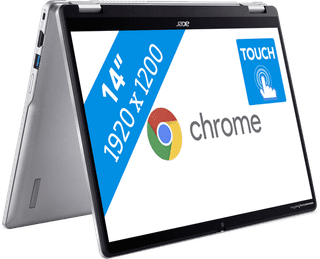
Our choice for a Chromebook that you can also use as a tablet|Center, Small|Small|US layout
- You can easily turn this Chromebook into a tablet, so you can easily get started via the touchscreen.
- You can easily take this Chromebook with you or comfortably place it on your lap thanks to the low weight.
- You can also store documents offline on your Chromebook thanks to the 128GB local storage.
502,-
In stock

Our choice for a Chromebook for making spreadsheets and presentations|Center, Small|Small|US layout
- You can smoothly switch between medium demanding apps like Google Spreadsheets and Google Slides.
- Thanks to the wide screen, you can keep a better overview of your windows, spreadsheets, and presentations.
- You can easily continue working on your spreadsheets and presentations on the go, because you can easily take it with you thanks to the light weight.
502,-
Temporarily sold out
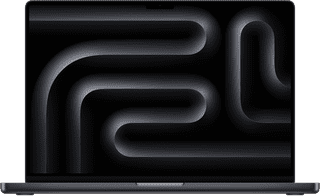
Our choice for a MacBook for the most demanding apps and tasks|Large|Medium|Fingerprint scanner
- The M5 Max chip is suitable for the most demanding tasks, such as 3D design and app development.
- You can connect up to 4 external screens, so you can divide your work and programs.
- Thanks to the high RAM, you can smoothly work in various demanding apps at the same time.
4.449,-
In stock

Our choice for A business laptop for 3D designs|Large|Large|Fingerprint scanner
- Thanks to the Intel Core Ultra 7 processor and 32GB RAM, you can use demanding programs without issues.
- With the NVIDIA RTX PRO 2000 video card, you can quickly render large 3D models, blueprints, and other 3D elements.
- Thanks to the built-in NPU chip, you can enjoy a longer battery life.
4.479,-
In stock