Welcome to your environment! You can order everything from your assortment with your personal budget here.

You can always return to the normal Coolblue website by clicking here.

Your outstanding budget (incl. VAT) is always visible here, so you know exactly how much you can spend.

Coolblue home

Help with your product

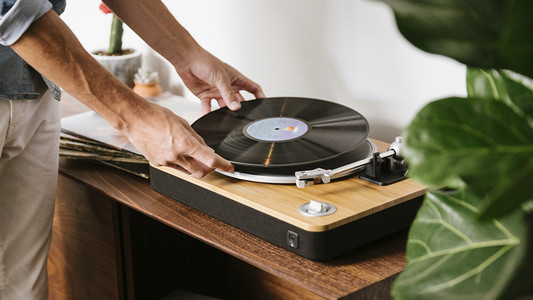
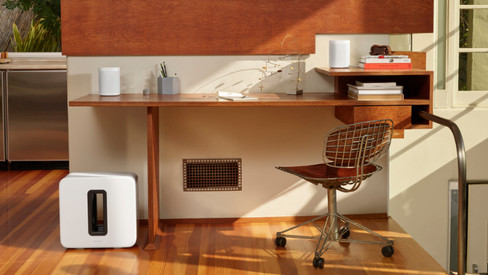
Victrola VPT-3000 Stream Black + Sonos Five White Duo Pack
0 reviews

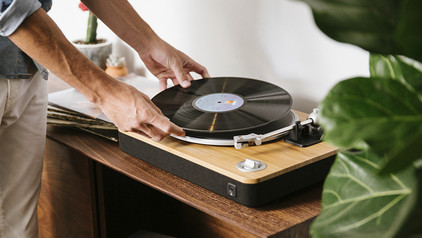
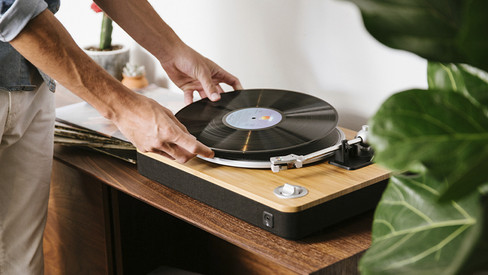
Enjoy your records with the Victrola VPT-3000 Stream Black + Sonos Five White Duo Pack. The record player has a Works With Sonos badge, so you can quickly connect your Sonos speakers to the record player. Thanks to the built-in preamplifier, you can listen to your favorite record through the speakers without an amplifier or receiver. The speakers provide powerful stereo sound, so they fill the room with the music on your favorite records. The TruePlay technology scans the size of your room and adjusts the sound, so it's exactly right. Together with your other Sonos speakers, you can create a multi-room system and listen to records in the entire house. You can adjust the volume of the speakers via the record player, so you can control the speakers from a central point.

Read all tips here

Which product do you want to see articles about?

How do you create a group of 2 or more Sonos speakers?

You have 2 or more Sonos speakers and want to connect them to each other. This way, you ensure that they play the same music. This option is useful when you throw a party or if you want to listen to the same music in multiple rooms at the same time. In the following steps, I'll explain how to quickly and easily connect multiple speakers in a group.

What to do if your Sonos speaker stutters

You have 1 or more Sonos speakers at home. That's great. There's just one problem. Your speaker stutters. If your speaker stutters, it often has to do with your WiFi network. In this article, I'll explain some solutions to solve the interruption of your speaker sound.

How do you stream music to your Sonos speakers?

With Sonos, you can say goodbye to audio cables and separate apps. All you need, is a computer and a smartphone or tablet with the Sonos Controller app. This free app gives you control over all your music sources. Form your own collection to thousands of radio stations. On this page, we'll explain exactly how that works.

How do you stream music to your Sonos speakers?

With Sonos, you can say goodbye to audio cables and separate apps. All you need, is a computer and a smartphone or tablet with the Sonos Controller app. This free app gives you control over all your music sources. Form your own collection to thousands of radio stations. On this page, we'll explain exactly how that works.

With these 7 tips, you'll enjoy your Sonos system even more

You have a Sonos system so you can enjoy wireless music. With these practical tips, we'll help you have even more fun with your Sonos system.

What products can I connect my Google Assistant speaker to?

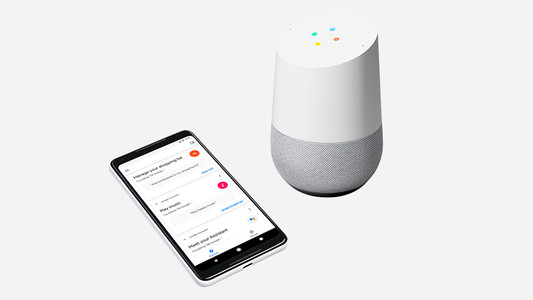
Did you buy a Google Assistant? Nice! Of course, you can't wait to get started. What can you actually connect the Google Assistant to? I'm happy to explain it to you.

5 tips to improve the WiFi connection on your speaker

The name speaks for itself, a WiFi speaker needs WiFi to function. If you experience interferences, the speaker isn't necessarily broken. Maybe your internet range isn't enough to provide your speaker with internet. You'll find 5 tips to improve your WiFi below, so you can enjoy your favorite songs undisturbed again.

5 tips to improve the WiFi connection on your speaker

The name speaks for itself, a WiFi speaker needs WiFi to function. If you experience interferences, the speaker isn't necessarily broken. Maybe your internet range isn't enough to provide your speaker with internet. You'll find 5 tips to improve your WiFi below, so you can enjoy your favorite songs undisturbed again.

5 tips for the placement of your WiFi speaker

How do you determine the best placement for your WiFi speaker, and what do you keep in mind? The sound from the speaker consists of vibrations that move through the air. Where you place the speaker and which materials are in the room influence the sound you hear. That's why the ideal setup isn't the same for everyone. In this article, we'll help you to find the best placement for your WiFi speaker.

How do you create a group of 2 or more Sonos speakers?

You have 2 or more Sonos speakers and want to connect them to each other. This way, you ensure that they play the same music. This option is useful when you throw a party or if you want to listen to the same music in multiple rooms at the same time. In the following steps, I'll explain how to quickly and easily connect multiple speakers in a group.

What to do if your Sonos speaker stutters

You have 1 or more Sonos speakers at home. That's great. There's just one problem. Your speaker stutters. If your speaker stutters, it often has to do with your WiFi network. In this article, I'll explain some solutions to solve the interruption of your speaker sound.

How do you stream music to your Sonos speakers?

With Sonos, you can say goodbye to audio cables and separate apps. All you need, is a computer and a smartphone or tablet with the Sonos Controller app. This free app gives you control over all your music sources. Form your own collection to thousands of radio stations. On this page, we'll explain exactly how that works.

How do you stream music to your Sonos speakers?

With Sonos, you can say goodbye to audio cables and separate apps. All you need, is a computer and a smartphone or tablet with the Sonos Controller app. This free app gives you control over all your music sources. Form your own collection to thousands of radio stations. On this page, we'll explain exactly how that works.

With these 7 tips, you'll enjoy your Sonos system even more

You have a Sonos system so you can enjoy wireless music. With these practical tips, we'll help you have even more fun with your Sonos system.

What products can I connect my Google Assistant speaker to?

Did you buy a Google Assistant? Nice! Of course, you can't wait to get started. What can you actually connect the Google Assistant to? I'm happy to explain it to you.

5 tips to improve the WiFi connection on your speaker

The name speaks for itself, a WiFi speaker needs WiFi to function. If you experience interferences, the speaker isn't necessarily broken. Maybe your internet range isn't enough to provide your speaker with internet. You'll find 5 tips to improve your WiFi below, so you can enjoy your favorite songs undisturbed again.

5 tips to improve the WiFi connection on your speaker

The name speaks for itself, a WiFi speaker needs WiFi to function. If you experience interferences, the speaker isn't necessarily broken. Maybe your internet range isn't enough to provide your speaker with internet. You'll find 5 tips to improve your WiFi below, so you can enjoy your favorite songs undisturbed again.

5 tips for the placement of your WiFi speaker

How do you determine the best placement for your WiFi speaker, and what do you keep in mind? The sound from the speaker consists of vibrations that move through the air. Where you place the speaker and which materials are in the room influence the sound you hear. That's why the ideal setup isn't the same for everyone. In this article, we'll help you to find the best placement for your WiFi speaker.

How do you choose the right record player?

The record player is back in full force. If you want to dig out your LPs from the attic or perhaps even buy a whole new collection, you need a record player. Since record players have many modern properties nowadays, we'll help you make the right choice in this article.

Subjects
Didn't find your answer?

Find an answer to your question quickly and easily via our customer service.

Coolblue specialist
Personal chat Digitalk.
You're now chatting with Coolblue customer service
This chat is closed
foo
Oeps File size is larger than 5MB. Upload a smaller file.